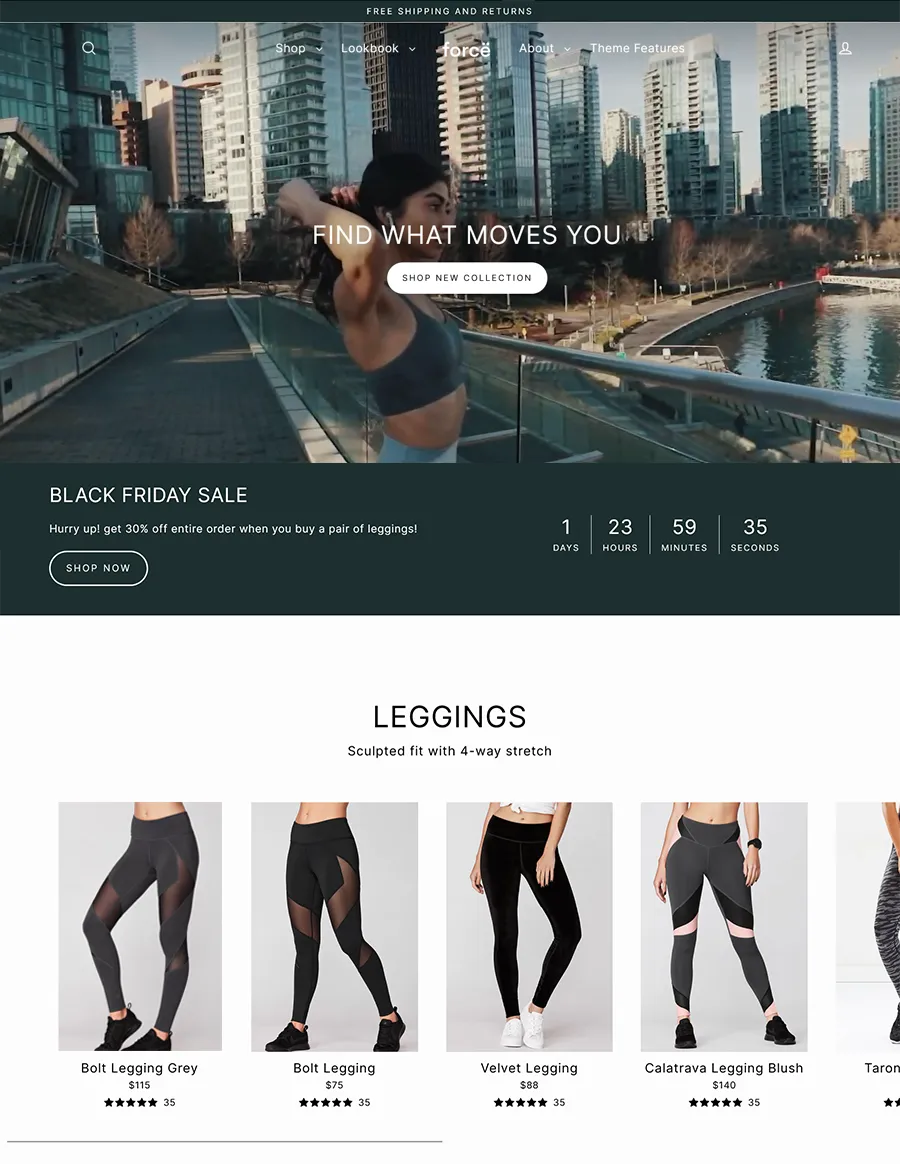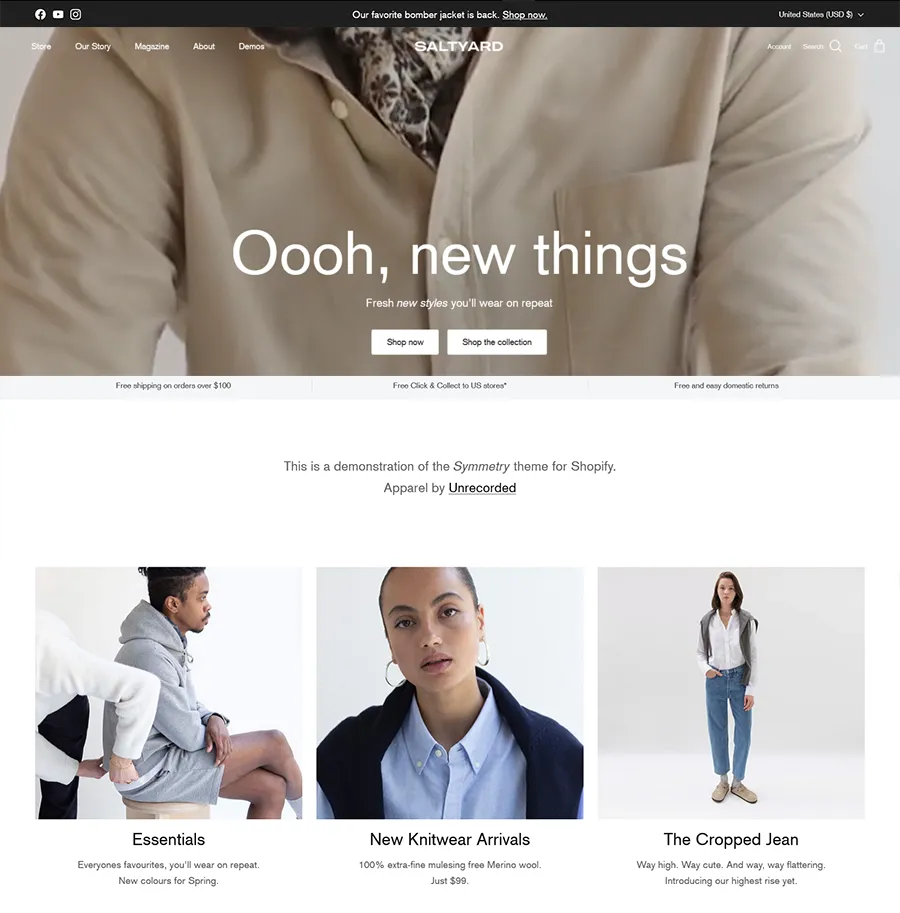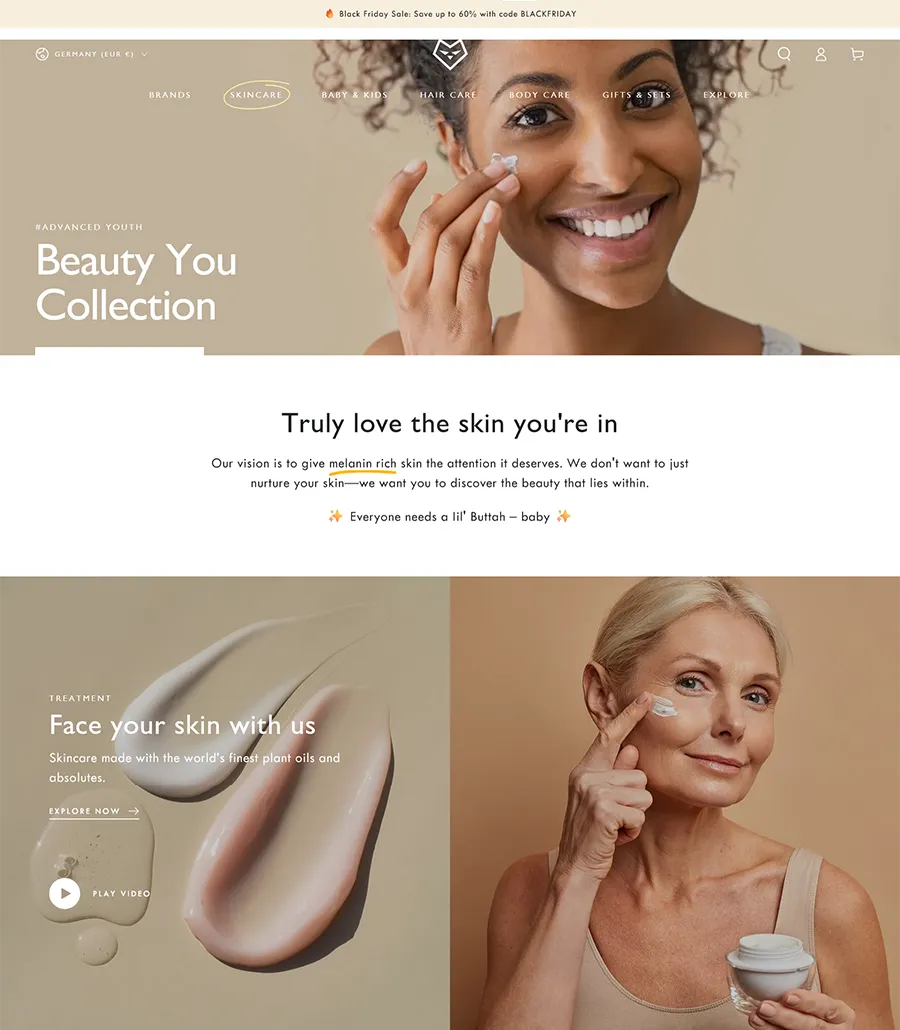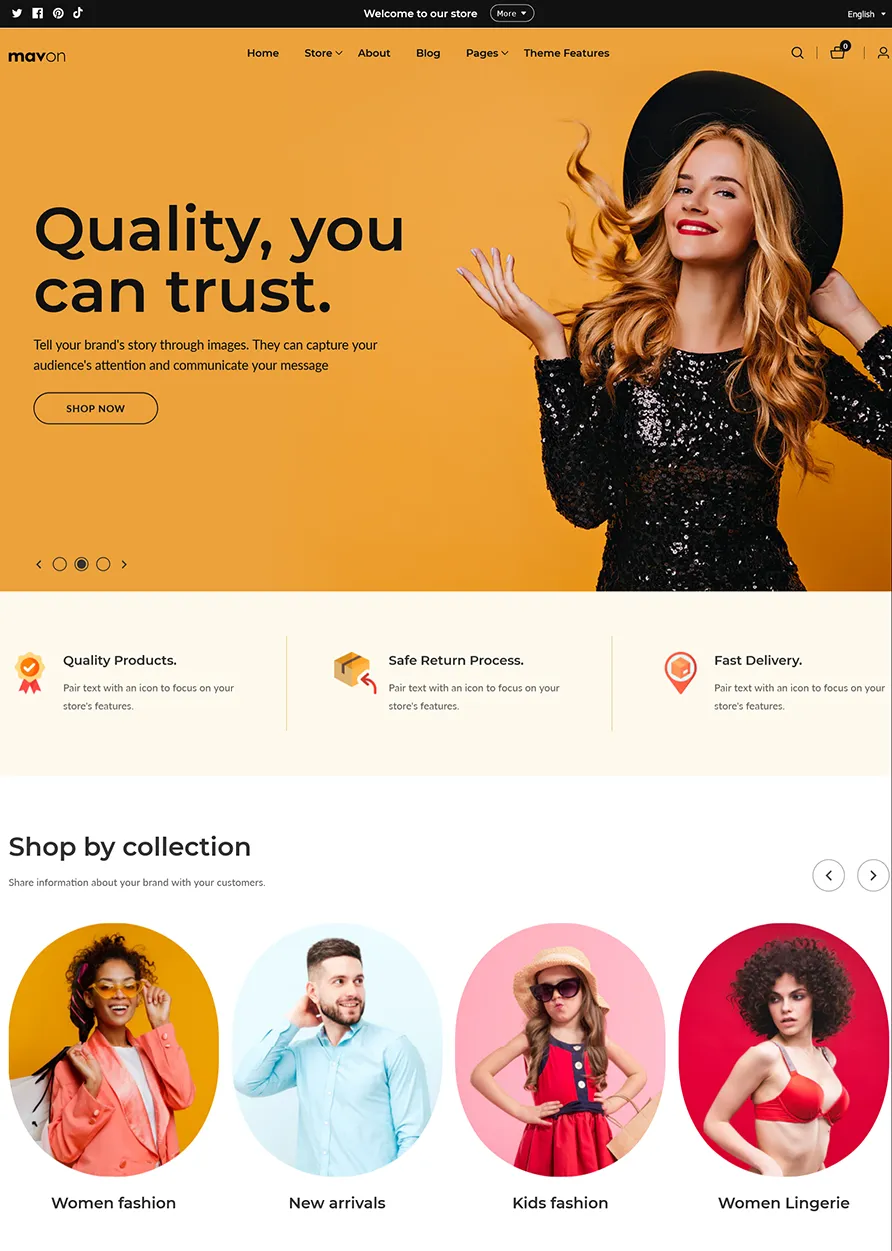
arete logo
Services
Industries
Resources
Portfolio About Contact
647-812-5125 Get a Quote
01Services
02Industries
03Resources
Book a Strategy Call
647-812-5125
What We Build
Website Design Conversion-first B2B sites Shopify & Shopify Plus Enterprise ecommerce WooCommerce Development Flexible & open-source SEO & Content Rank and get found Paid Media & CRO Traffic that converts Branding & Creative Identity that earns trust Email & CRM Marketing Retention & lifecycle Website Maintenance Ongoing support & care
1,000+
projects delivered since 2007
"Don't be moderately successful." That's the standard every build is held to.
Who We Work With
Legal Finance Manufacturing Education & Training Professional Services SaaS & Technology Ecommerce See all industries
2x
quote requests after relaunch
"Arete rebuilt our site and our quote requests doubled within two months."
— Bartell Global
Learn
Blog Case Studies Guides & Playbooks FAQ Cities We Serve
30+
industry awards
Featured Guide
7 Signs Your B2B Website Is Costing You Leads
Case Study
How Bartell Global Doubled Quote Requests
New on the Blog
SEO Checklist for B2B Sites in 2026
arete logo
Services
Website Design Shopify & Shopify Plus WooCommerce Development SEO & Content Paid Media & CRO Branding & Creative
Industries
Legal Finance Manufacturing Education & Training Professional Services SaaS & Technology Ecommerce
Portfolio
Resources
Blog Case Studies Guides & Playbooks FAQ
About
Contact Us
Cities We Serve
Get a Quote 647-812-5125

Shopify Conversion Optimization: 34 CRO Strategies to Maximize Conversions & Sales

April 2, 2025 by Mandeep Kumar Leave a Comment

Driving traffic to your Shopify store is only half the battle—the real challenge is converting visitors into paying customers. If your store suffers from low conversion rates, abandoned carts, or slow checkouts, you’re leaving revenue on the table.

That’s where Conversion Rate Optimization (CRO) comes in. CRO focuses on making small yet powerful adjustments to your website to encourage more purchases, improve user experience, and maximize profitability.

This guide covers 34 proven Shopify Conversion Optimization strategies to enhance every crucial touchpoint of your eCommerce store, including:

  1. Optimizing the home page for a lasting first impression
  2. Enhancing product and collections pages to improve discoverability
  3. Streamlining the checkout process to minimize friction
  4. Leveraging marketing and offers to increase conversions
  5. Improving mobile performance and page speed for seamless shopping
  6. Improving overall SEO performance of your Shopify store

By the end of this guide, you’ll have actionable insights to transform your Shopify store into a high-converting machine and drive more revenue. Let’s dive in.

Getting a lot of traffic to your online store but poor conversion? If your store isn’t converting visitors into buyers, you’re leaving money on the table.

Well, it is a common challenge, and the solution is Conversion Rate Optimization (CRO). Small tweaks can lead to massive revenue growth. Whether you’re struggling with high bounce rates, abandoned carts, or low checkout conversions, the right conversion optimization strategies can turn things around.

But first, let’s break it down:

What is Conversion?

A conversion occurs when someone takes an action on your website that you wanted them to take, such as placing an order, signing up for a Newsletter, completing a form, or any other action.

In eCommerce, conversion refers to when a visitor takes a desired action on your Shopify store. The most important conversion is a sale, but conversions can also include other key actions like:

  1. Adding a product to the cart
  2. Signing up for your email list
  3. Clicking on a call-to-action (CTA) button
  4. Starting or completing the checkout process
  5. Engaging with a chatbot or customer service

What is the Average e-commerce Conversion Rate?

The average ecommerce industry conversion rate is 2% to 3%. However, this number varies based on industry, traffic quality, and website optimization .
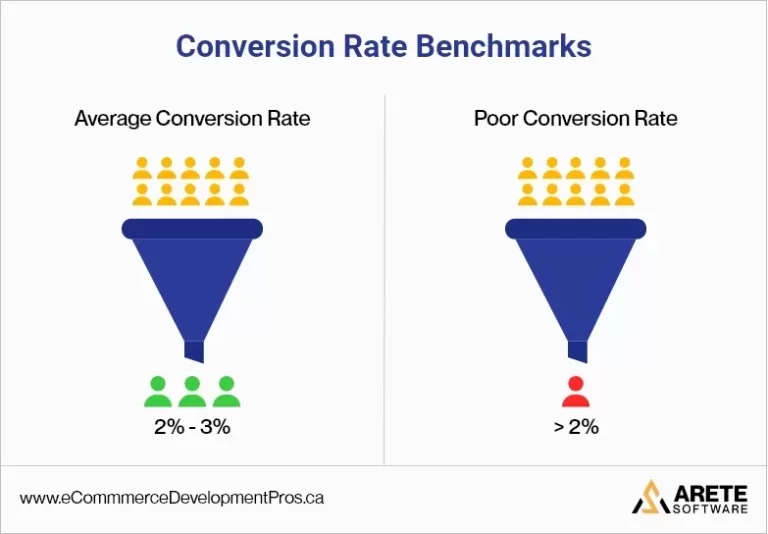
Conversion rate benchmark

How to Calculate Conversion Rate

Here’s how you can calculate the conversion rate for your store.

Calculating your conversion rate is straightforward and provides valuable insights into the performance of your website and marketing strategies.

Conversion Rate Formula

The standard formula for calculating the conversion rate is:

(Total Conversions​/Total Visitors)×100 = Conversion Rate

Where:

  • Total Conversions refers to the number of desired actions taken, such as completed purchases, email sign-ups, or added-to-cart actions.
  • Total Visitors is the total number of unique visitors to your store within a given period.

Here’s an Example Calculation

Let’s say your Shopify store had 10,000 visitors in a month, and 300 of them made a purchase. Your conversion rate would be:

(300/10,000​)×100=3%

This means that 3% of your store visitors converted into paying customers.
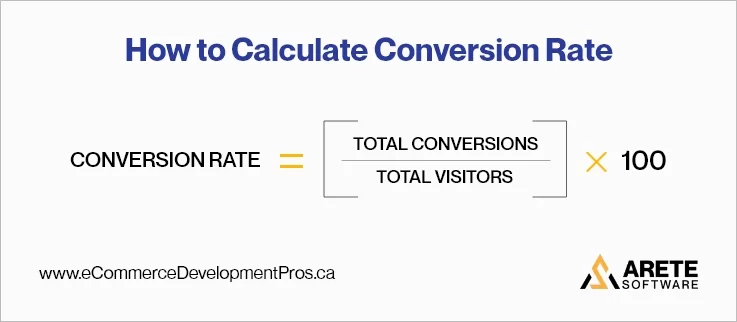
an Example Calculation conversion rate

What is Conversion Rate Optimization?

Shopify Conversion Rate Optimization (or Shopify CRO), is a method of optimizing your eCommerce store into a high-conversion machine.

It involves finding what prevents website visitors from converting to paying customers and refining your store to overcome those barriers. It’s not just about making your store look good—it’s about creating a user experience that encourages action.

This guide will walk you through Shopify CRO Strategies designed for every crucial part of your online store:

  • Home Page
  • Collections Page
  • Product Page
  • Cart Page
  • Mobile Optimization
  • Fast Loading Speed
  • Marketing
  • Payment Gateway

Let’s uncover the ultimate eCommerce CRO strategies and increase the conversion rate of your Shopify store!

Shopify CRO Strategies: Mastering Your Home Page

Your Shopify home page is the digital shopfront of your business—it’s where first impressions are made. To turn visitors into loyal customers, it’s important to optimize the home page effectively. Let’s explore some key strategies to optimize the home page:

Personalization and Localization

Personalizing the user’s shopping experience to individual visitors can substantially improve user engagement:

Strategy 1- Language and Region Selection

Offering language and region selection enhances user experience by providing content relevant to the visitor’s location.

A Good Example of personalization is Versace . It gives the option to select a region and language.
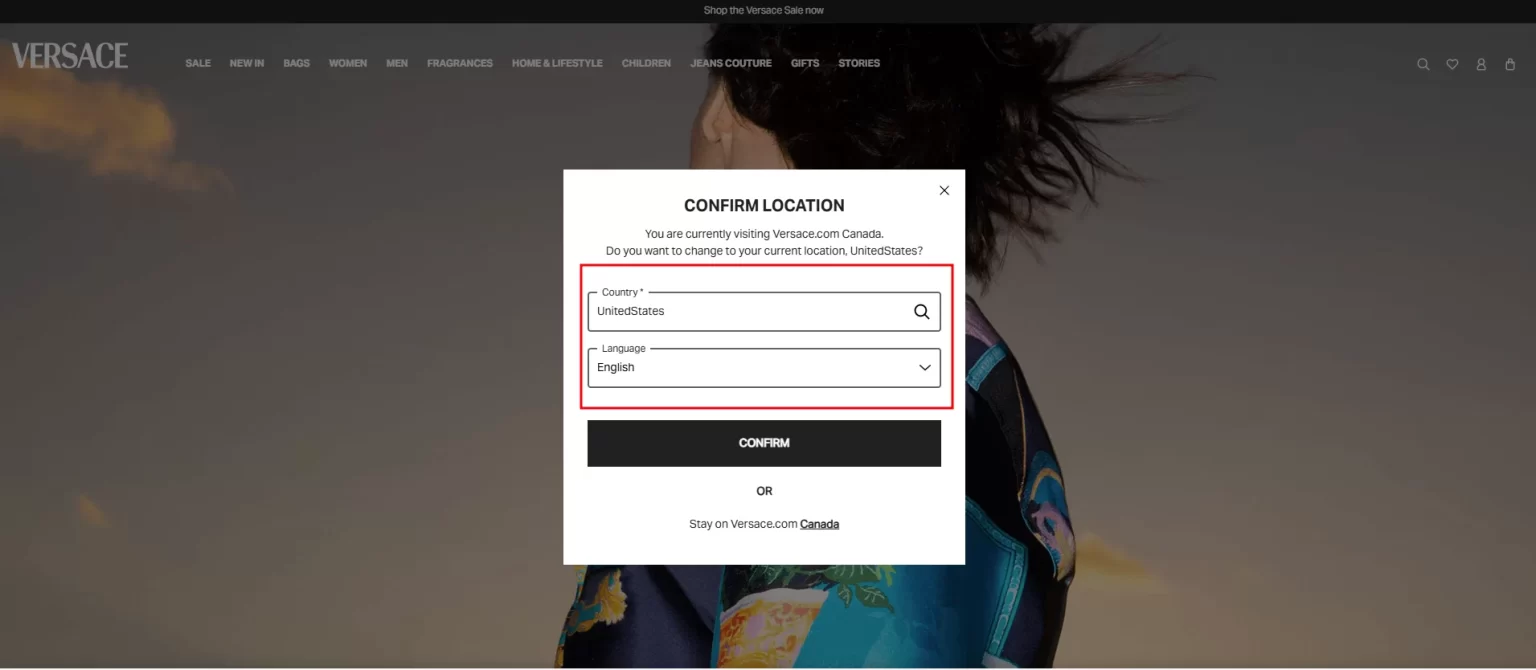
A website with good personalization and localization experience

A website with good personalization and localization experience

A poor example of region selection personalization can be seen in EddieBauer . When users enter their website via search engines, they are automatically directed to the U.S. website by default, without being given the option to select their region (U.S. or Canada).

As a result, Canadian customers may unknowingly land on EddieBauer.com instead of EddieBauer.ca.

By the time they realize it—often during checkout or pricing verification—they may become frustrated and abandon the site altogether, leading to lost conversions.
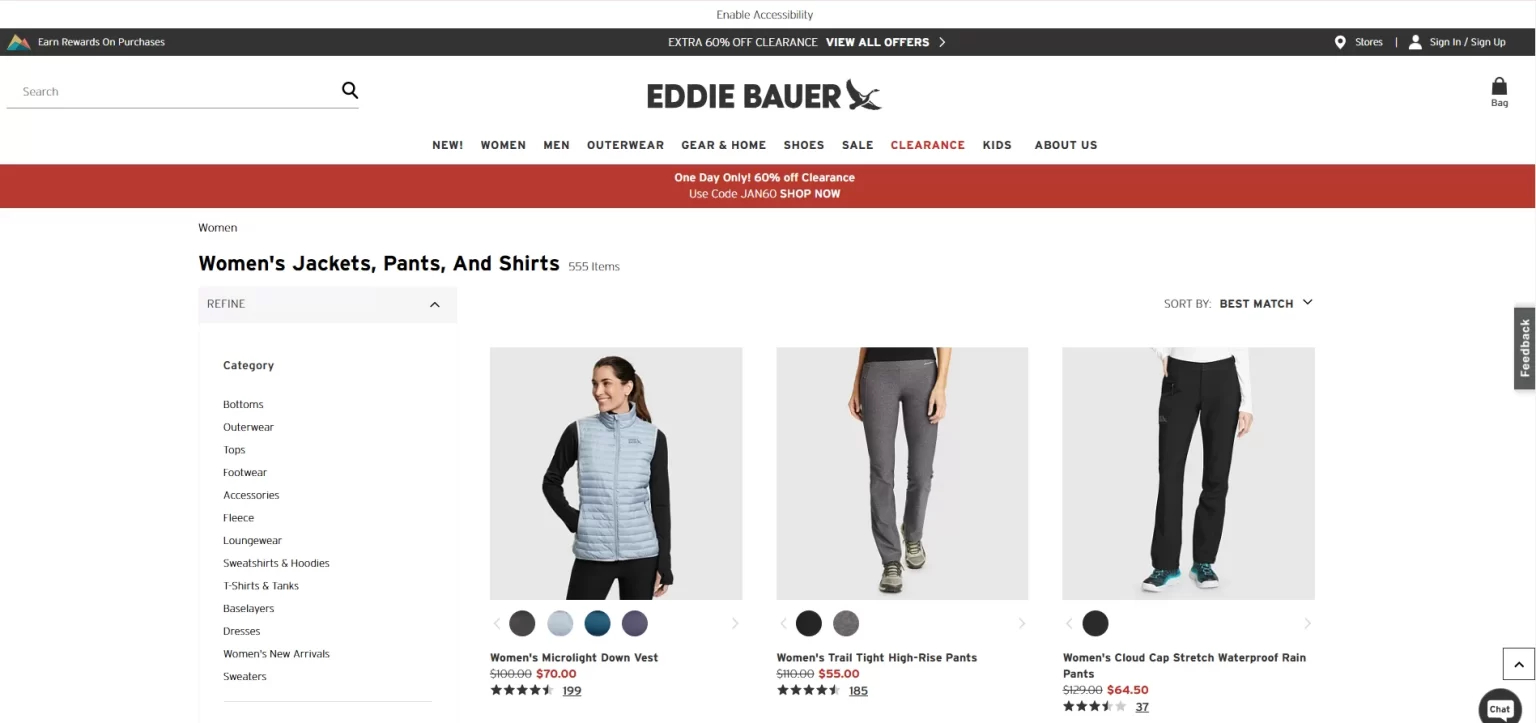
A website with poor personalization and localization experience

A website with poor personalization and localization experience

Strategy 2 – Multi-Currency and Local Payment Options

With the change in country/region, currency change is another example of personalization. For instance, a customer from the U.S. should be able to view the prices and pay in USD, while a customer from Canada should be able to pay in CAD. More on this later in the article.

How to Implement (Strategy 1 and 2)

  • Use IP-based geolocation to direct visitors to the correct regional site (e.g., .com vs. .ca).
  • Provide a manual region selector so users can switch locations easily.
  • Use Shopify’s Translate & Adapt app or third-party translation apps .
  • Provide human-translated product descriptions to ensure accuracy (depending on your budget)
  • Automatically detect a visitor’s browser language and switch accordingly.
  • Display prices in the visitor’s local currency automatically.
  • Offer region-specific payment methods (e.g., Alipay for China, Klarna for Europe).
  • Show a currency selector for customers who prefer to switch manually.

Strategy 3- Localized Content

Display images and promotions that echo the cultural context of the visitor’s region.

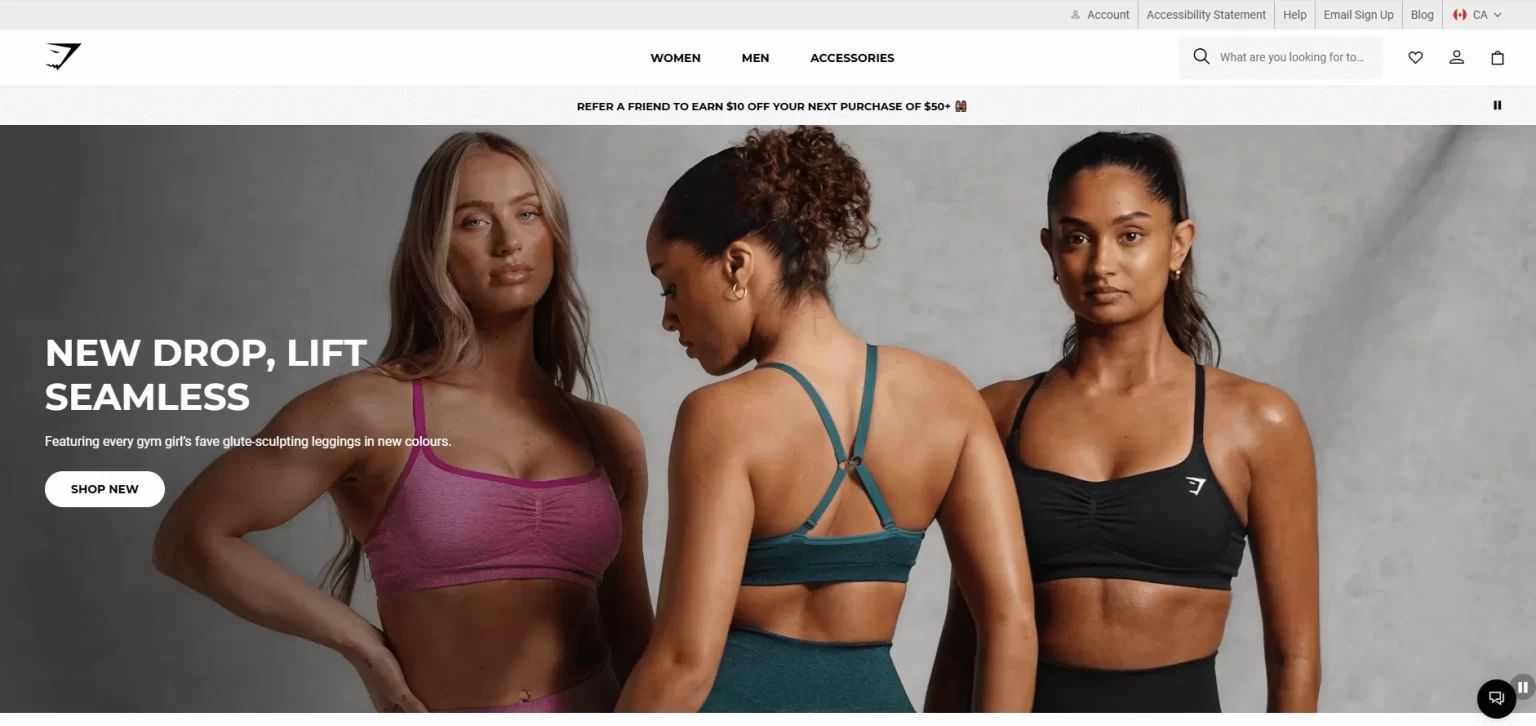
Example: A good example of localized content based on the region selected is Gymshark . Their USA website displays the images and content as per the local market.
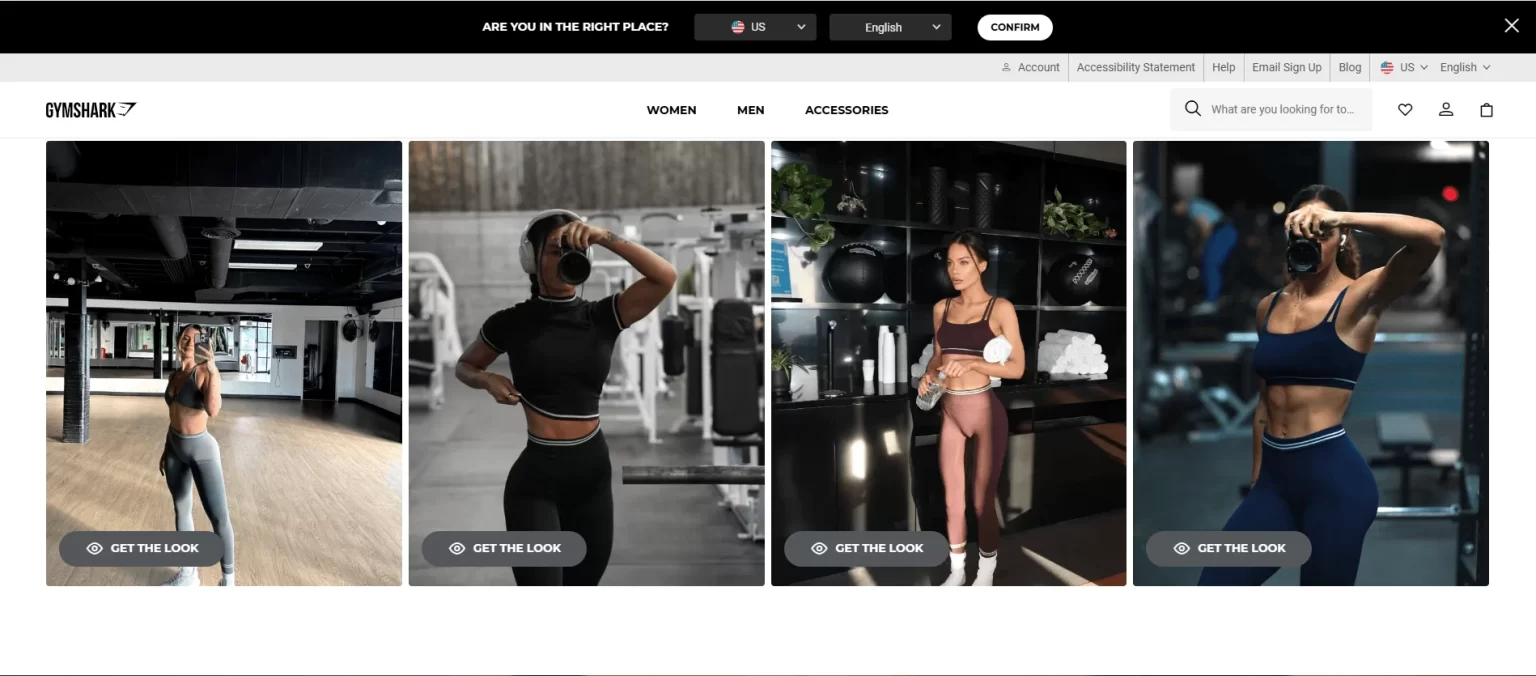
Gymshark USA - Images and content suitable for US audience

Gymshark USA – Images and content suitable for US audience

The Gymshark website for Canada shows diversity through the images and content and localized catering to Canadian audiences.
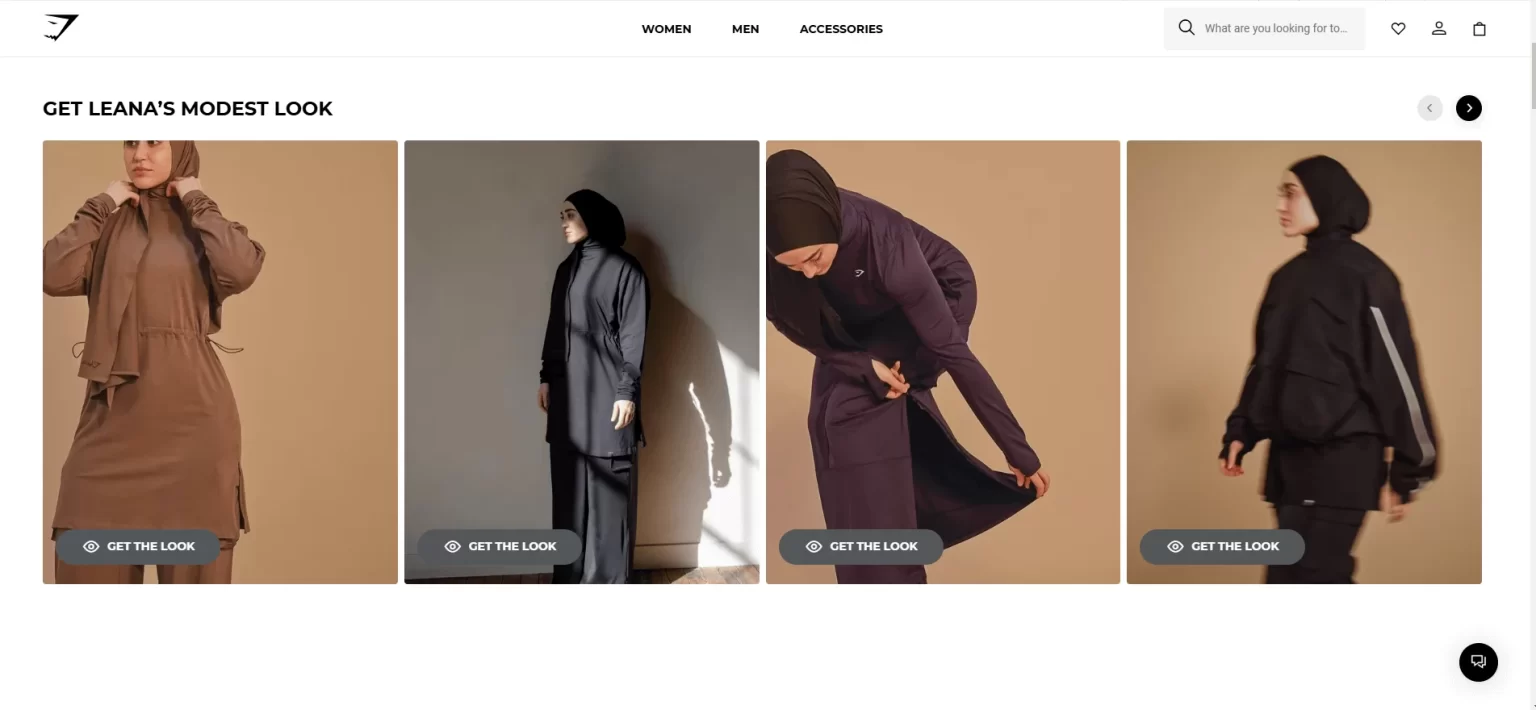
Gymshark Canada – Images and content suitable for Canadian audience

Gymshark Canada – Images and content suitable for Canadian audience

How to Implement:

  • Use culturally appropriate images and messaging for website graphics and advertisements.
  • Adjust holiday promotions and seasonal offers to match local events (e.g., Singles’ Day in China, Diwali in India).
  • Modify sizing charts based on regional standards (e.g., US vs. European sizing).
  • Use Shopify’s Translate & Adapt App – Enable multi-language support via Shopify Admin > Settings > Languages. Use Weglot or Langify for automatic/manual translations.
  • Use Professional or AI-Assisted Translations – Ensure accurate, human-like translations for product descriptions and marketing content to enhance credibility and UX.

Intuitive Navigation

A well-structured navigation system is a roadmap for your visitors, helping them effortlessly find what they’re looking for. A seamless navigation experience can significantly reduce bounce rates and increase the likelihood of conversion.

Strategy 4 – Clear Menu Structure

Organize your products into logical categories and subcategories. This will help users navigate easily and find the products they want to buy. It further reduces the bounce rate and increases conversion.

For example, a clothing store might have main categories like “Men,” “Women,” and “Kids,” each with subcategories such as “Tops,” “Bottoms,” and “Accessories.”
Clear Menu Structure

How to Implement:

  • Stick 5-7 primary menu items (e.g., Shop, New Arrivals, Collections, Sale, About Us, Contact).
  • Use dropdown menus for subcategories (e.g., “Women → Dresses, Tops, Accessories”).
  • Prioritize best-selling categories in the main navigation.
  • Keep it consistent across all pages for familiarity.

Strategy 5 – Search Functionality

Implementing a prominent search bar that users can easily locate and using Predictive search features enhances their experience and improves the conversion rate.

An example of a prominent search bar and predictive search is FHENY .
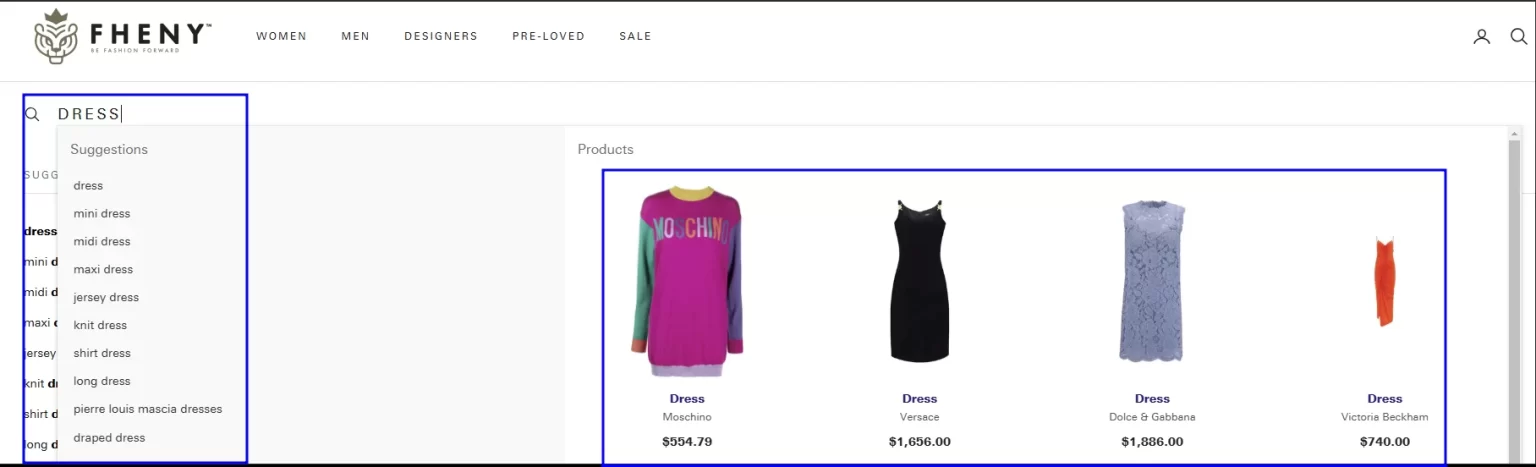
An example of a prominent search bar with predictive search results

An example of a prominent search bar with predictive search results

How to Implement:

  • Place the search bar in a prominent position (header or center-top).
  • Use auto-suggestions and show matching products to help users find products faster.
  • Implement error-tolerant search (e.g., recognizing typos like “sneekers” instead of “sneakers” ).
  • Allow filtering within search results (e.g., by size, colour, price).
  • Use smart search apps like Smart Product Filter & Search or Searchanise Search & Filter .

Strategy 6- High-Quality Visuals

In eCommerce, first impressions matter— and visuals play a crucial role in shaping those impressions. High-quality images and videos help capture attention, build trust, and drive conversions by providing customers with an engaging shopping experience.

  • High-Resolution Images: Use multiple high-resolution images to showcase your products from various angles.
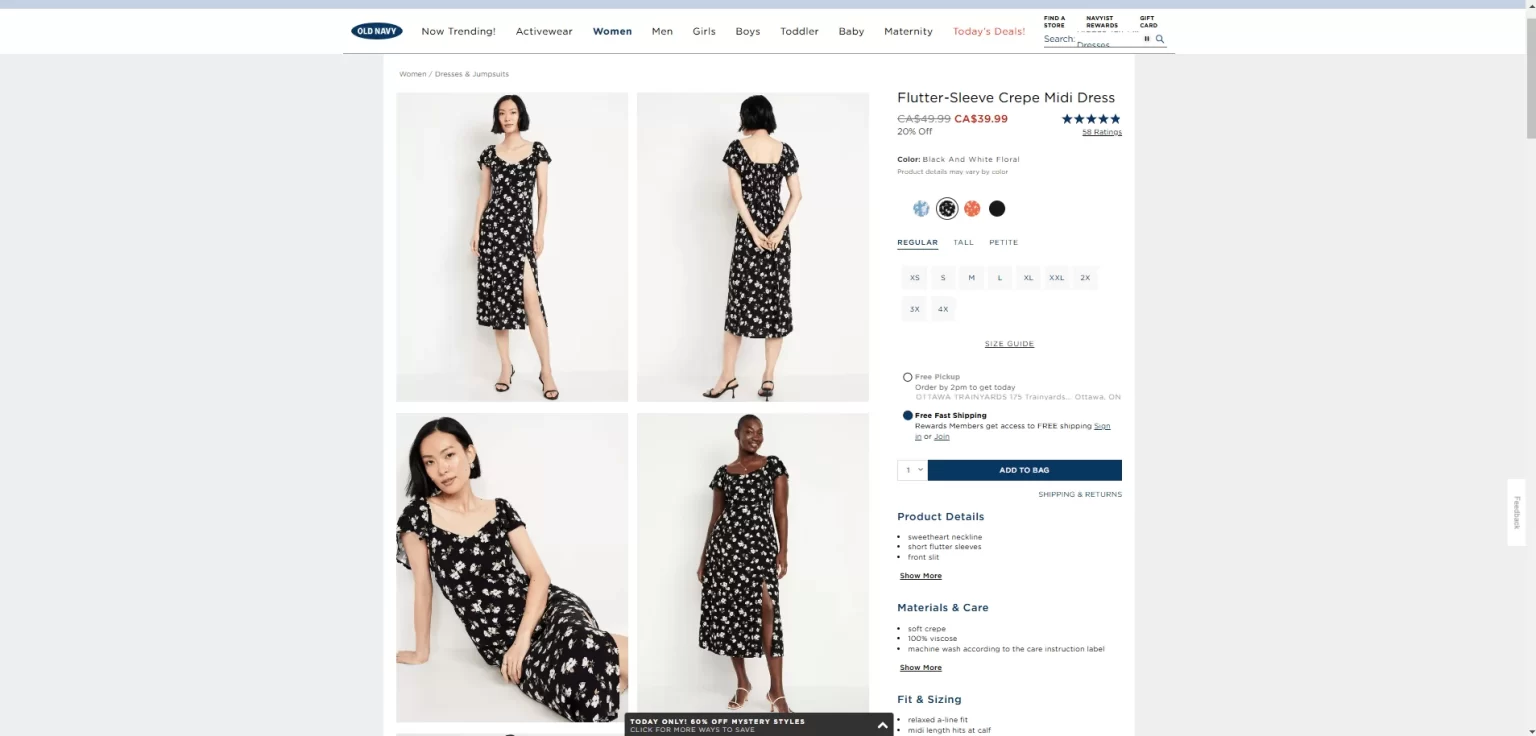
A website with high-quality product images

A website with high-quality product images

  • Consistent Branding: Ensure your visual elements align with your brand identity by maintaining consistent colours, typography, logo placement, high-quality visuals, messaging tone, omnichannel experience, and trust signals across your store. This will enhance recognition, build credibility, and improve conversions throughout the home page.

How to Implement:

  • Use high-resolution images that remain crisp on all screen sizes.
  • Include multiple angles and close-up shots for a detailed view.
  • Provide a zoom-in feature so users can examine textures and materials.
  • Maintain a consistent background to keep the product as the focus.

Strategy 7- Trust Signals

Over 66% of users have confidence in trust signals such as customer reviews, feedback and security badges. (Source: Bazaarvoice )

Building trust is essential for encouraging purchases:

  • Customer Reviews and Testimonials: Display positive reviews and testimonials prominently on your home page or product category page as your social proof to instill the customer’s trust in your brand.

How to Implement:

  • Use apps like Judge.me , Loox , or Yotpo to collect and display verified reviews.
  • Show both positive and constructive reviews for authenticity.
  • Highlight star ratings on the home page, collections page, product pages and search results.
  • Allow customers to upload user-generated photos and videos with reviews.
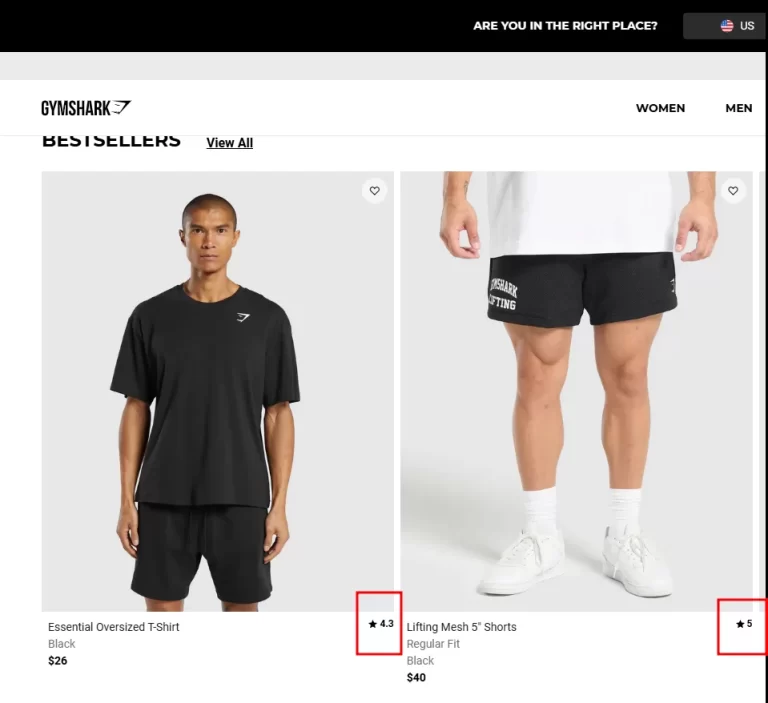
A website with the rating on the products section

A website with the rating on the products section

Strategy 8 – Highlight Security Badges and SSL encryption

Showcase security certifications and payment method icons to indicate that transactions are secure.
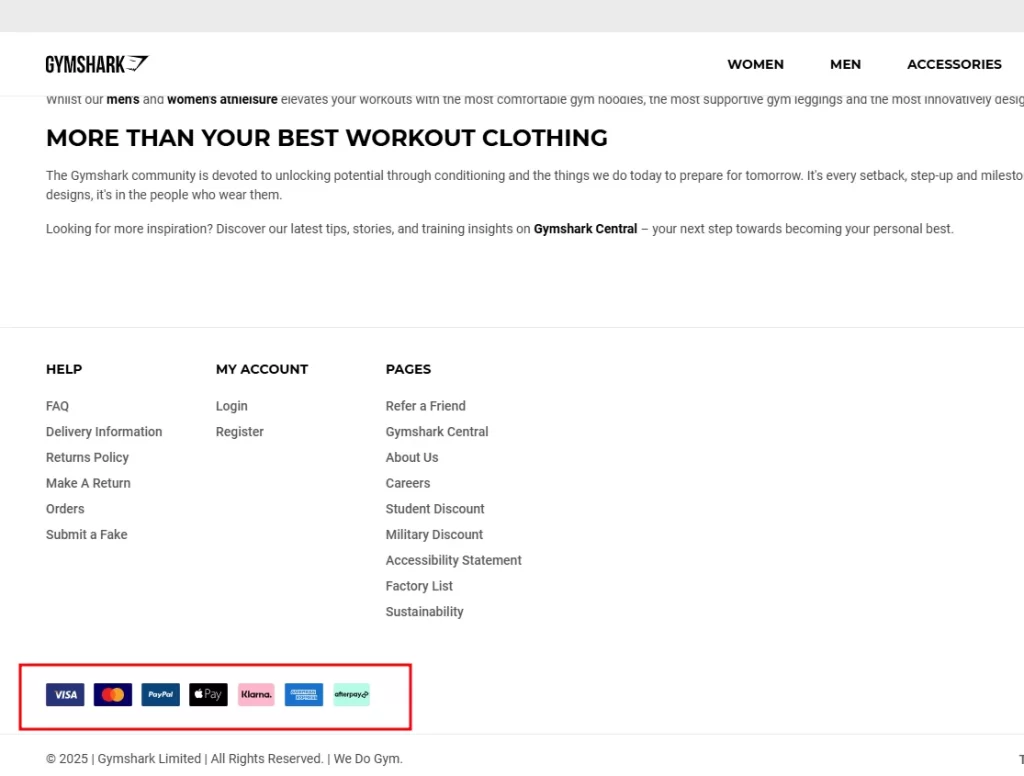
A website with security badges and payment logos

A website with security badges and payment logos

How to Implement:

  • Display trusted payment icons (e.g., Visa, Mastercard, PayPal, Apple Pay).
  • Show an SSL security badge near the checkout process.
  • Use Shopify’s PCI-compliant checkout system for secure transactions.

Clear Call-to-Action (CTA) Buttons

Effective CTAs can significantly increase conversion rates and user engagement:

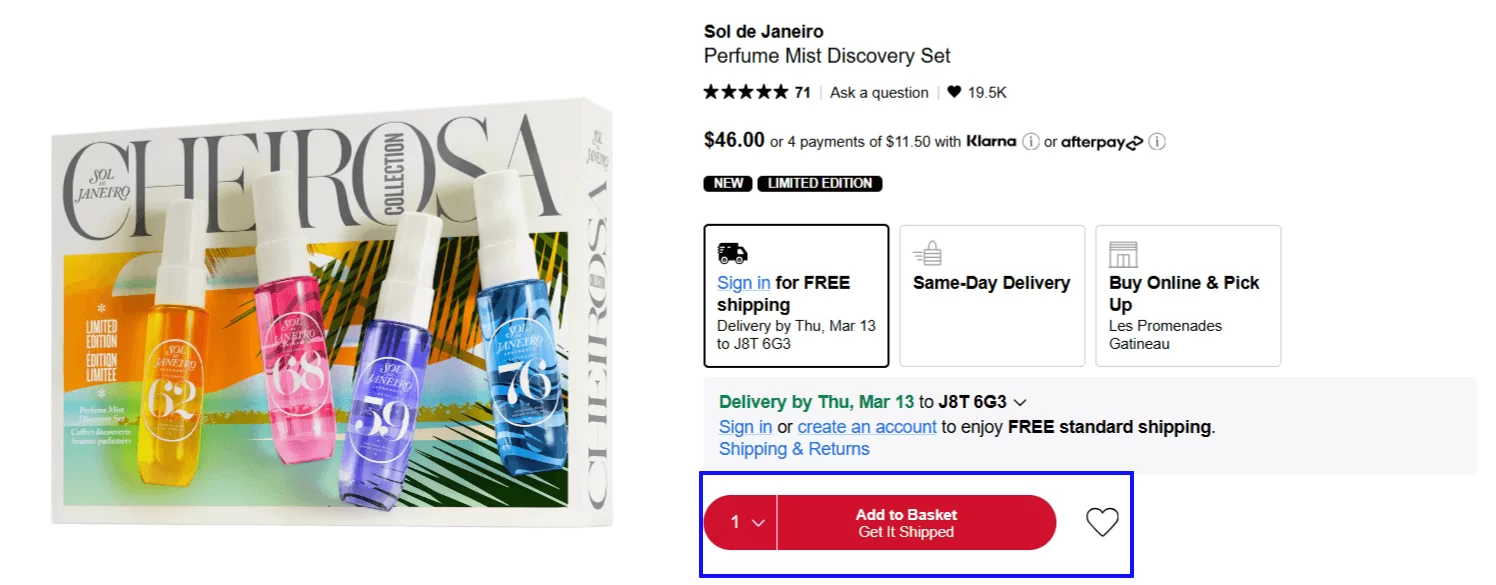
Strategy 9- Prominent Placement

Place CTAs like “Buy Now,” “Add to cart,” “Shop Now,” “Learn More,” or “Sign Up” in visible areas, such as near the top of the page or after product descriptions.
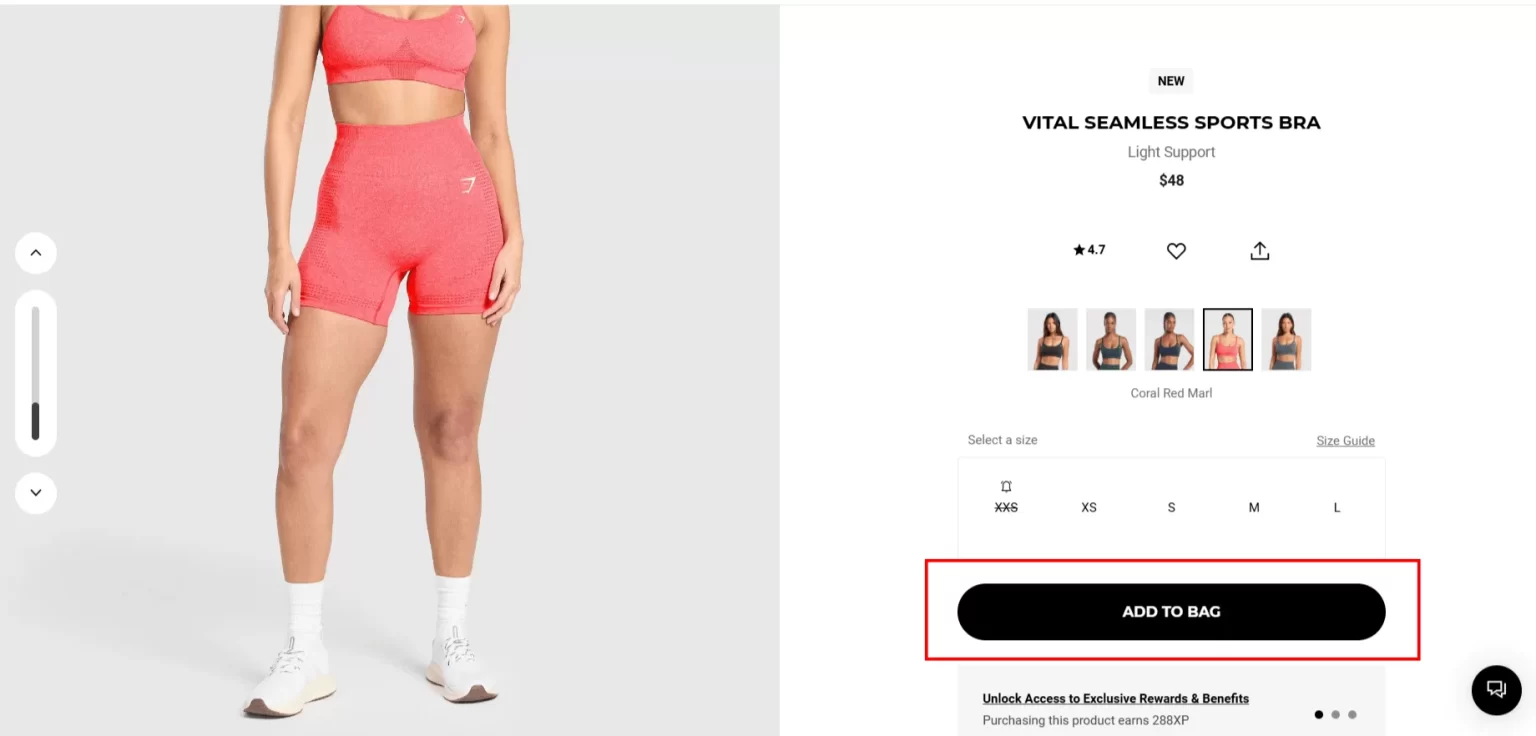
Prominent Placement

  • Customer Reviews and Testimonials: Display positive reviews and testimonials prominently on your home page or product category page as your social proof to instill the customer’s trust in your brand.

Prominent Placement

How to Implement:

  • Position the primary CTA button above the fold so users see it immediately without scrolling.
  • Ensure buttons are large, bold, and visually distinct from other elements.
  • Use contrasting colours that stand out against the background while aligning with brand aesthetics.
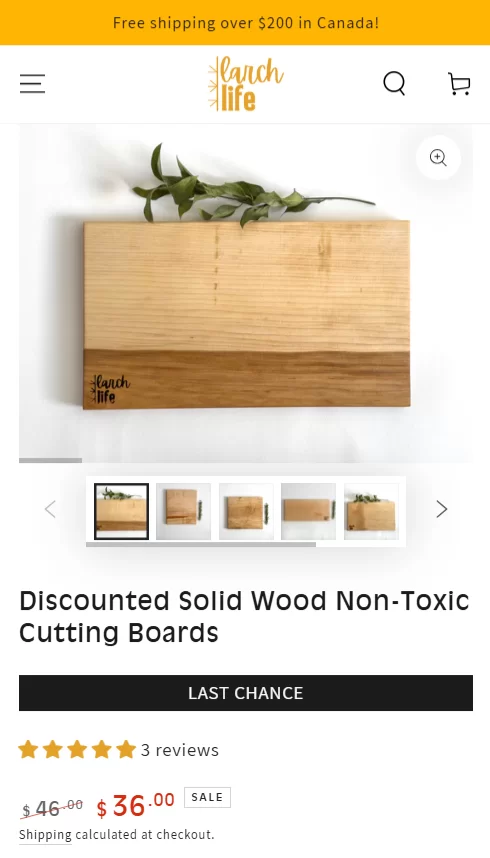
  • Keep CTAs fixed or sticky on mobile to remain visible as users scroll.
  • Use compelling or action-oriented CTAs such as “Get yours Now” or create a sense of urgency such as “Only a few left.”

Strategy 10 – Marketing and Offers

Highlight promotions to entice visitors:

  • Current Deals: Feature ongoing sales or limited-time offers prominently on the home page. For instance, a banner stating “Summer Sale: Up to 50% Off!” can attract attention.
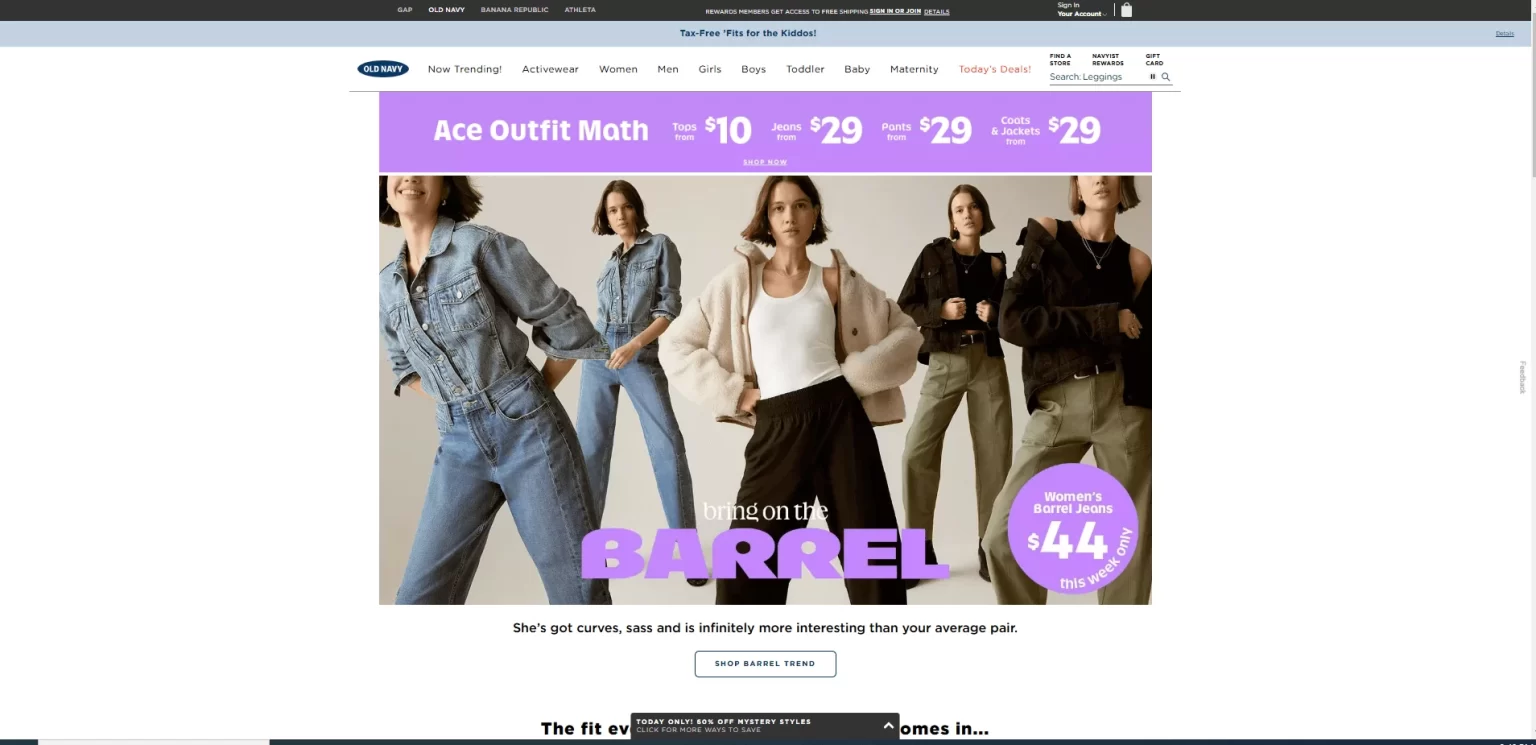
Marketing and Offers

Strategy 11- Newsletter Sign-Ups

Building an email list is one of the most powerful ways to grow your Shopify store.

Why?

Because repeat customers are the backbone of your ecommerce business ! A well-crafted newsletter strategy helps you stay connected with customers, nurture relationships, and drive consistent sales.

How to Encourage Newsletter Sign-Ups

  1. Offer an Incentive – A compelling reason to subscribe can significantly boost sign-ups. Provide a first-purchase discount, exclusive content, or early access to sales. Example: “Sign up & get 10% off your first order!”
  2. Time-Limited Offers – Create urgency with limited-time promotions for subscribers, making them feel like VIPs. Flash sales, holiday discounts, and subscriber-only deals work wonders.
  3. Highlight the Benefits – Make it clear what subscribers will gain. Whether it’s style tips, product updates, or special promotions, show the value of staying connected.
  4. Use Pop-Ups & Banners Smartly – Well-timed pop-ups (exit-intent, scroll-based, or delay-timed) can capture attention without disrupting the user experience.
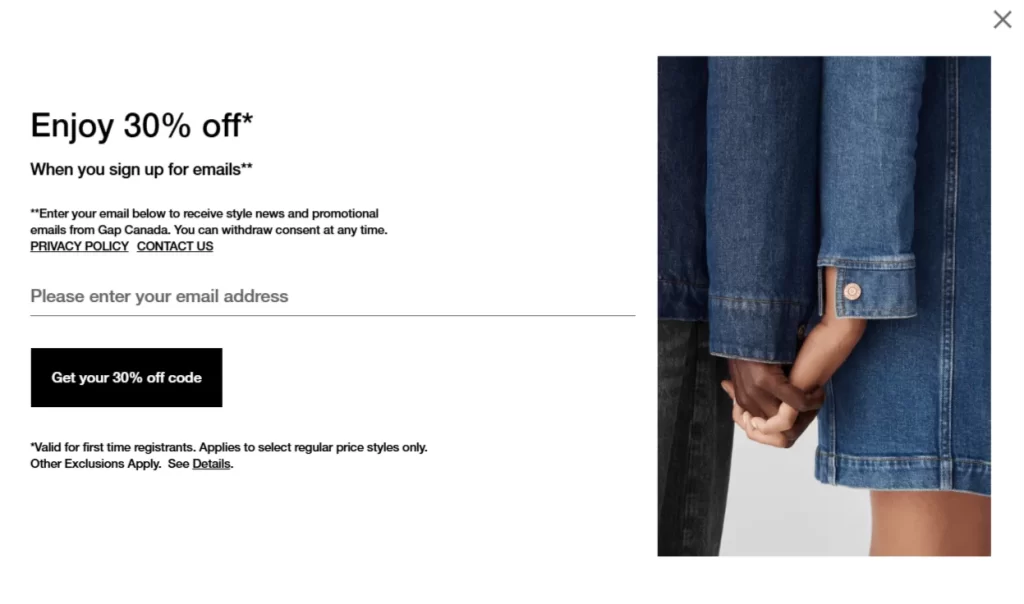
Newsletter Sign Ups

How to Encourage Newsletter Sign-Ups

  • Use Shopify’s Built-in Tools or Apps – Shopify offers basic email collection features, but for more advanced functionality, integrate apps like Klaviyo, Omnisend, or Privy to automate email campaigns and segment your audience.
  • Add a Sign-Up Form in Key Locations – Place your sign-up form where it’s most visible and effective:
  • Homepage header or footer for easy access.
  • Checkout or post-purchase page to capture engaged buyers.
  • Product pages with messaging like “Get exclusive deals on this collection.”
  • Optimize Pop-Ups for High Conversion
  • Use exit-intent pop-ups to catch visitors before they leave.
  • Test different triggers like scroll percentage or time-based delays to balance user experience and improve conversion rates.
  • Leverage Shopify Flow for Automation – If you’re using Shopify Plus, set up automated workflows to segment new subscribers and trigger personalized email sequences.

Strategy 12 – Live Chat Support

Live chat support provides real-time assistance to customers, addressing their questions instantly and removing friction from the buying process. It enhances user experience and improves conversion rate:

  1. Be Proactive – Use chat triggers to reach out when customers seem stuck (e.g., lingering on a product page).
  2. Offer 24/7 Support – Use chatbots or AI-assisted responses to handle queries outside business hours.
  3. Personalize Conversations – Greet returning customers by name and suggest products based on their browsing history.
  4. Keep It Quick & Clear – Speed is key! Aim to respond within seconds to maintain engagement.
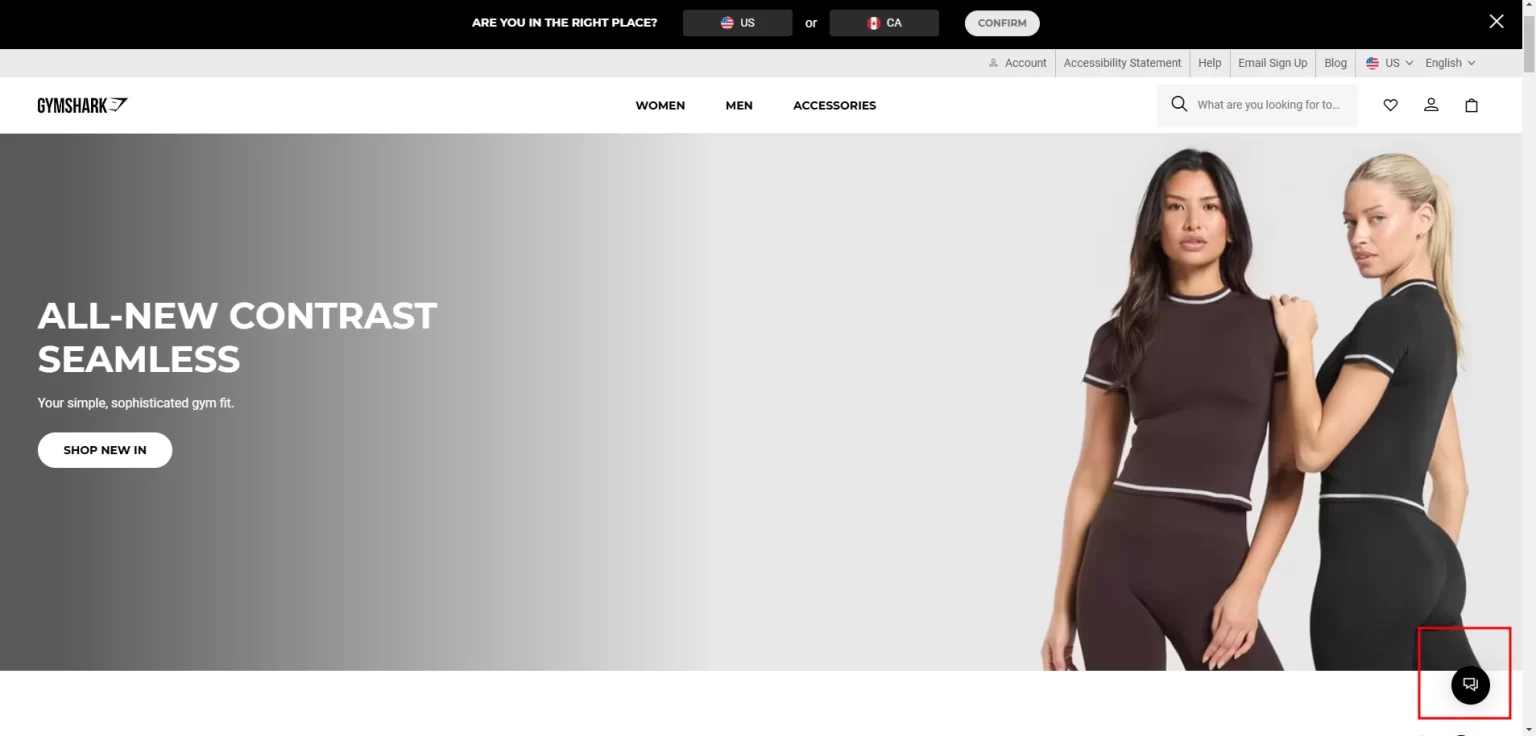
Live Chat Support

cost icon

Pro Tip: Live chat isn’t just for support— it’s a sales tool! Train your team to offer product suggestions and guide hesitant shoppers toward a purchase.

How to Implement

  • Use Shopify-compatible chat apps like Tidio, Gorgias, LiveChat, or Drift.
  • Ensure the chat integrates with CRM systems and AI automation to handle queries efficiently.
  • Enable AI Chatbots for 24/7 Assistance.
  • Make the chat widget easily and prominently accessible.
  • Personalize customer interactions and use the customer’s name and browsing history to tailor responses.
  • Monitor chat analytics and optimize response times.

With your home page optimized for first impressions using the strategies above, it’s time to focus on the collections page— the gateway where browsing turns into buying.

Optimizing Your Shopify’s Collections Page: Boosting Conversions

Optimizing your Collections Page is crucial for guiding users seamlessly from browsing to purchasing.

Strategy 13 – Advanced Filters and Sorting Options

Provide your customer options to narrow down their choices on the collections page:

  1. Enable attribute-based filters such as collections, size, colour, brands, price, review, etc.
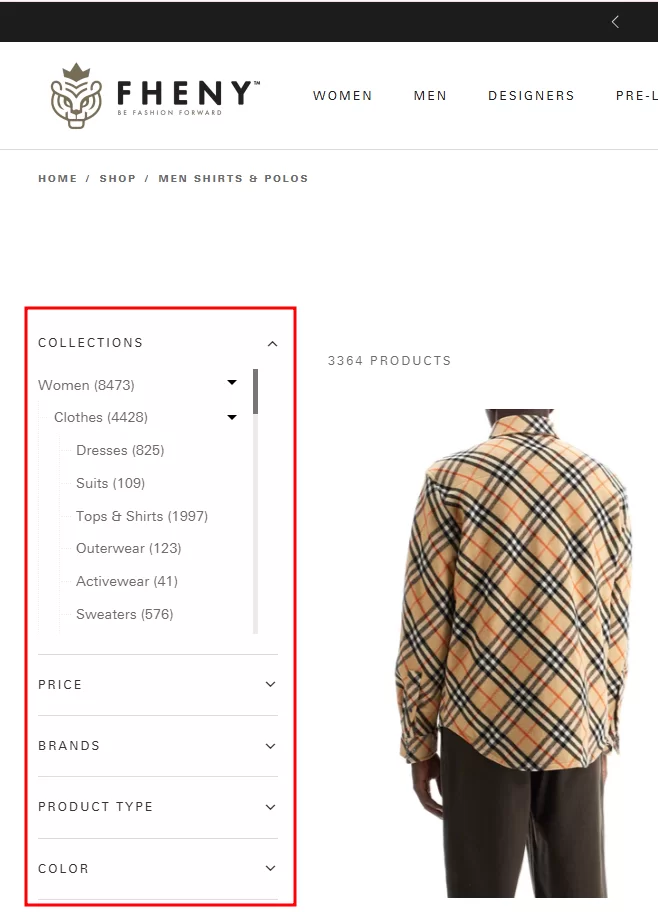
Advanced Filters and Sorting Options

  1. Provide smart sorting option: Filters based on themes or occasions such as “Summer Collection,” “Fall-Winter,” “Best Sellers,” or “Recommended for you.”
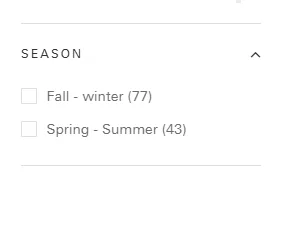
Provide smart sorting option

  1. Prominent Search Bar within the Collections Page: If your website has an extensive catalogue, add search functionality within the collections page to help users find products in a specific collection. This will enhance the user experience by allowing him to find the products easily.
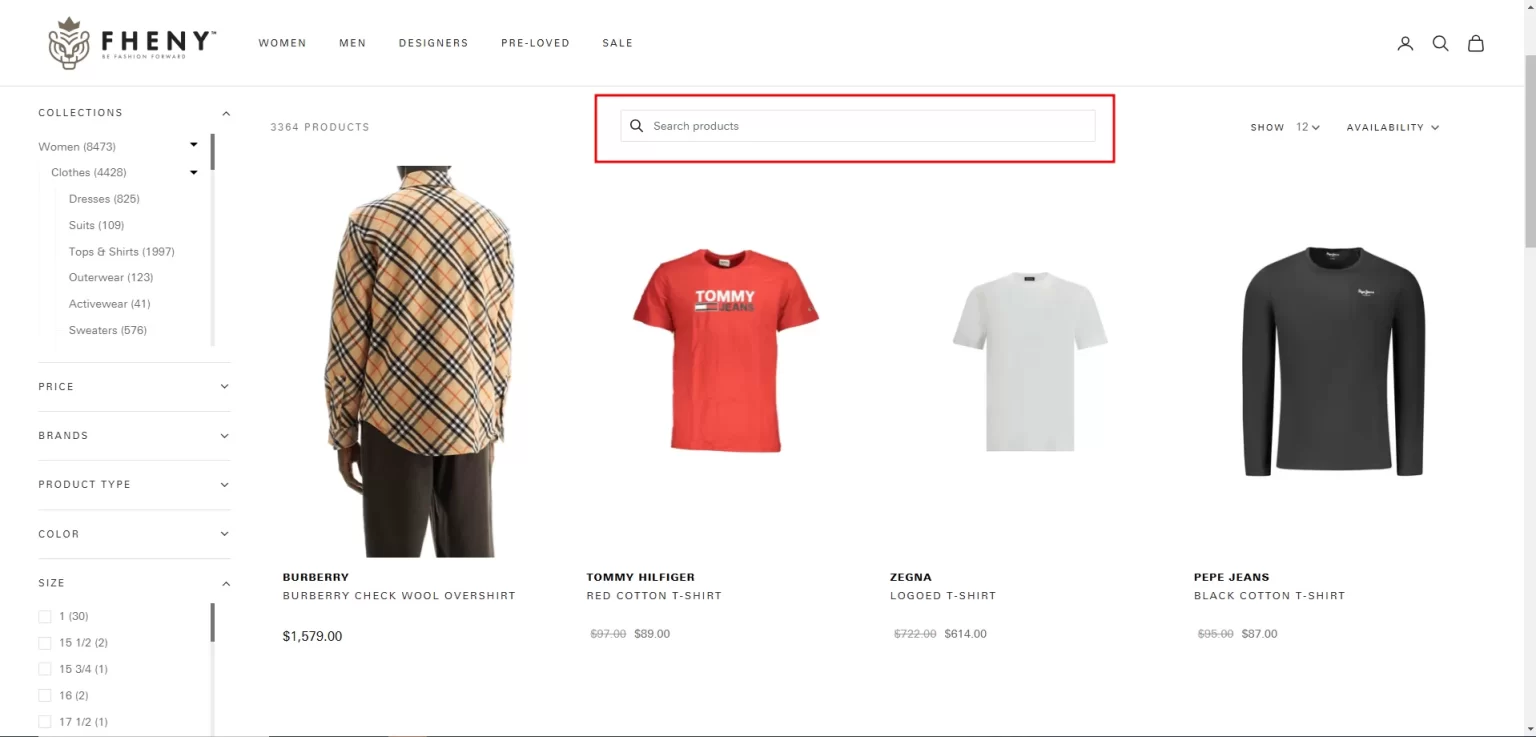
Prominent Search Bar within the Collections Page

  1. Sorting Options: Allow users to sort products by availability, popularity, Bestsellers, newest arrivals, price (low to high or high to low), On sale, and customer ratings.
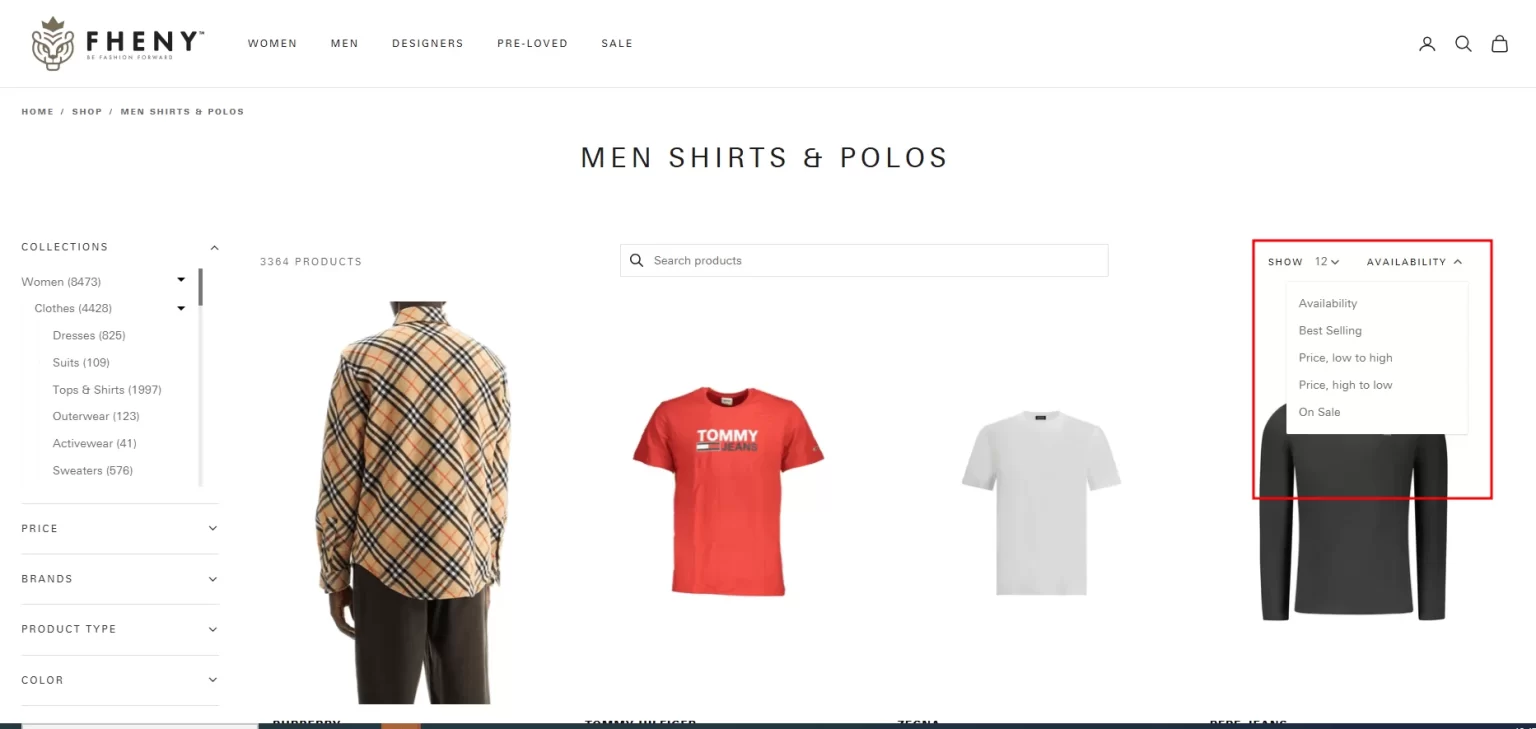
Sorting Options

How to Implement Advanced Filters, Search, and Sorting Options

  • Use Shopify Apps for Advanced Filtering & Sorting
  • Boost Product Filter & Search – AI-powered filtering, instant search, and custom sorting options. Use apps like Boost AI Search & Filter or Smart Product Filter & Search .
  • Enable fuzzy search to handle typos and synonyms.
  • Provide Custom Sorting Options
  • Allow sorting by Best Sellers, New Arrivals, Prices, Ratings, and Discounts.
  • Use AI-powered ranking tools (e.g., Klevu Smart Search) to personalize sorting based on user behaviour.
  • Store filter preferences using cookies so returning users don’t need to reapply settings.

Strategy 14 – Display Multiple Product images and/or videos

Enable Product appeal by showcasing various visuals

  1. Multiple Angles: Display products from different perspectives to give customers a comprehensive view.
  2. Lifestyle Images: Include images of products in real-life settings to help customers envision usage.
  3. Product Videos: If applicable, incorporate short videos demonstrating product features and benefits.
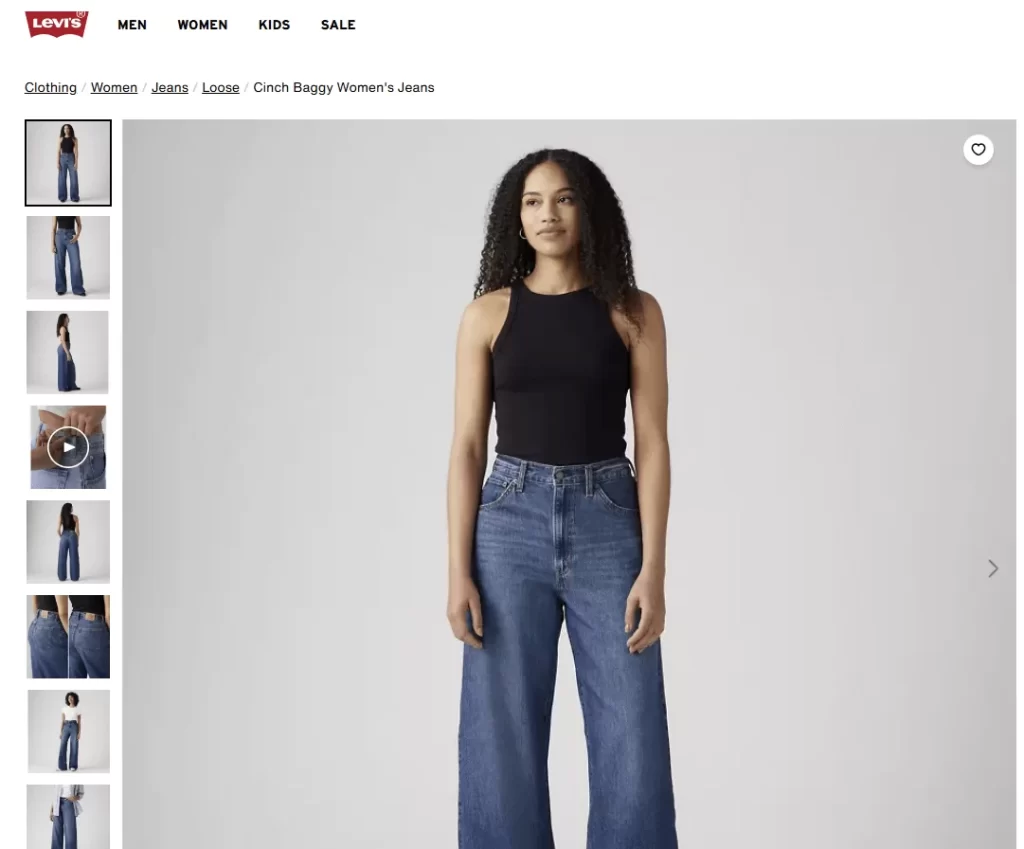
Display Multiple Product images and/or videos

How to Implement

  • Use Shopify Apps for Multi-image and video display, such as Variant Image Automator and Spin Studio for 360-degree & Interactive Product Views.
  • Enable lazy loading so images and videos load only when visible on screen.
  • Enable tap-to-zoom functionality for detailed viewing on mobile.
  • Use swipe-enabled image carousels for a better mobile UX.

Strategy 15 – Display the Size, Color, and Price of the products on the Collections Page

  1. Enhance the user experience by displaying products’ colour, price, and size on the collections page.
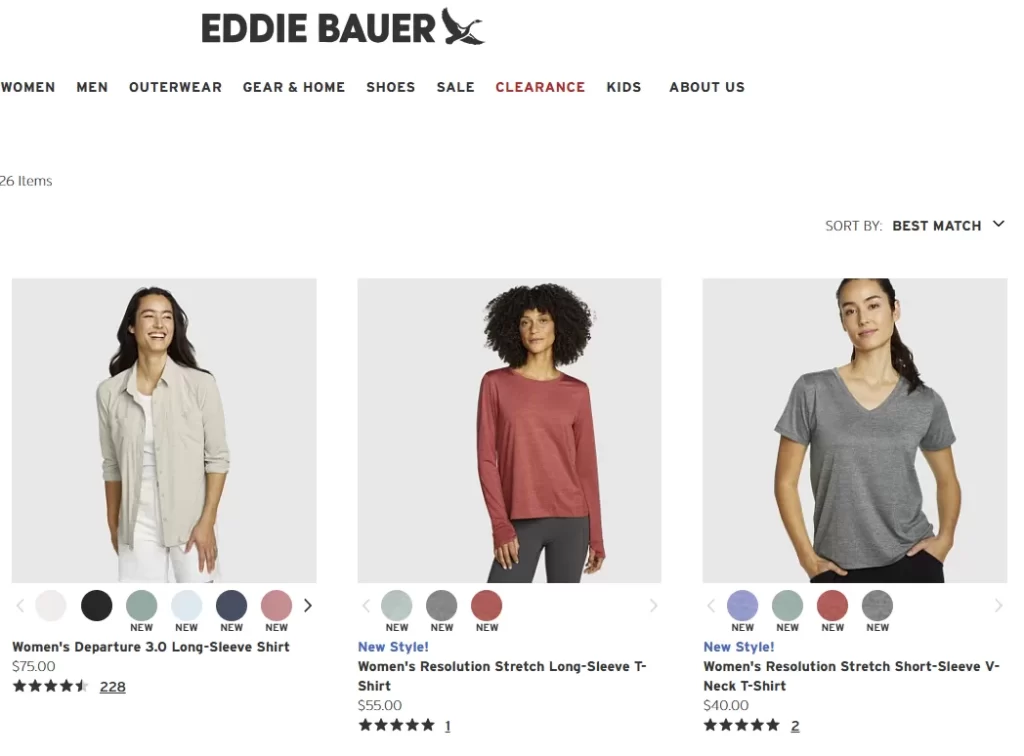
Price of the products on the Collections Page

How to Implement

  • Use Shopify Apps for Enhanced Product Information Display, such as Variant Option Product Options .

Strategy 16 – Highlight Product Labels

Draw user attention to specific products with informative labels such as Best Seller, New or more on the collections page.

Example: Old Navy has done it beautifully by placing the labels at the bottom of the image to give a one-perspective view
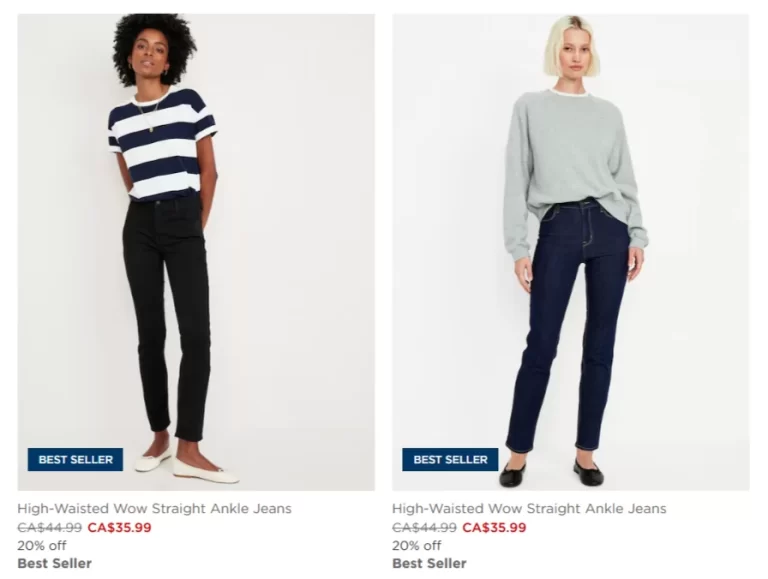
Highlight Product Labels

How to Implement

  • Use Shopify Apps – Install apps like ModeMagic, Product Labels & Badges, or Easy Product Label to add custom labels (e.g., “Best Seller,” “New,” “Limited Stock”).
  • Customize Labels in Your Theme – Some
    Shopify themes
    allow product badges. Check Theme Settings > Product Grid for options like “Sale” or “Out of Stock.”
  • Apply Labels via Metafields – Use Shopify Metafields to tag and display labels dynamically for specific products.

Strategy 17 – Enable Quick View Feature

Allow customers to preview product details without leaving the collections page:

  1. Quick View Pop-Up: Provide essential information such as product images, price, and a brief description in a pop-up window.
  2. Add to Cart: Include an option to add products to the cart directly from the quick view.
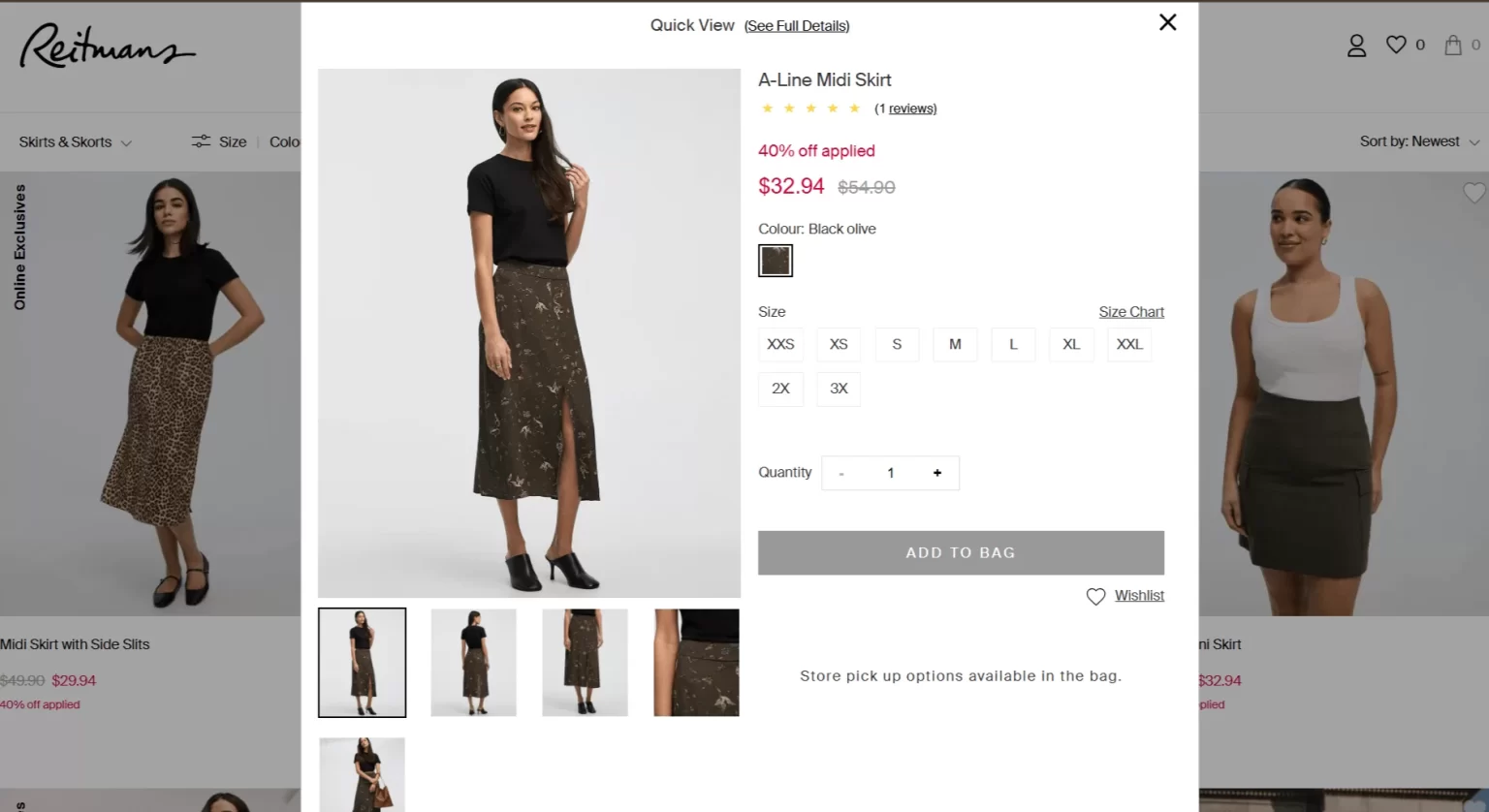
Add to Cart

How to Implement

  1. Use Quick View or Quick Add-to-Cart apps to let users select size/colour without visiting the product page.

Strategy 18 – Personalize Collections Based on User Behavior

Enhance the user experience by offering tailored product collections based on a customer’s browsing habits, purchase history, and preferences; you can create a more engaging shopping experience that leads to higher sales and repeat customers .

  1. Browsing History: Display products related to items the user has previously viewed.
  2. Purchase History: Recommend products complementary to past purchases.
  3. Location-Based Suggestions: Show products relevant to the user’s geographic location.
cost icon

Pro Tip: Combine AI-driven recommendations with targeted email marketing to remind customers about their personalized collections and bring them back to your store.

How to Implement

  • Use AI-powered personalized apps for recommendations, dynamic collections and real-time personalization, such as LimeSpot Personalizer .
  • Leverage Browsing & Purchase History for Tailored Experiences using apps like Sales Rocket to show personalized “Recently Viewed” items.
  • Use apps such as Notso to personalize collections for returning customers.

Strategy 19 – Optimize Call-to-Action (CTA) Buttons

A strong CTA eliminates hesitation and encourages customers to take the next step. Clear, actionable text helps users know exactly what will happen when they click the button.

  1. Use Action-Oriented Text – Instead of generic “Submit” or “Click Here,” use engaging phrases like:
  2. “Get 10% Off Now” (for newsletter sign-ups)
  3. “Shop Bestsellers” (for product discovery)
  4. “Buy Now – Limited Stock!” (for urgency)
  5. Make It Stand Out – Use bold, contrasting colours that grab attention but align with your brand’s theme. Example: A bright orange “Add to Cart” button stands out against a white background.
  6. Create a Sense of Urgency – Adding urgency or exclusivity can drive quicker decisions. Example:
  7. “Only 5 Left – Order Now!”
  8. “Exclusive Offer – Expires Tonight!”
  9. Optimize Placement Your primary CTA should always be above the fold (visible without scrolling) and repeated at key points in the shopping journey.
  10. Use Mobile-Friendly Design – Ensure your CTA buttons are large enough to tap easily on mobile devices. A minimum size of 44×44 pixels is ideal.

How to Implement

  • Enable Quick Add-to-Cart for Faster Purchases. Use apps like Quick View or Quick Add-to-Cart to allow one-click product selection without leaving the collection page.
  • Add floating CTA buttons on mobile using the Buy Me – Sticky Buy Button .
  • Ensure CTAs remain visible while scrolling with Sticky Add To Cart BOOSTER PRO .

Strategy 20 – Mobile Optimization

  • Ensure the collection page is fully responsive, with touch-friendly filters and navigation.
  • Test how collections display on smaller screens to avoid clutter.

How to Implement

  1. Use Shopify Apps for Mobile-Friendly UX
  2. Tapcart – Mobile App Builder – Turns your Shopify store into a native mobile app.
  3. AMP by Shop Sheriff – Converts pages to AMP (Accelerated Mobile Pages) for faster mobile browsing.
  4. Globo Pre-Order, Back in Stock – Optimizes mobile-friendly pre-order buttons.

Now that your collections page is set up to help customers find exactly what they’re looking for, it’s time to focus on the product page—where curiosity turns into commitment.

Optimizing Your Product Page: Strategies to Convert Browsers into Buyers

The product page is where the magic happens—it’s the page that convinces your visitors to buy.

Strategy 21 – High-Quality Product Images and Videos

Visuals are the backbone of your product page .

  1. Multiple Angles and Zoom: Provide high-resolution images from different angles and allow users to zoom in for closer details.
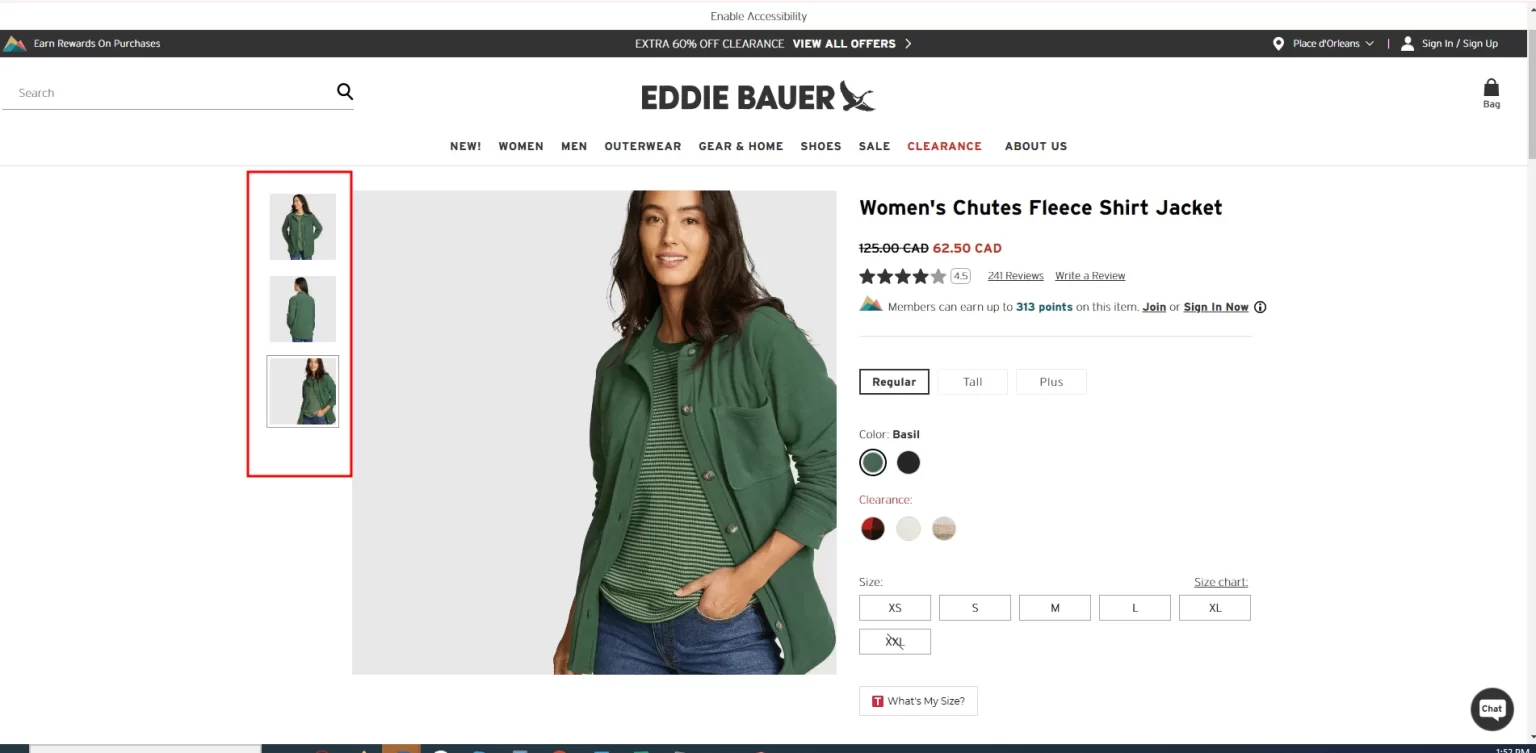
High Quality Product Images and Videos

  1. Lifestyle Shots: Show products in real-life scenarios to help users imagine owning or using them.
  2. Product Videos: Include short, engaging videos demonstrating the product in action. Videos can increase conversion rates by up to 80%!
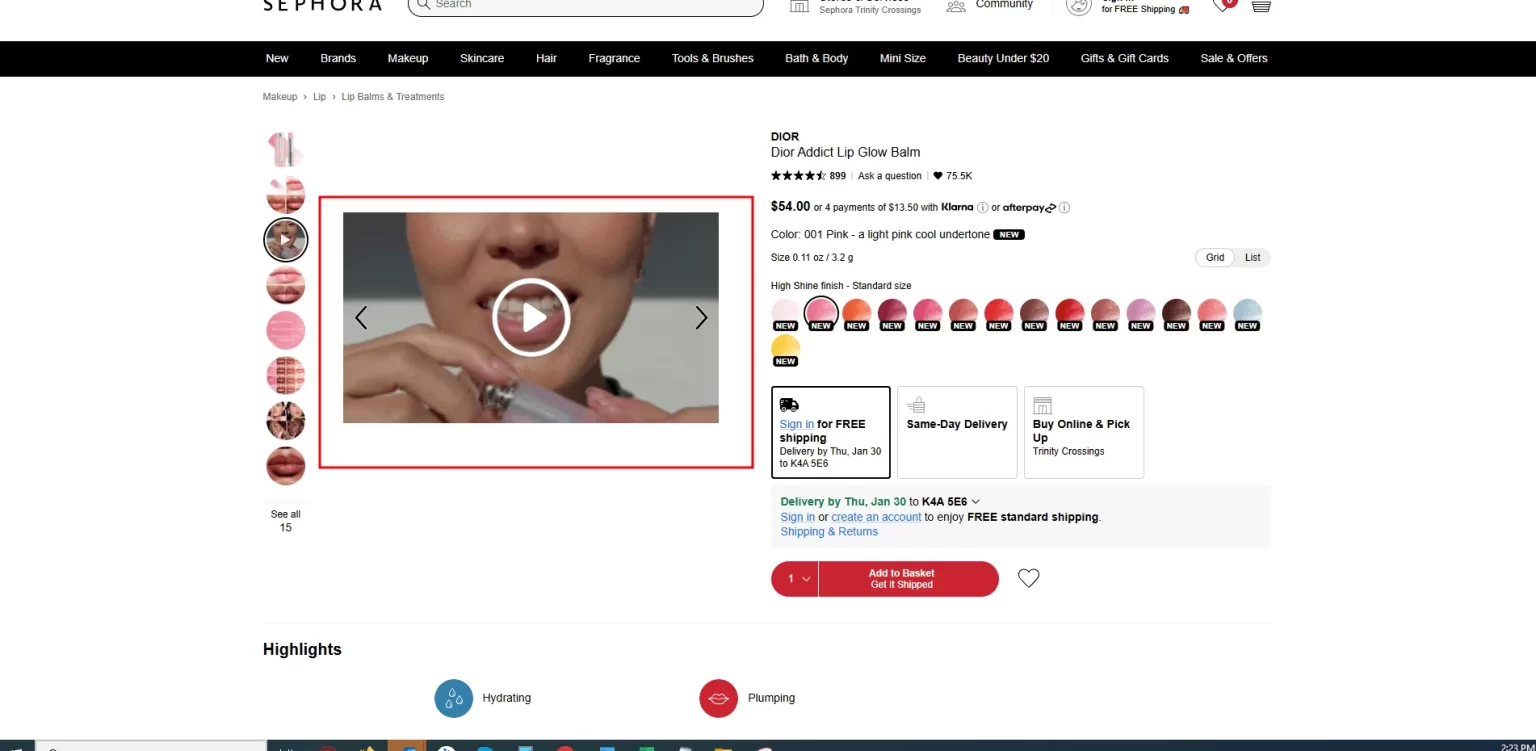
Product Videos

How to Implement

  • Use Shopify Apps for enhanced Product Visualization
  • Magic Zoom Plus – Adds hover zoom and fullscreen product image view
  • Easy Video – Product Videos – Allows embedding of product videos in image galleries.
  • Spin Studio 360 Product Viewer – Enables 360-degree rotating product views.
  • Use images that are at least 2000px wide for Zoom functionality.
  • Use multiple images, including front, back, side, and close-up shots, to showcase product details.
  • Convert images to WebP format for smaller file sizes without losing quality.
  • Enable lazy loading so images only load when they appear on-screen.

Strategy 22 – Detailed and Engaging Product Descriptions

Your product description should inform the user and persuade them to buy:

  1. Key Features: Highlight essential features and benefits in a scannable format (e.g., bullet points).
  2. Emotional Appeal: Write descriptions that connect emotionally with your audience.
  3. Specifications: Include size charts, dimensions, materials, or technical details for clarity.
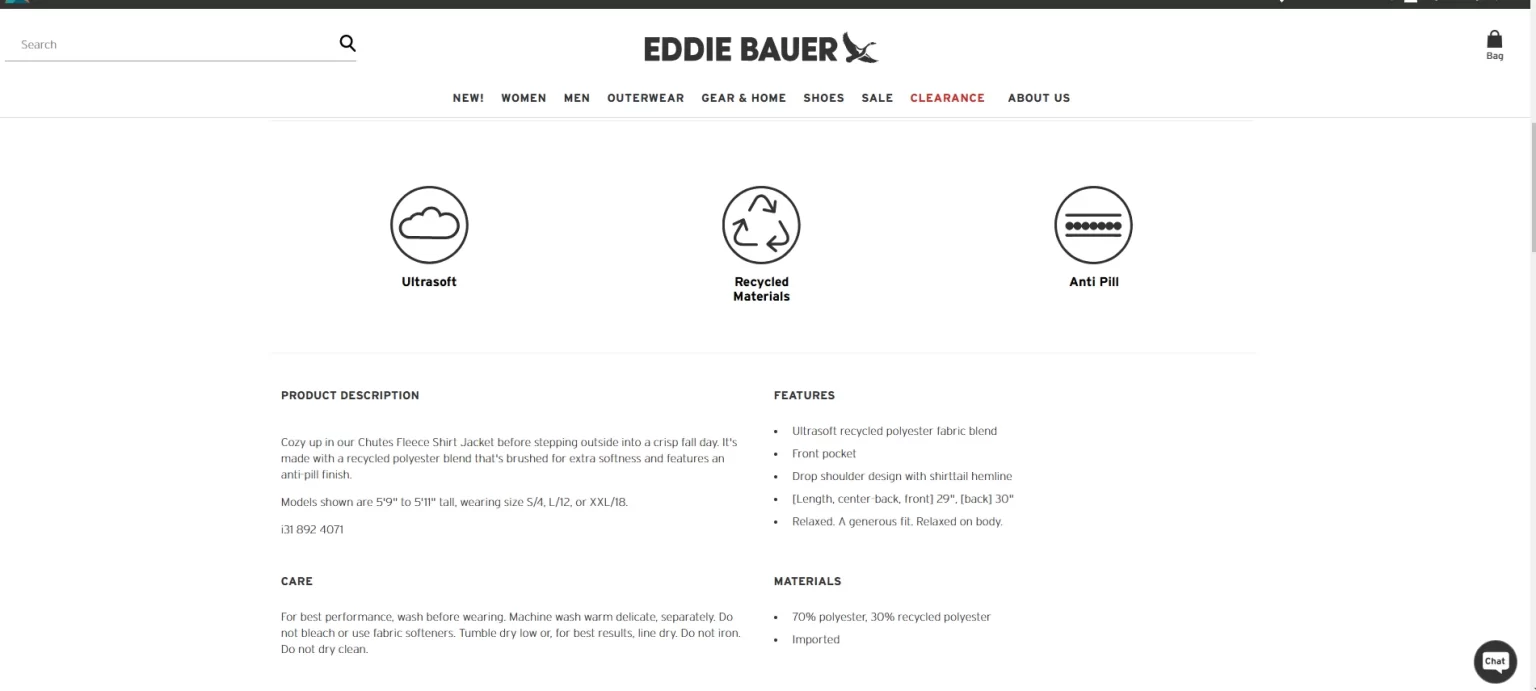
Detailed and Engaging Product Descriptions

How to Implement

  • Use Shopify Apps for optimized product copy
  • SEO Manager – Helps optimize product descriptions for search engines.
  • Vitals – All-in-One Marketing – Enables user-generated content and rich text enhancements.
  • Try to highlight product benefits, not just features.
  • Use short paragraphs, bullet points, and bold headings in the description for easy readability.

Strategy 23 – Personalization Based on User Behavior

Tailor the product page experience for each visitor:

  1. Recommended Products: Show “You May Also Like” or “Frequently Bought Together” or “Customers Also Viewed” sections.
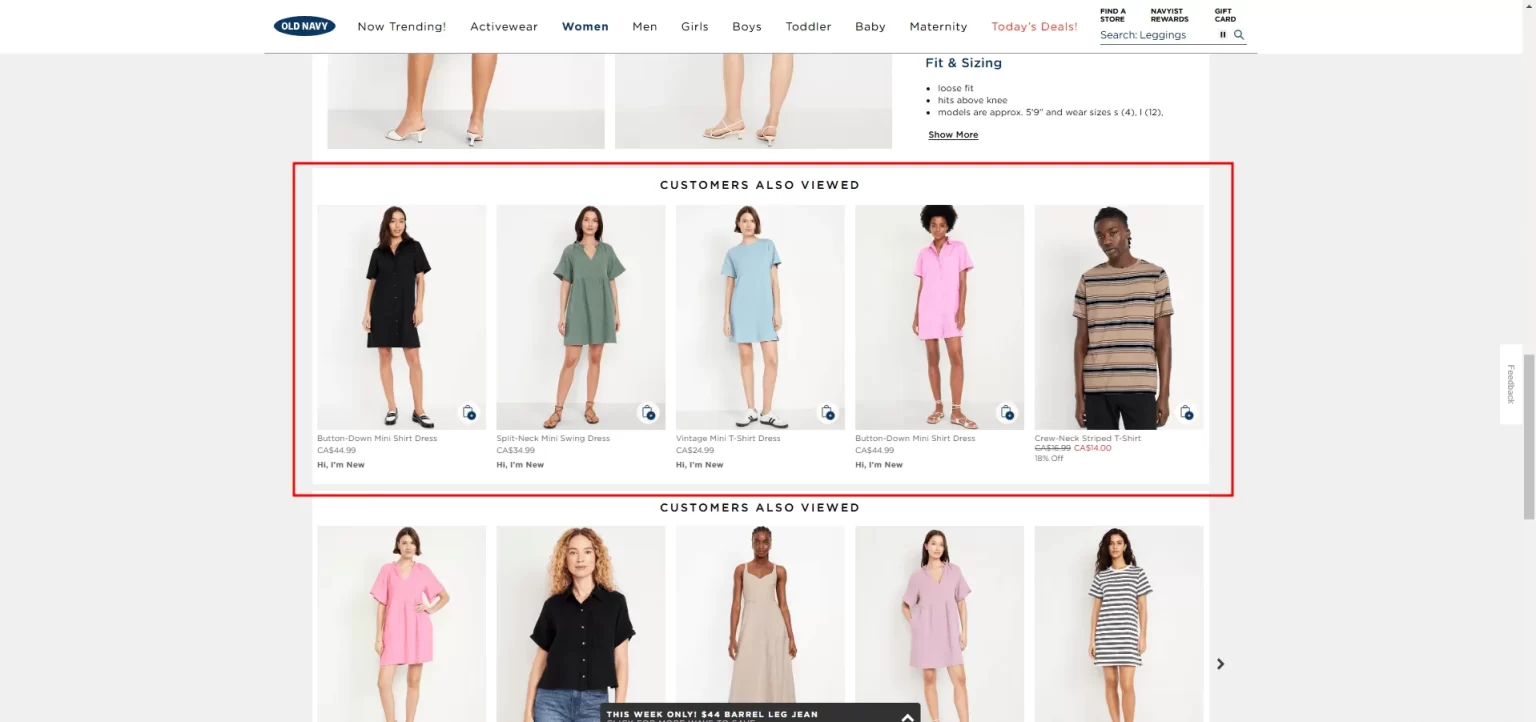
Personalization Based on User Behavior

  1. Dynamic Content: Highlight promotions based on the user’s location or browsing history.

How to Implement

  • Use Shopify Apps AI-Powered Personalization
  • LimeSpot Personalizer – AI-driven product recommendations and dynamic content.
  • ReConvert Post Purchase Upsell – Personalized upsells and thank-you page optimization.
  • Frequently Bought Together – AI-powered bundling of complementary products.
  • Display “Recommended for You” & “Frequently Bought Together” Sections.
  • Use Dynamic Content to Personalize the Shopping Experience
  • Adapt homepage banners based on geolocation, past behavior, or purchase history.
  • Show dynamic pricing , discounts, or limited-time offers tailored to the visitor.
  • Use countdown timers for personalized urgency messaging (e.g., “Only 3 left in stock!”).

Strategy 24 – Customer Reviews and Ratings

Social proof builds trust and drives conversions:

  1. Ratings and Testimonials: Display star ratings and customer reviews prominently.
  2. Images in Reviews: Allow customers to upload photos of the product, adding authenticity.
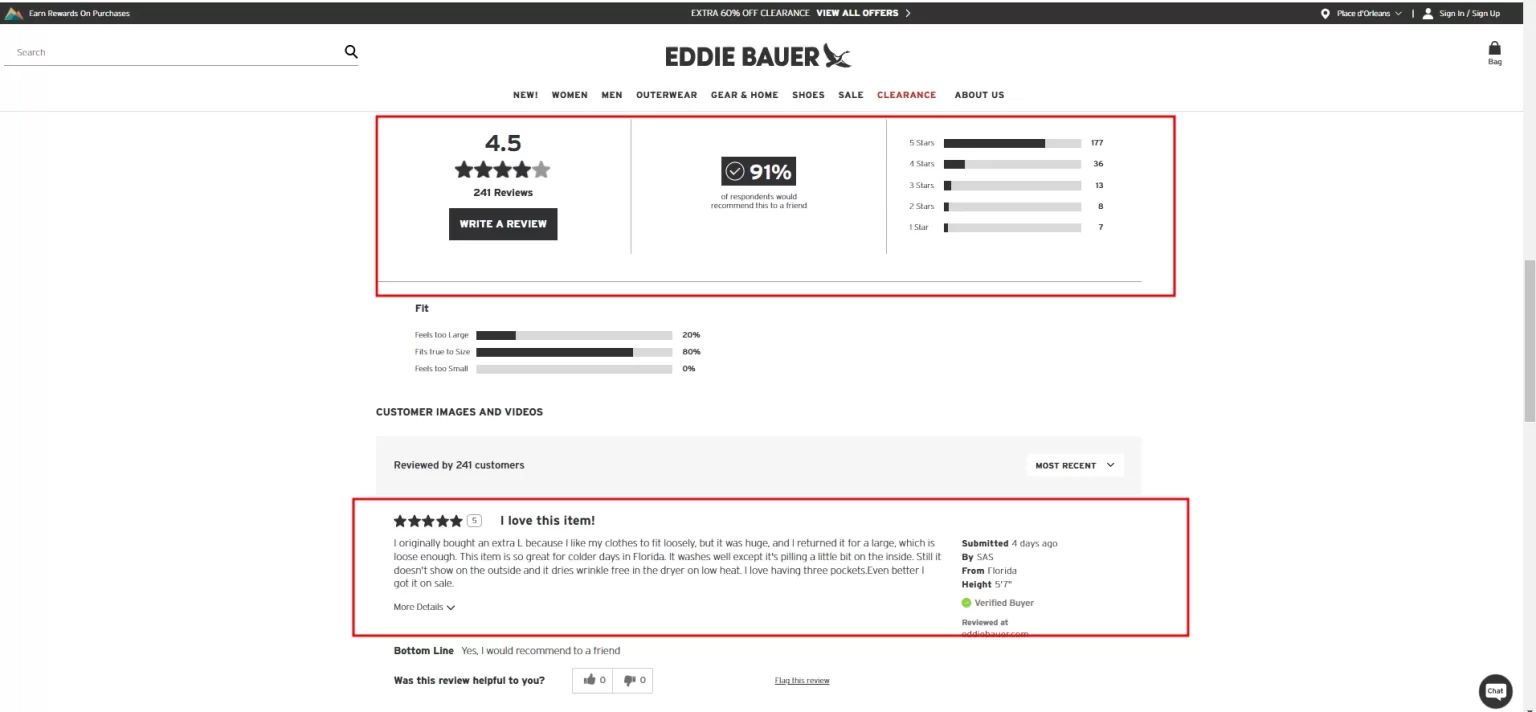
Customer Reviews and Ratings

Strategy 25 – Shipping Details

Incorporating transparent and strategic shipping information into your product page is essential for optimizing conversions.

  1. Clearly Display Shipping Costs and Delivery Dates
  2. Offer Free Shipping When Feasible. You can offer free shipping above a certain order amount (for example, Free Shipping for $150+).
  3. Include Shipping and Return Policies at a prominent location to build trust.
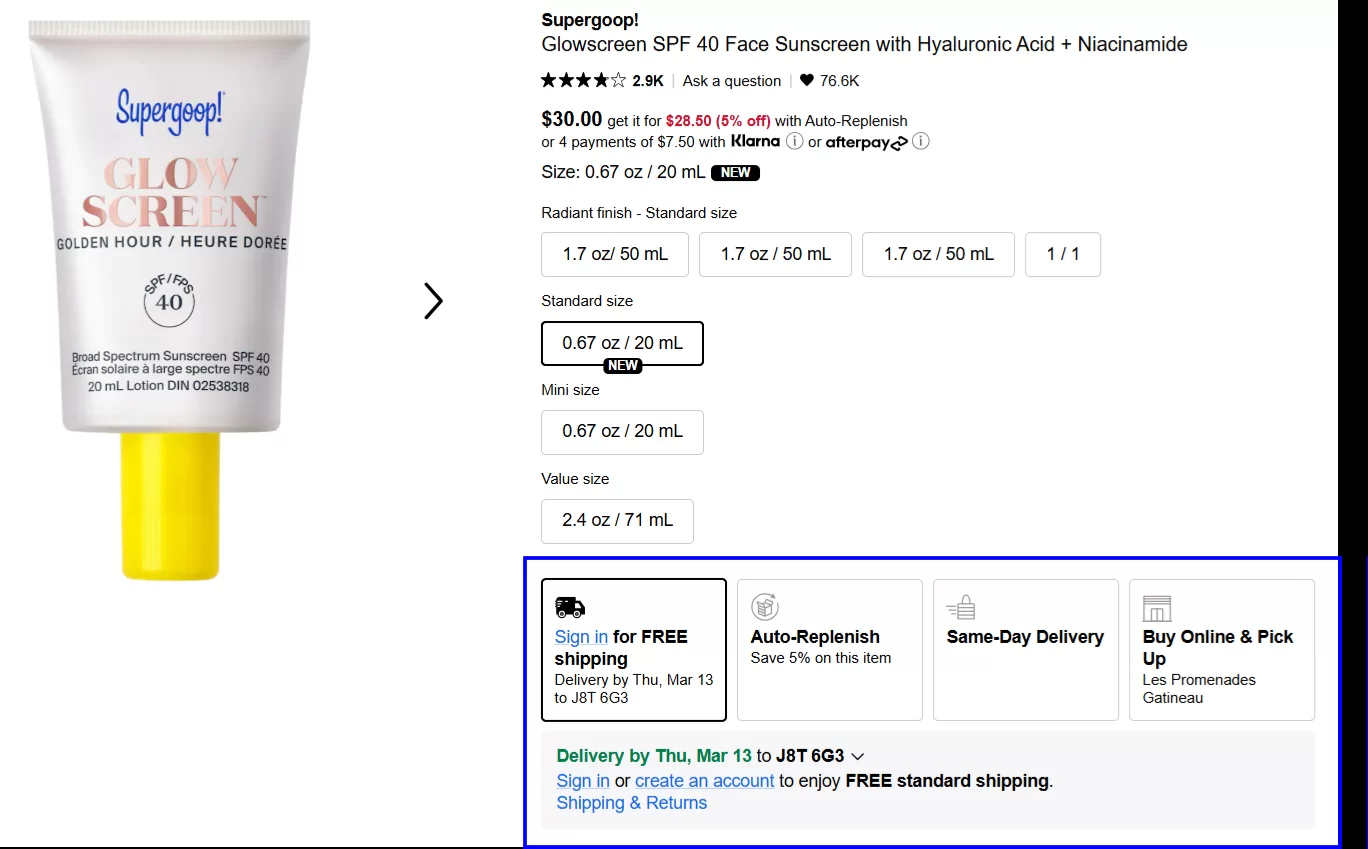
Shipping Details

Strategy 26 – Size, Color, and Customization Options

Simplify the selection process for variable products:

  1. Interactive Options: Use dropdowns or swatches for color, size, or style selection.
  2. Use Swatches for Color, Size, & Style Selection – Replace basic dropdowns with interactive swatches to make product variations more visually engaging.
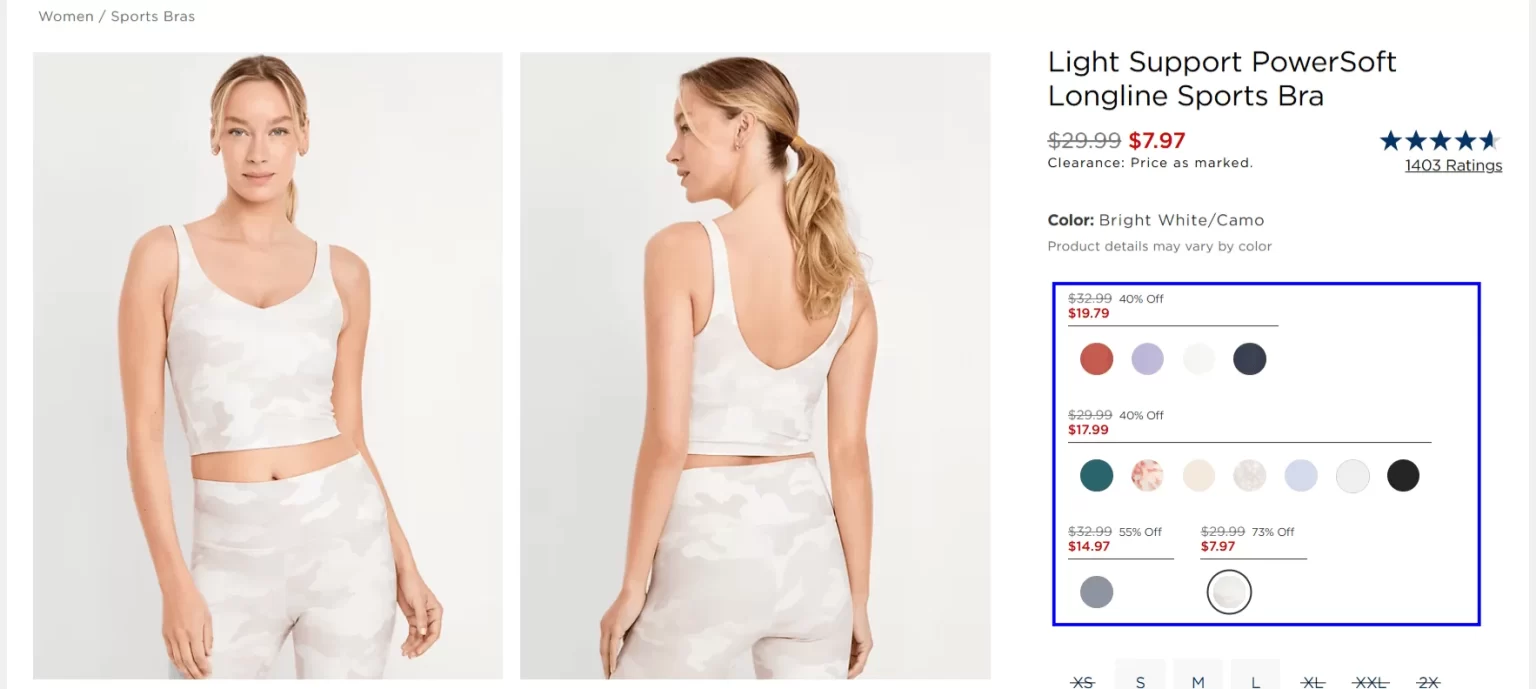
Size, Color, and Customization Options

  1. Size Guides: Offer detailed size charts with precise measurements. This not only improves conversion but also reduces your return rate.
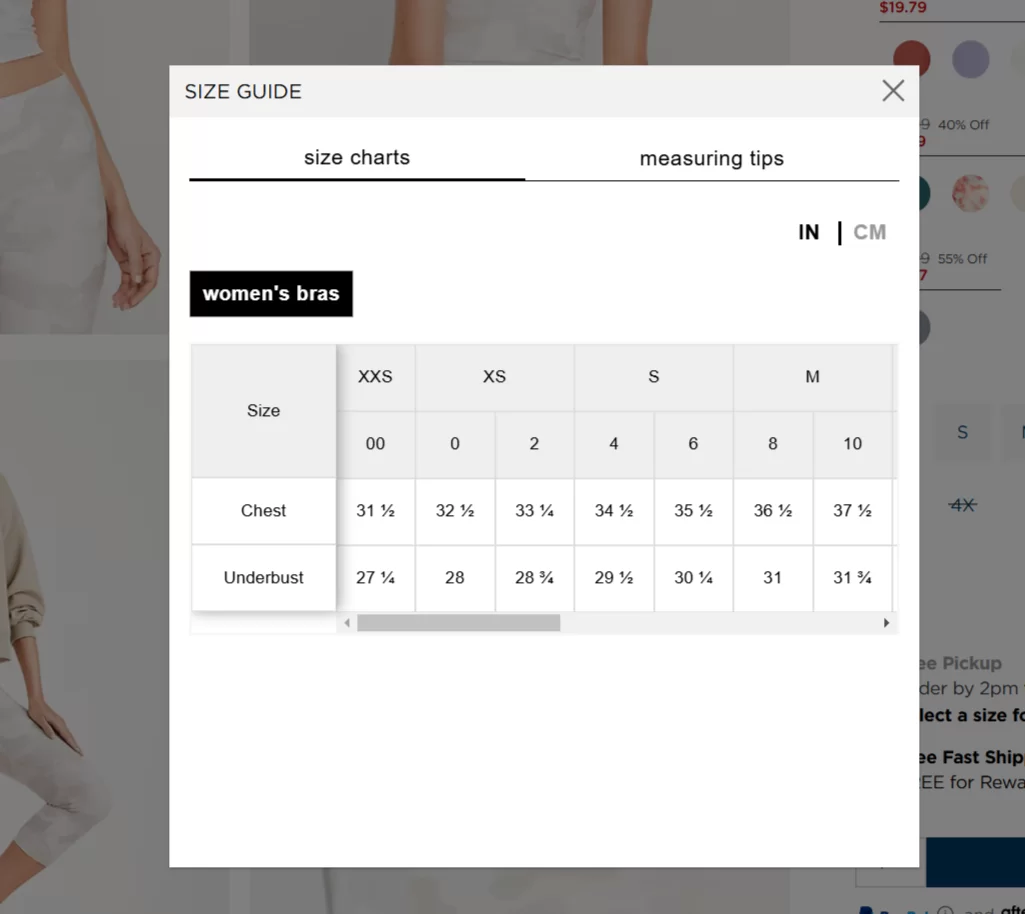
Size Guides

How to Implement

  • Use apps such as G: Variant Options & Product Options, Swatch King – Variants Options, or Globo Product Options.
  • Enable Size Guides for Accurate Measurements – Size Chart & Size Guide, Kiwi Size Chart & Recommender, or Ultimate Size Chart.

Strategy 27 – Clear and Action-Oriented Call-to-Actions (CTAs)

Your CTA should guide visitors toward purchasing:

  1. Use High-Contrast, Attention-Grabbing Buttons – Ensure “Add to Cart”, “Buy Now”, and “Checkout” buttons stand out with contrasting colors and bold typography.
  2. Use Action-Oriented & Urgent Language – Replace generic CTAs like “Submit” with engaging, persuasive copy such as:
    • “Get Yours Now” (for limited-stock items)
    • “Buy Now – Limited Stock!”
    • “Unlock 10% Off – Sign Up Now!”

Clear and Action Oriented Call to Actions (CTAs)

  1. Personalize CTAs for Returning Customers – Modify CTAs based on user behavior, such as:
    1. “Welcome Back! Continue Shopping”
    2. “Reorder Your Favorite” (for past buyers)

How to Implement

  • Apps to Use: Quick Buy Now Buttons, Sticky Add to Cart BOOSTER PRO, or Buy Me – Sticky Buy Button.
  • Apps to Use: Sticky Cart Drawer by Uplinkly, Sticky Add to Cart Bar.
  • Apps to Use: ReConvert Post Purchase Upsell, LimeSpot Personalizer.

Strategy 28 – Urgency and Scarcity Tactics

Encourage faster purchases with urgency:

  1. Limited Stock Alerts: Display messages like “Only 3 Left in Stock!”
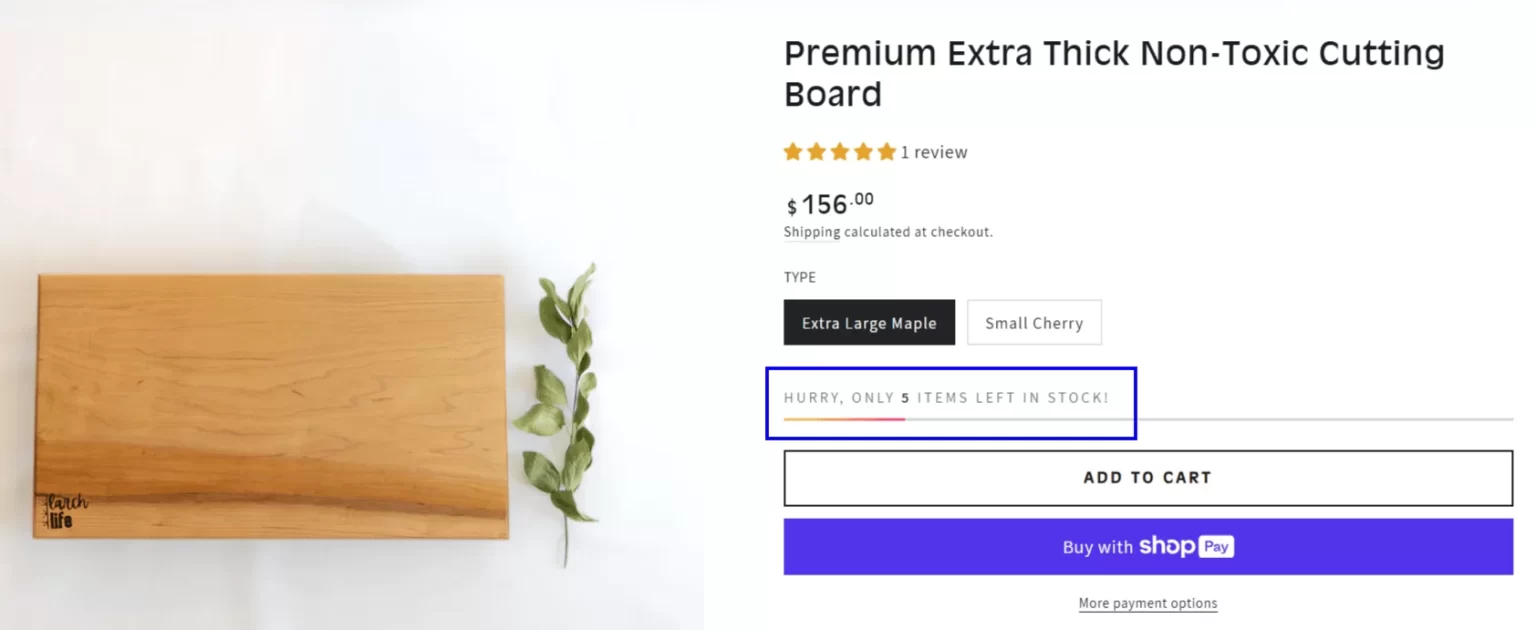
Urgency and Scarcity Tactics

  1. Countdown Timers: Highlight time-sensitive promotions with a visible countdown.
  2. Use “Limited-Time Offers” on Product Pages – Highlight exclusive discounts or seasonal deals with a clear deadline:
    • “Deal ends in 2 hours!”
    • “Only today: 20% off sitewide!”

How to Implement

  • Apps to Use: While Supplies Last – Low Stock Counter, Urgency Bear – Low Stock & Countdown Timer.
  • Apps to Use: Hurrify – Countdown Timer, Sales Countdown Timer Bar 2.0

Strategy 29 – Live Chat and FAQs

Address customer concerns in real-time:

  1. Live Chat Support: : Integrate chatbots or live chat features to answer questions instantly.
  2. FAQs: Include a section for frequently asked questions about the product.

How to Implement

  1. Apps to Use: Gorgias, Tidio, Shopify Inbox Analytics.
  2. Add an FAQ page under Shopify Admin > Online Store > Pages.
  3. Use FAQ Chatbot by Gorgias, Re:amaze Helpdesk to let customers find answers via chat before contacting support.

Cart Upselling Feature: Maximizing Order Value Before Checkout

Once a customer reaches the cart, they’re already motivated to buy. This is the perfect moment to upsell and maximize your average order value (AOV).

With carefully implemented cart upselling strategies, you can encourage customers to add complementary products, upgrade their purchases, or take advantage of exclusive offers. Here’s how:

Strategy 30 – Recommend Complementary Products on the cart page

  1. Smart Pairing: Suggest items that complement what’s already in the cart. For instance, if a customer adds glasses, recommend a top frame case, a cleaning kit, or an additional warranty.
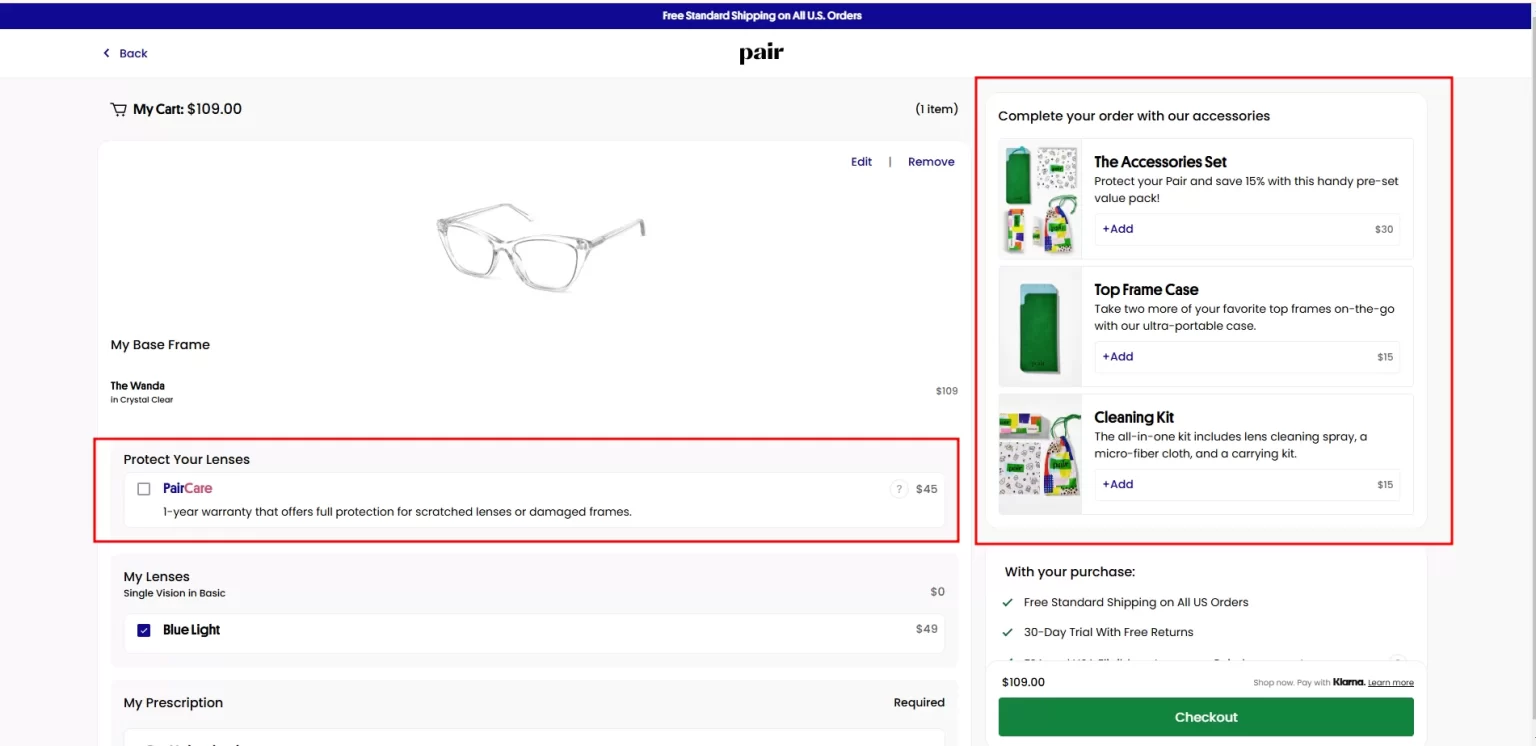
Recommend Complementary Products on the cart page

2. Bundle Offers

  1. Create Value: Offer discounts on bundles that combine the carted product with related items. For instance, “Buy 2, Get 1 Free” or “Save 20% when you buy with [X product]
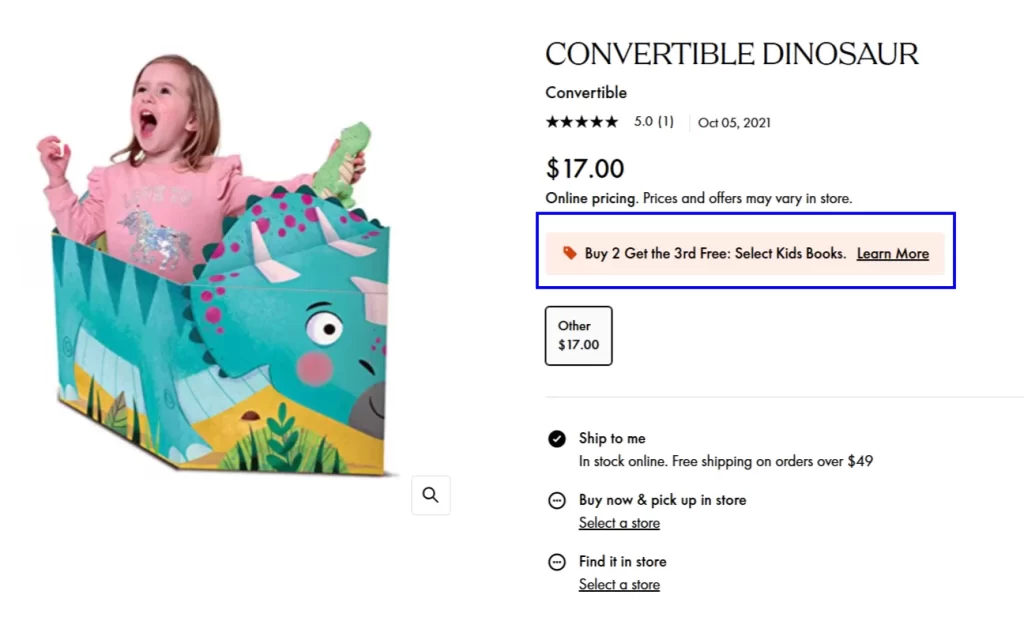
Create Value

Other Key Areas

Strategy 31 – Mobile Optimization: The Key to Capturing the Modern Shopper

With 73% of total e-commerce sales expected to shop from mobile devices in 2025 (source: Statista), optimizing your store for mobile customers is no longer optional—it’s essential. A truly mobile-friendly website ensures seamless navigation, faster loading, and an enhanced user experience, directly impacting conversion rates.

Key Strategies for Mobile Optimization

1.Use a True Responsive Design

  • Adapt to All Screens: Ensure your store adjusts automatically to different screen sizes, maintaining usability and aesthetics on mobile, tablet, and desktop.

Desktop Version:
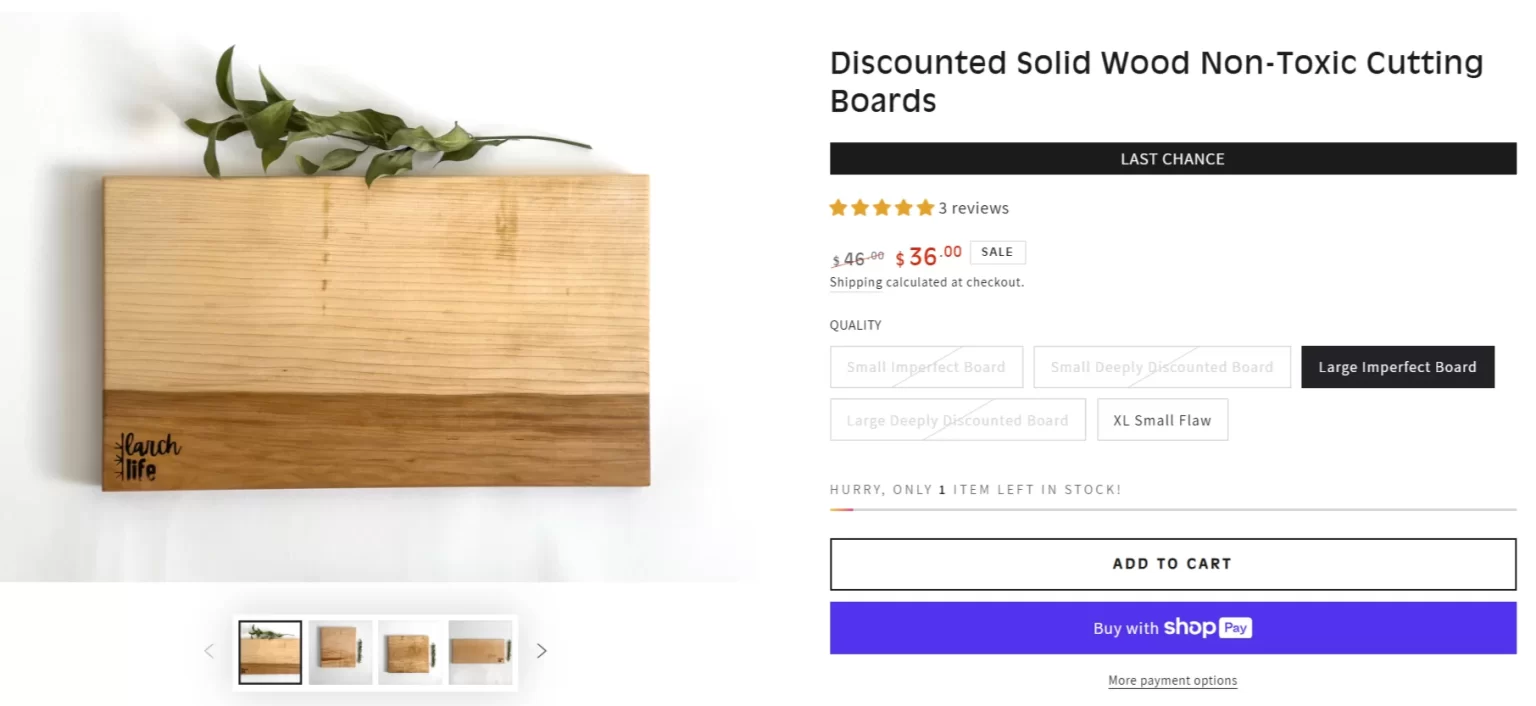
Use a True Responsive Design

Mobile Version:

Use a True Responsive Design mobile

  • Thumb-Friendly Navigation Buttons
  • Larger Buttons: Ensure interactive elements are easy to tap with thumbs.
  • Proper Spacing: Avoid accidental clicks by keeping enough space between links and buttons.
  • Mobile-Specific Filters and Sorting
  • Dropdown Menus: Use expandable filters for attributes like size, colour, or price or you can use tick filters.

A great example of sticky filters for seamless product discovery is the FHENY website .
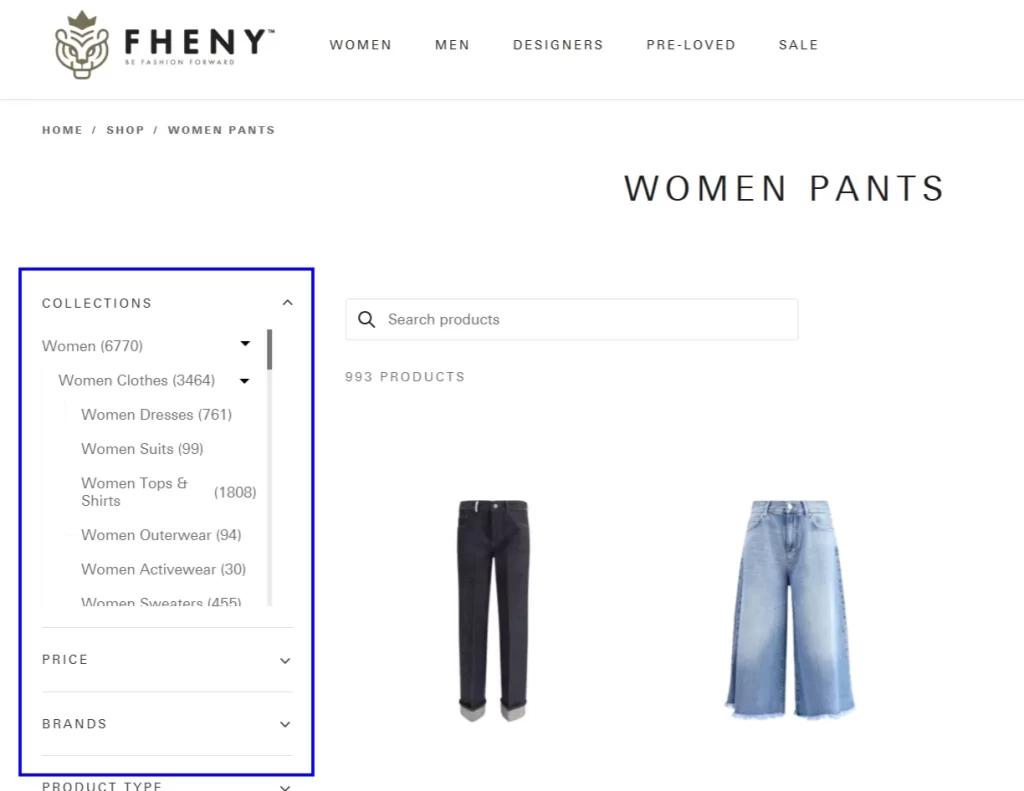
Specific Filters and Sorting

2.Optimize Navigation for Mobile

  • Hamburger Menus: Simplify navigation with collapsible menus to save space, as in the example below:
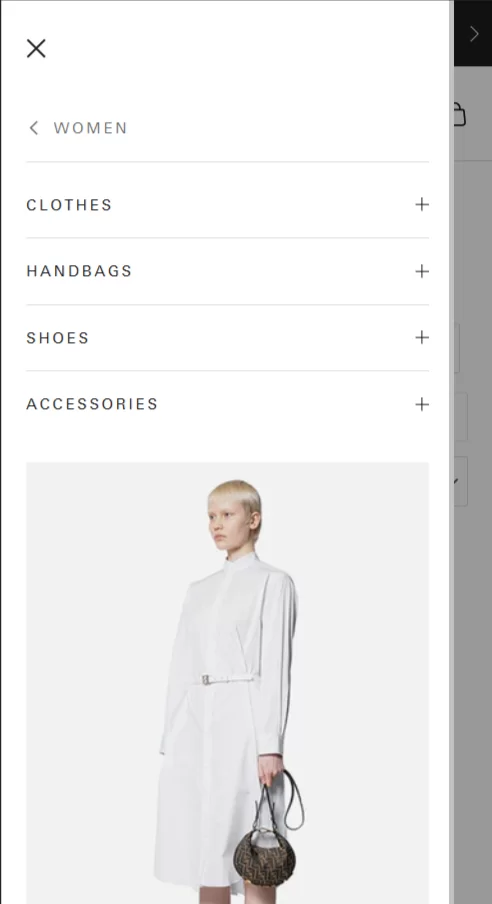
Optimize Navigation for Mobile

  • Sticky Navigation and Search Bar Placement: Keep the sticky navigation and search bar prominent at the top of the screen for quick access.
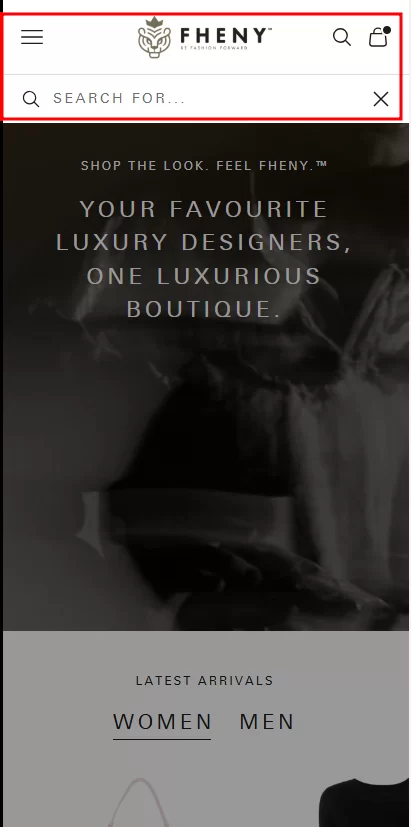
Sticky Navigation and Search Bar Placement

  • Sticky Cart: Keep the cart sticky in the navigation bar for quick access and checkout.
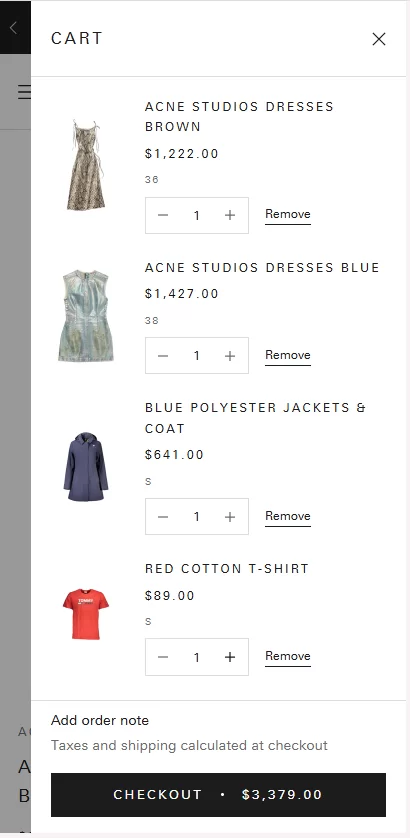
Sticky Cart

Strategy 32 – Sticky CTAs – Keep “Add to Cart” or “Buy Now” Always Visible on Mobile & Tablet

Users scroll through content on mobile and tablet devices, often losing sight of key action buttons. A sticky CTA (Call-to-Action) ensures that the “Add to Cart” or “Buy Now” button remains visible at all times, making checkout faster and more intuitive . This simple yet powerful feature reduces friction and increases conversions by keeping purchasing options within instant reach .

Why Sticky CTAs Matter

  1. Improves Mobile UX – Reduces the need for users to scroll back up to take action.
  2. Boosts Conversions – Ensures immediate access to purchase decisions at any point.
  3. Reduces Drop-Offs – Keeps buying intent strong by minimizing effort.
  4. Encourages Impulse Purchases – Keeping the CTA prominent makes users more likely to complete a transaction.
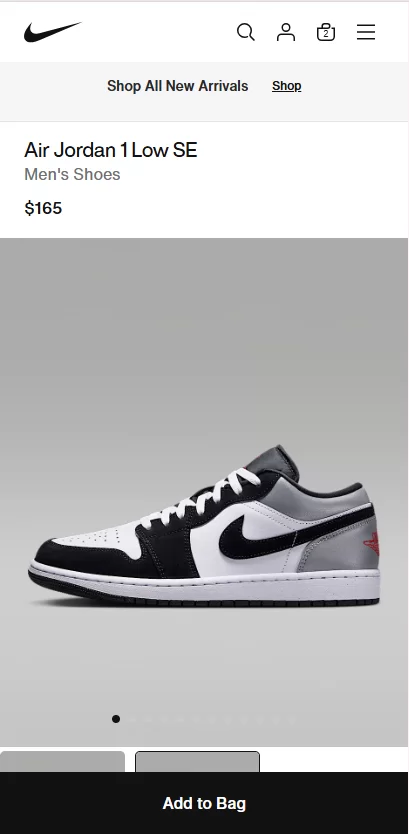
Why Sticky CTAs Matter

How to Implement Sticky CTAs on Shopify

Shopify doesn’t include sticky CTAs by default, but you can enable them using apps, custom coding, or theme settings :

  • Use Shopify Apps for Sticky Add-to-Cart
  • Apps like Sticky Add To Cart BOOSTER PRO, Buy Me—Sticky Buy Button and Fast Checkout Cart Drawer allow easy integration without coding.
  • These apps provide customization options such as positioning, animations, and visibility rules.
  • Enable Sticky CTAs in Shopify 2.0 Themes
  • Some themes (like Dawn and Turbo) support built-in sticky buttons.
  • Check your theme settings under Online Store > Themes > Customize > Product Page to enable sticky CTAs.

Strategy 33 – Optimize Checkout – Reduce Friction & Increase Conversions

Checkout is the final step before a visitor becomes a paying customer. Any friction—such as forced account creation, slow payment processing, or complex forms —can lead to cart abandonment .

Key Checkout Optimizations for Shopify

  • Enable Guest Checkout (Frictionless Buying Experience)
  • Why? Many customers abandon their carts when forced to create an account. Guest checkout eliminates this barrier and accelerates the purchase process.
  • How to Implement
  • Go to Shopify Admin > Settings > Checkout
  • Under Customer Accounts, select “Accounts are optional.”
  • This allows users to check out without signing up while still capturing their email for future marketing.
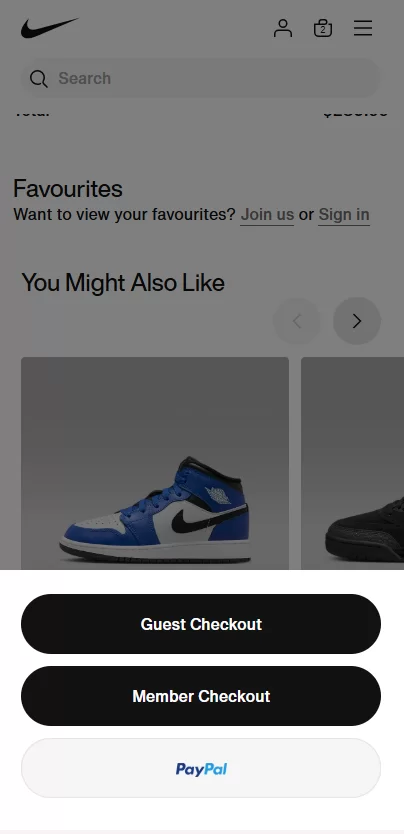
Optimize Checkout Reduce Friction & Increase Conversions

  1. Support Mobile Wallets for Faster Payments

Mobile wallets reduce checkout time by auto-filling payment and shipping details , leading to higher conversion rates .

  • Best Mobile Payment Options
  • Apple Pay (for iPhone users)
  • Google Pay (for Android users)
  • PayPal Express Checkout
  • Shop Pay (Shopify’s own accelerated checkout)
  • Klarna, Afterpay, and Flex (Buy Now, Pay Later options)
  • How to Enable
  • Go to Shopify Admin > Settings > Payments
  • Enable Shopify Payments to activate Apple Pay, Google Pay, and Shop Pay.
  • Add PayPal Express Checkout as an additional payment method.
  • For BNPL (Buy Now, Pay Later) options, integrate Klarna, Afterpay, or Flex, depending on your region.
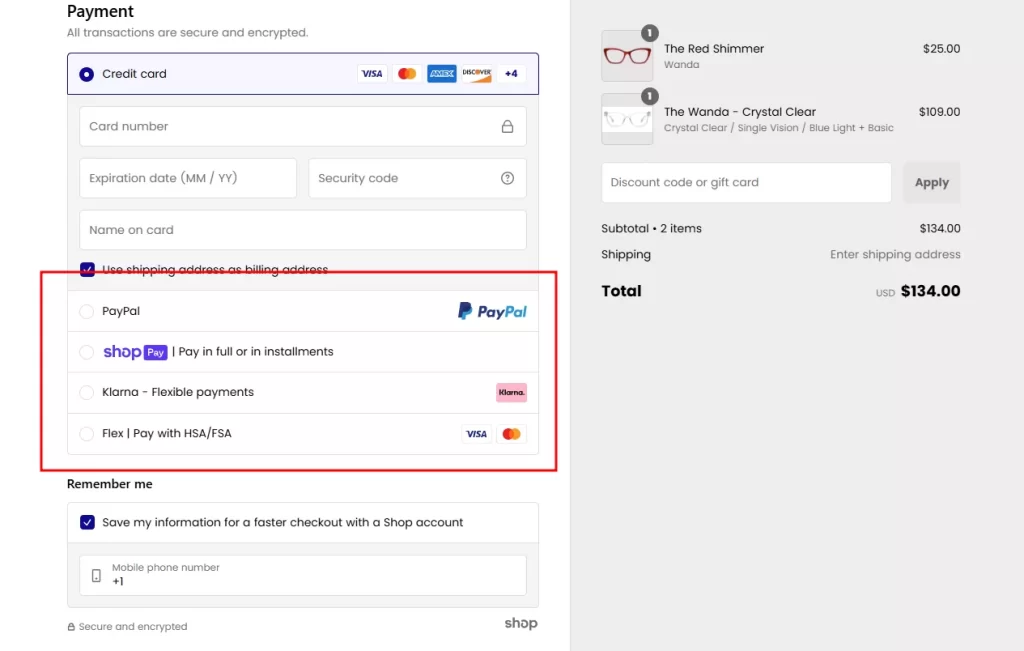
Support Mobile Wallets for Faster Payments

Strategy 34 – Fast Loading Speed: The Foundation of High Conversions

To keep the users engaged and maximize conversion, a Shopping store’s fast loading speed is critical. Also, faster websites lead to better SEO rankings, increasing organic traffic to the online store.

i. Choose a Fast-Loading Shopify Theme

Not all themes are created equal. Some are bloated with unnecessary features, slowing down your store. Avoid overly complex themes with excessive sliders, animations, or scripts that may slow down performance.

ii. Optimize Images for Faster Load Times

Large, uncompressed images are one of the biggest culprits of slow online stores.

How to optimize images:

  • Use WebP format instead of PNG/JPEG (Shopify supports this natively).
  • Compress images using tools like TinyPNG or apps like Crush.pics.
  • Enable lazy loading so images load only when users scroll to them.

iii. Reduce the Number of Apps

Each Shopify app adds extra code (JavaScript, CSS) that can slow down your store.

What to do:

  • Audit your installed apps and remove any unused ones.
  • Use multipurpose apps (e.g., Vitals , which combines multiple features in one app).
  • Check app impact on speed via Shopify’s theme analyzer (Settings → Online Store → Themes → Speed Score).

iv. Leverage Built-in Content Delivery Network (CDN)

Shopify automatically uses a global CDN to deliver assets quickly to visitors worldwide.

No setup is needed—just ensure you upload images and files directly to Shopify rather than hosting them externally.

v. Minify and Optimize Theme Code

Shopify themes often come with extra CSS and JavaScript files that can slow your store.

How to fix it:

  • Minify CSS, JavaScript, and HTML using Shopify’s built-in minification features or apps like PageSpeed Optimizer.
  • Use asynchronous loading to prevent scripts from blocking page rendering.
  • Limit external fonts — use Shopify’s built-in font library instead of Google Fonts.

vi. Enable Browser Caching for Returning Visitors

By default, Shopify already caches static content (like images and stylesheets), making repeat visits faster.

Ensure unnecessary apps aren’t repeatedly loading “shopify.theme.js” files.

vii. Reduce Redirects and Broken Links

Redirect chains slow page loading and frustrate users.

How to optimize redirects:

Use 301 redirects sparingly (Settings → Navigation → URL Redirects).

Regularly check for broken links using Google Search Console.

viii. Optimize Mobile Speed

With over 73% of eCommerce sales happening on mobile, speed optimization must focus on mobile shoppers.

How to optimize Shopify for mobile:

  • Use a single-column layout (avoid clutter).
  • Enable a sticky “Add to Cart” button so customers don’t have to scroll up.
  • Reduce pop-ups that block important content.

ix. Load Third-Party Scripts Efficiently

External scripts (e.g., Google Analytics, Facebook Pixel) can slow eCommerce stores.

What to do:

  • Load scripts after page content (defer non-essential scripts).
  • Use Google Tag Manager to manage third-party tracking efficiently.

x. Monitor Speed Regularly

Best tools for speed testing:

  • Shopify Speed Score (Admin → Online Store → Themes)
  • Google PageSpeed Insights (pagespeed.web.dev)
  • GTMetrix ( gtmetrix.com )

Bonus Strategy – Shopify Payment Gateway Optimization

Your checkout experience can make or break conversions. Multiple payment
options ensure a seamless buying process, reducing cart abandonment and increasing sales.

Best Practices for Payment Gateway Optimization

  1. Offer Multiple Payment Methods – Support credit/debit cards, digital wallets (Apple Pay, Google Pay), and alternative options like PayPal and Shop Pay to cater to different customer preferences.
  2. Enable Region-Specific Gateways – If you sell internationally, use gateways that align with local preferences, such as iDEAL (Netherlands), Klarna (Europe), or Razorpay (India). Shopify Payments supports multiple currencies and localized payment options.
  3. Integrate Buy Now, Pay Later (BNPL) Options – Payment options like Affirm, Afterpay, and Klarna let customers split payments, increasing average order value and conversions.
  4. Ensure a Seamless Checkout Experience – Reduce friction by enabling one-click checkout with Shop Pay and keeping the checkout process as short as possible.
  5. Optimize for Mobile Payments – Many users shop on mobile, so make sure payment buttons are clearly visible, easy to tap, and support digital wallets, such as Google and ApplePay wallets, for quick transactions.

Support Mobile Wallets for Faster Payments

Action List: Key Takeaways for Higher Shopify Conversions

Optimizing your Shopify store for conversions doesn’t have to be overwhelming. By focusing on key improvements across your homepage, product pages, checkout process, and marketing efforts , you can drive more sales and reduce friction for customers.

Below is a quick-action checklist summarizing the essential steps to implement these CRO strategies effectively.

  1. Optimize Your Homepage – Personalize, improve navigation and use strong CTAs to engage visitors.
  2. Capture More Leads – Use pop-ups, banners, and incentives to grow your email list.
  3. Leverage Live Chat – Provide instant support and boost conversions with AI chatbots.
  4. Refine Product & Collection Pages – Use filters, high-quality images, and personalized recommendations to enhance shopping experience.
  5. Maximize Upsells in Cart – Recommend complementary products and create bundle offers.
  6. Make Your Store Mobile-First – Ensure a seamless shopping experience with optimized navigation and fast loading times.
  7. Improve Page Speed – Use lightweight themes, compress images, and minimize third-party scripts for faster performance.
  8. Offer More Payment Choices – Accept local payment options, digital wallets, and BNPL services to reduce cart abandonment.

By implementing these 34 proven Shopify Conversion Rate Optimization strategies , your eCommerce store will convert more visitors into loyal customers and drive sustainable revenue growth .
Filed Under: eCommerce Development

20 Best Shopify Themes for Fashion/Clothing Stores

March 5, 2024 by Mandeep Kumar Leave a Comment

In the ever-evolving world of e-commerce, creating a visually stunning and seamlessly functional online store is paramount, especially in the dynamic world of fashion and clothing. Your Shopify theme serves as the digital storefront, setting the tone for your brand and influencing the overall shopping experience. As fashion experts increasingly turn to online platforms for their style needs, the importance of an engaging and well-designed website cannot be overstated.

In this comprehensive guide, we delve into the Shopify themes, curating a list of the top 20 Shopify fashion themes suitable for fashion and clothing stores. Whether you’re launching a new online boutique or seeking to revamp your existing storefront, these handpicked themes are sure to elevate your brand aesthetics, enhance user experience, and ultimately drive conversion. Join us on this journey with Shopify Development Pros to find the perfect Shopify theme where style meets functionality and makes your fashion store stand out in the crowded digital landscape.

Top 20 Shopify Fashion Themes for Your Design Inspiration:

In this article, we’re excited to showcase the top 20 Shopify Fashion/clothing themes.

Are you ready to dive in with us?

  1. Blum – Where Fashion and Functionality Converge
  2. Prestige – High-End Fashion Aesthetic
  3. Dawn – Free Minimalist Theme
  4. Impulse – Contemporary Aesthetics
  5. Streamline – Modern Elegance
  6. Symmetry – Clean and Minimalistic Shopify Theme
  7. Be Yours: A Canvas for Versatility
  8. Mavon: Distinctive Style
  9. Debutify: Online Fashion Haven
  10. Ella: A Vibrant Canvas
  11. Split
  12. Envy
  13. Retina
  14. Mr Parker
  15. District
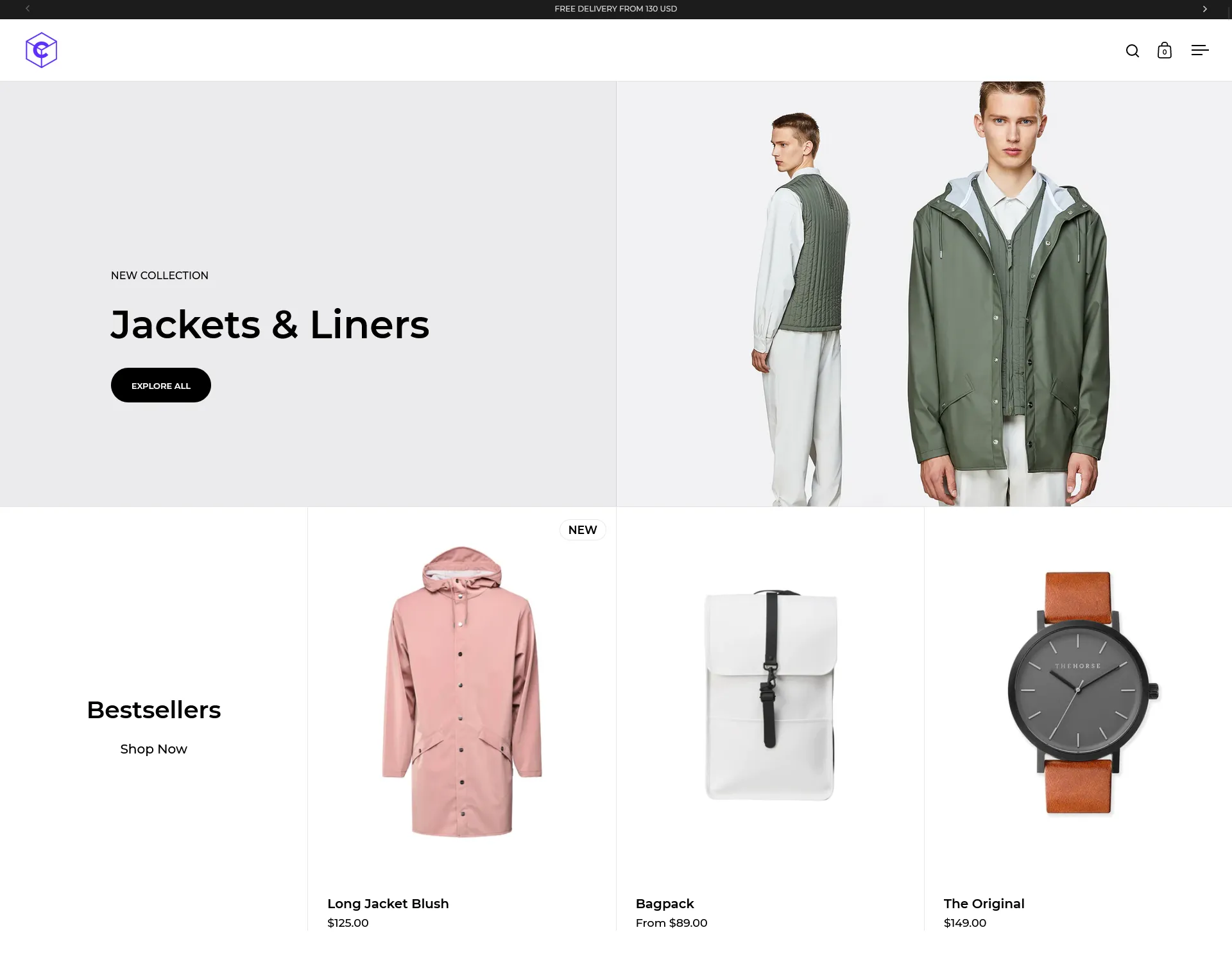
  16. Icon
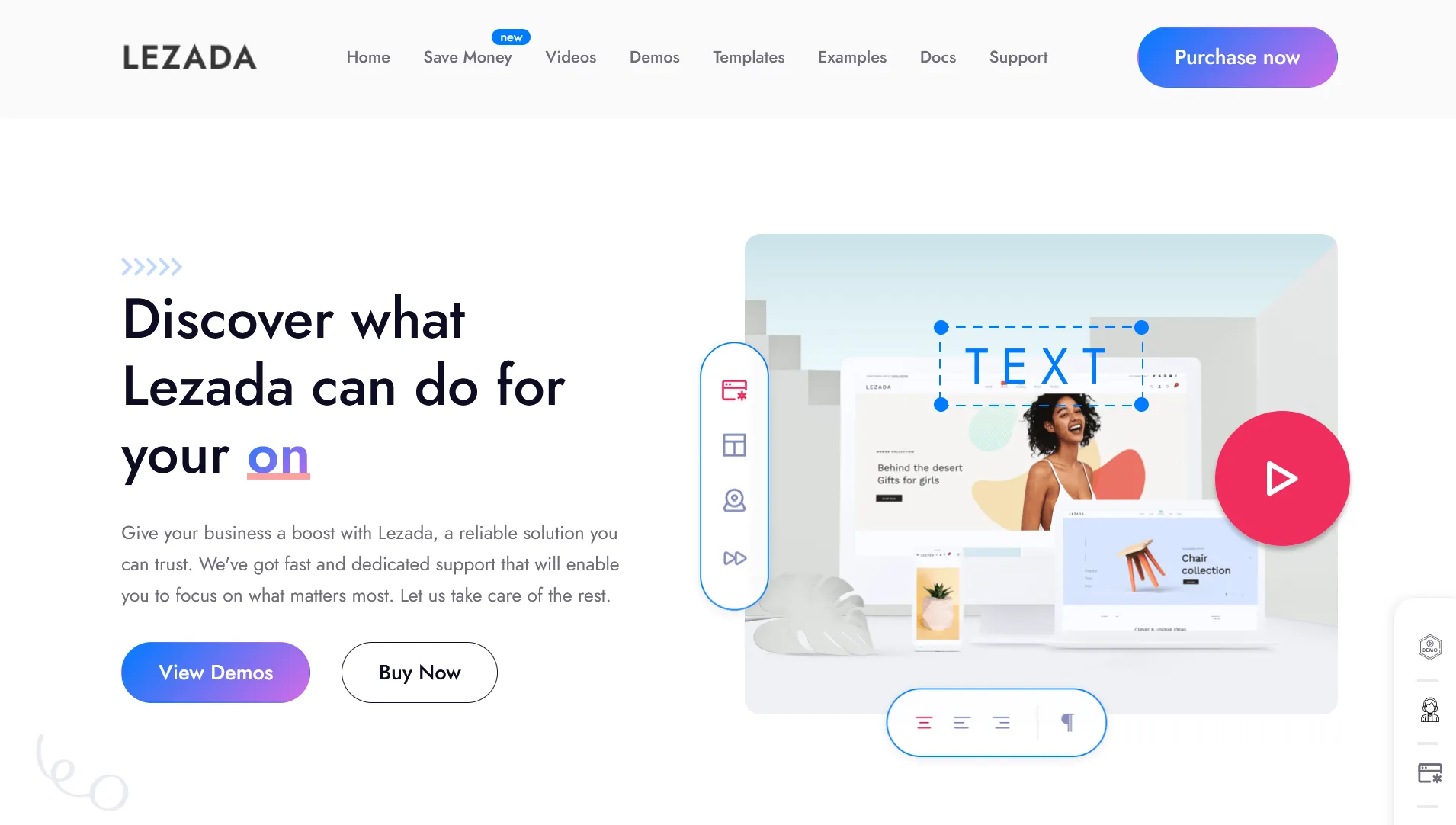
  17. Lezada
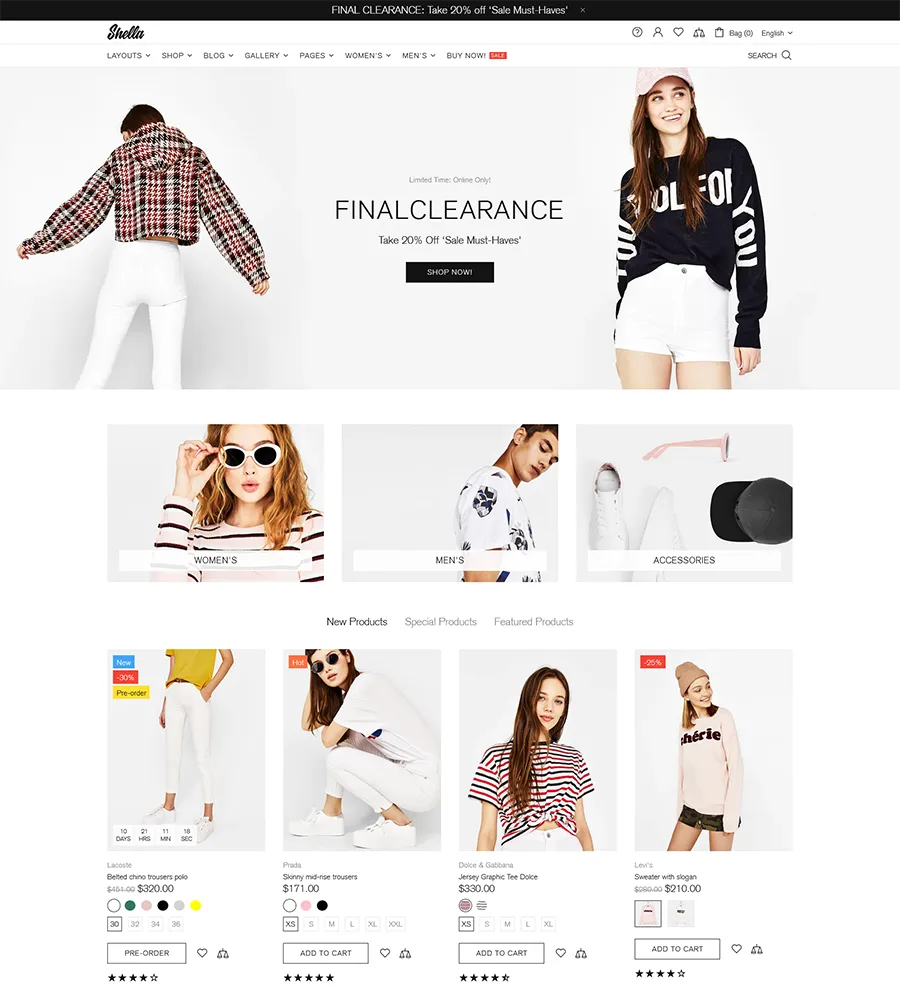
  18. Shella
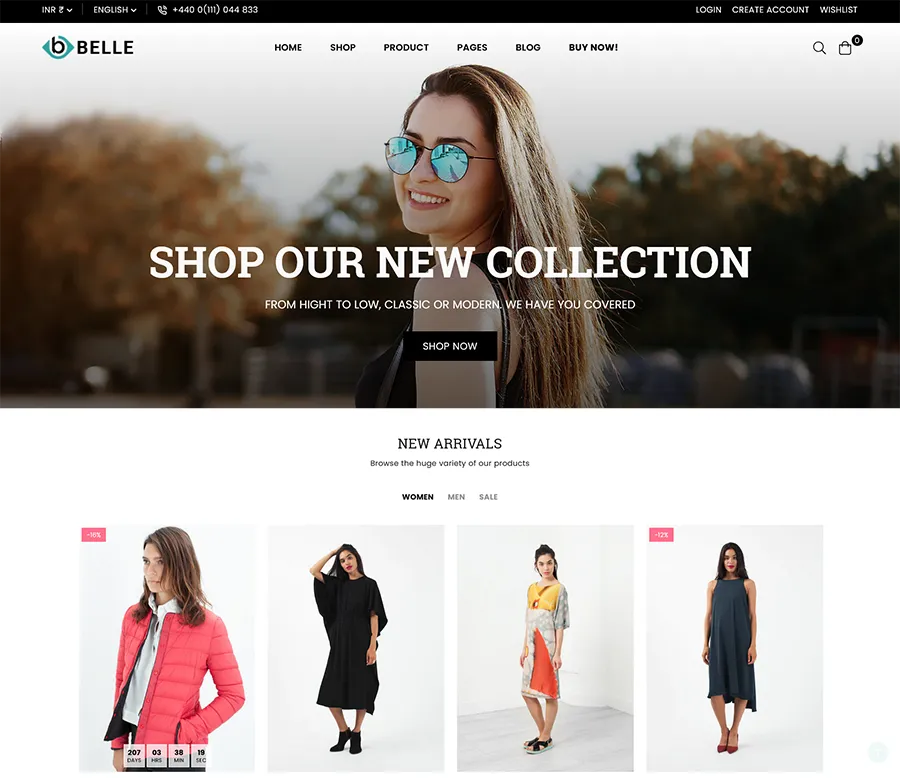
  19. Belle
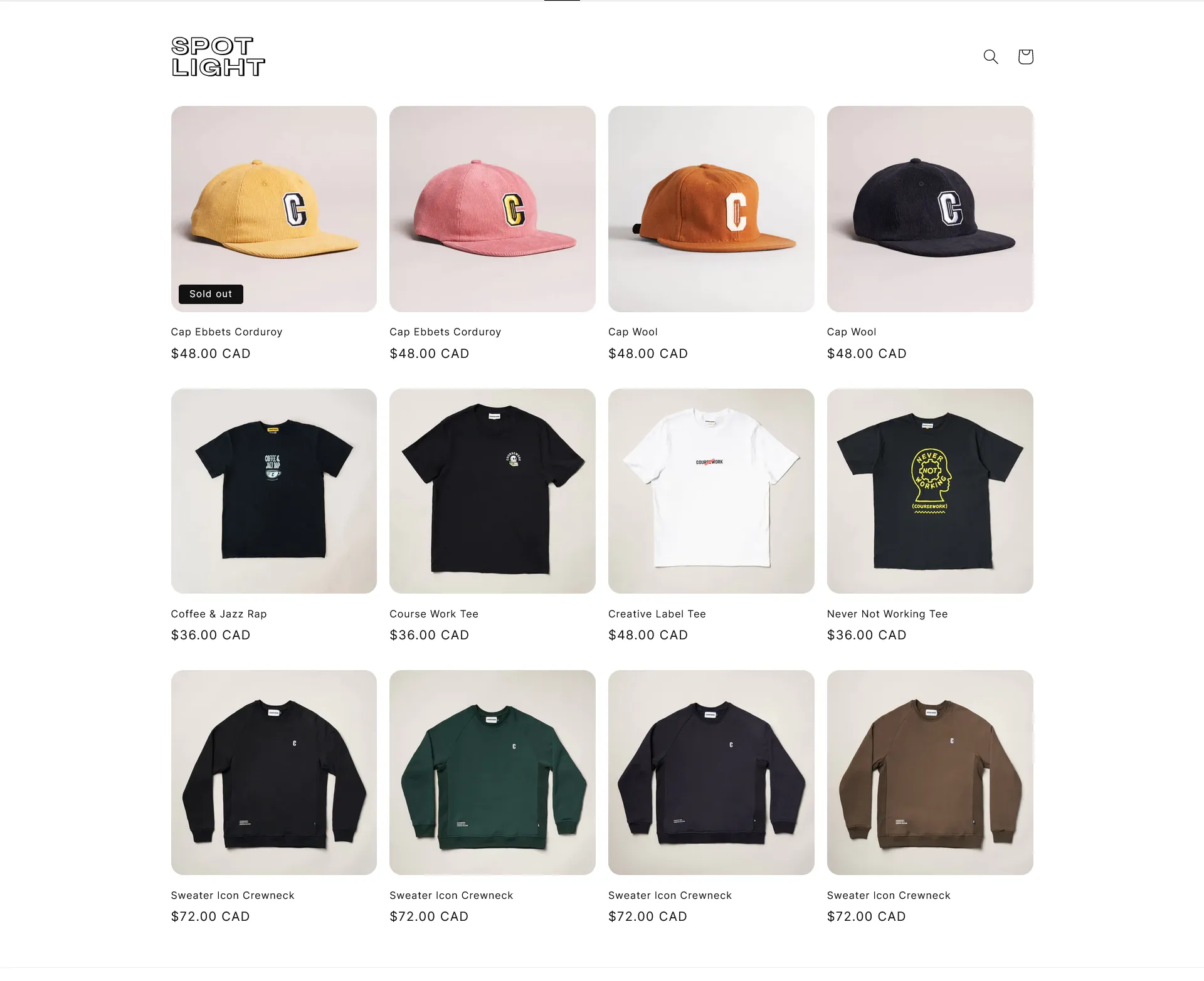
  20. Spotlight

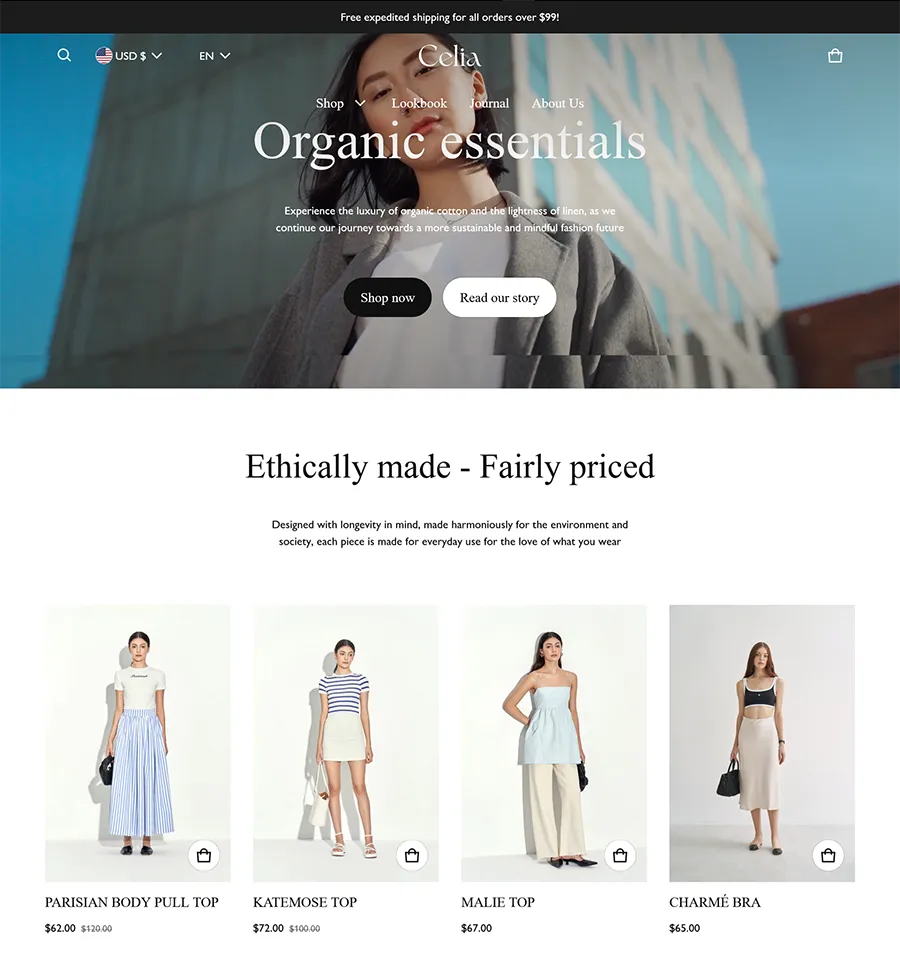
1. Blum – Where Fashion and Functionality Converge


blum Shopify Fashion Themes

Price: $170 (free trial available)

Reviews: 21 Reviews (100% positive)

Key Features:

  • Niche-focused theme for fashion, health, and beauty businesses.
  • Rich image display options for enhancing sales conversion.
  • The mobile-first design ensures optimal experiences for mobile shoppers.
  • Unrivalled page speed, scoring more than 80/100 on Google PageSpeed for mobile devices.
  • Three stylish options to choose from: Solie, Mondo, and Celia.

Pros:

  • Smooth and Stunning Storytelling Layout: Engage customers with a visually appealing storytelling layout that enhances the overall shopping experience.
  • Design for Promotions: Customizable pop-ups and a featured product carousel facilitate effective promotion strategies, boosting sales and customer engagement.
  • Responsive for Mobile Devices: With a mobile-first approach, Blum ensures seamless and responsive design for users on various devices, enhancing accessibility.
  • Unrivalled Page Speed: Exceptional page speed contributes to a smooth and efficient online shopping experience, positively impacting user satisfaction
  • 24/7 Live Chat Support: Benefit from continuous support with 24/7 live chat, ensuring assistance is readily available for any queries or concerns.
  • Intuitive Navigation: User-friendly and intuitive navigation enhances the overall usability of the theme, providing a hassle-free shopping journey.
  • Fully Compatible with Online Store 2.0 Features: Blum aligns with the latest Online Store 2.0 features, ensuring your store is equipped with the latest tools and functionalities.

Cons:

  • Too Many Features Can Make Users Feel Overwhelmed: The abundance of features may be overwhelming for some users, requiring careful consideration and customization based on individual needs.
  • Indistinction Between 3 Provided Styles: Users might find it challenging to distinguish between the three provided styles (Solie, Mondo, and Celia), potentially leading to decision-making difficulties.

Start your Shopify Fashion Store with This Theme.

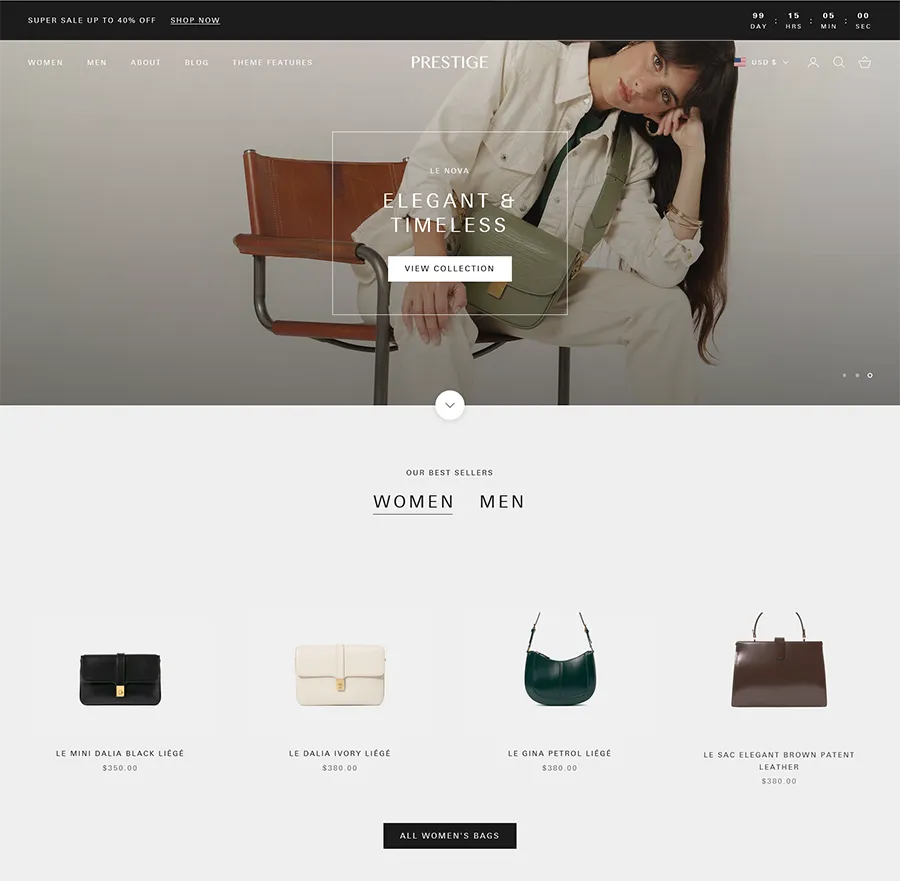
2. Prestige – High-End Fashion Aesthetic


prestige shopify fashion theme

Price: $380 (free trial available)

Reviews: 607 Reviews (90% positive)

Key Features:

  • Prestige mirrors the sophistication and exclusivity of luxury products, offering more than a theme—a digital embodiment of luxury.
  • Elevate the shopping experience with curated style suggestions, transforming transactions into a personalized journey of elegance.
  • Prestige goes beyond the ordinary, offering visually stunning product display options with captivating video features.
  • Pricing: Prestige, with exclusive features and a high-end aesthetic, is priced at $350 — an investment in elevating your brand’s online identity in the realm of high-end fashion.

Pros:

  • Exclusivity Amplified: Prestige’s design is a gateway to an elevated brand image, ensuring sophistication and allure for your high-end fashion store.
  • Curated Shopping Journey: The “Shop the Look” section transforms the shopping journey into an immersive venture with curated style suggestions, turning each click into a fashion narrative.
  • Visual Spectacle: With captivating video features and attractive product displays, Prestige creates an interactive, visual storytelling experience that captivates discerning customers.
  • Seamless Integration with Online Store 2.0 Features: Seamless integration with the latest Online Store 2.0 features keeps your store equipped with cutting-edge tools, ensuring you stay ahead in the evolving e-commerce landscape.
  • Responsive Support: Prestige offers 24/7 live chat support for prompt assistance, providing peace of mind for merchants navigating any queries or concerns.

Cons:

  • Limited Customization: Some users may find Prestige’s focus on high-end fashion limits extensive customization options, potentially restricting adaptability for diverse brand identities.
  • Learning Curve: Given its specialized features, users unfamiliar with advanced design elements may experience a learning curve when optimizing Prestige to its full potential. Merchants are advised to invest time in understanding the theme’s intricacies for maximum impact.

Start your Shopify Fashion Store with This Theme.

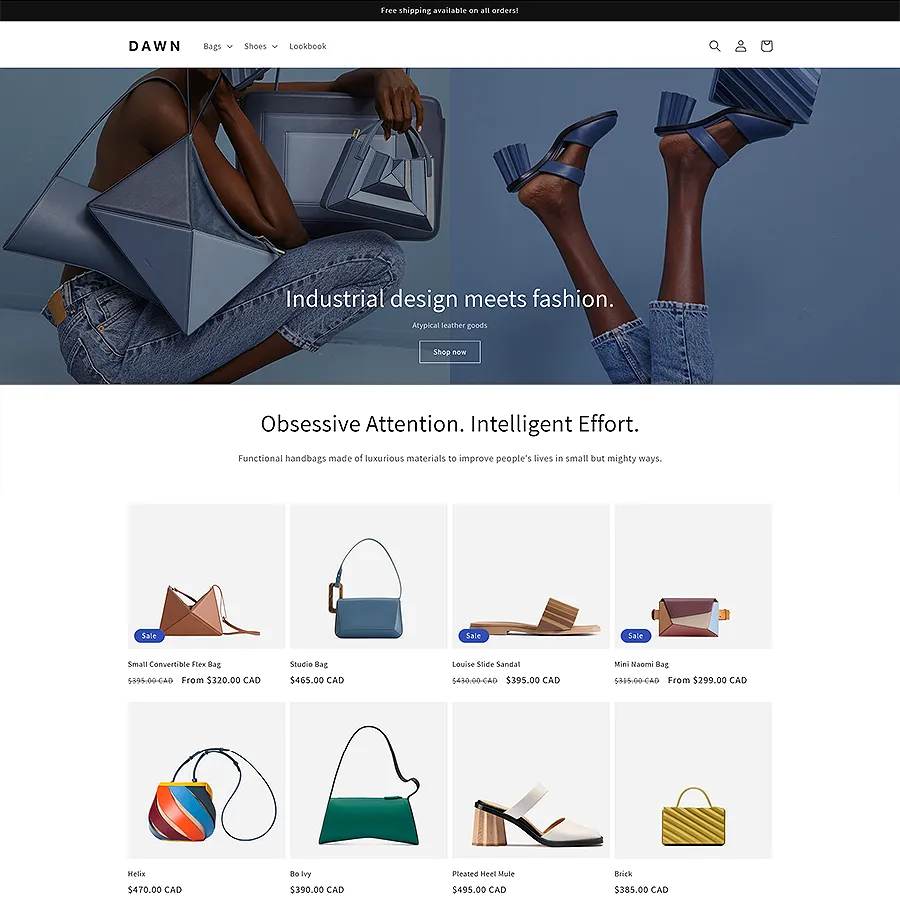
3. Dawn – Free Minimalist Theme


dawn Shopify Fashion Themes

Price: Free

Reviews: 166 Reviews (31% positive)

Key Features:

  • Dawn presents an attractive proposition with its status as a free minimalist theme, making it an accessible option for merchants on a budget or those looking for simplicity in design.
  • Despite being a free theme, Dawn doesn’t compromise on customization. It allows users to tailor the look and feel of their store, ensuring a personalized touch that aligns with their brand identity.

Pros:

  • Highlights Products Effectively: Dawn’s minimalist design serves as a canvas, putting your products in the spotlight. With clean lines and a clutter-free interface, it ensures that your offerings take center stage, capturing the attention of potential customers.
  • Cost-Effective Solution: As a free theme, Dawn provides a cost-effective solution for those starting their eCommerce journey or operating on a tight budget. It enables businesses to establish an online presence without the financial commitment typically associated with premium themes
  • Ease of Use: Dawn is user-friendly, making it an ideal choice for those who are new to eCommerce or prefer a straightforward approach. The simplicity of the theme contributes to a hassle-free setup and management process.

Cons:

  • Limited Advanced Features: While Dawn is effective for its simplicity, it might not be the best fit for businesses requiring advanced features or intricate customization. Merchants with specific needs beyond the basics might find the theme lacking in certain functionalities.

Dawn offers a clean, accessible solution for those prioritizing simplicity and effective product presentation. With a minimalist design emphasizing products, this theme is an excellent choice for businesses looking for a cost-effective and straightforward approach to their online store. While it may not boast advanced features, its ease of use and budget-friendly nature make it a compelling option for various merchants.

Start your Shopify Fashion Store with This Theme.

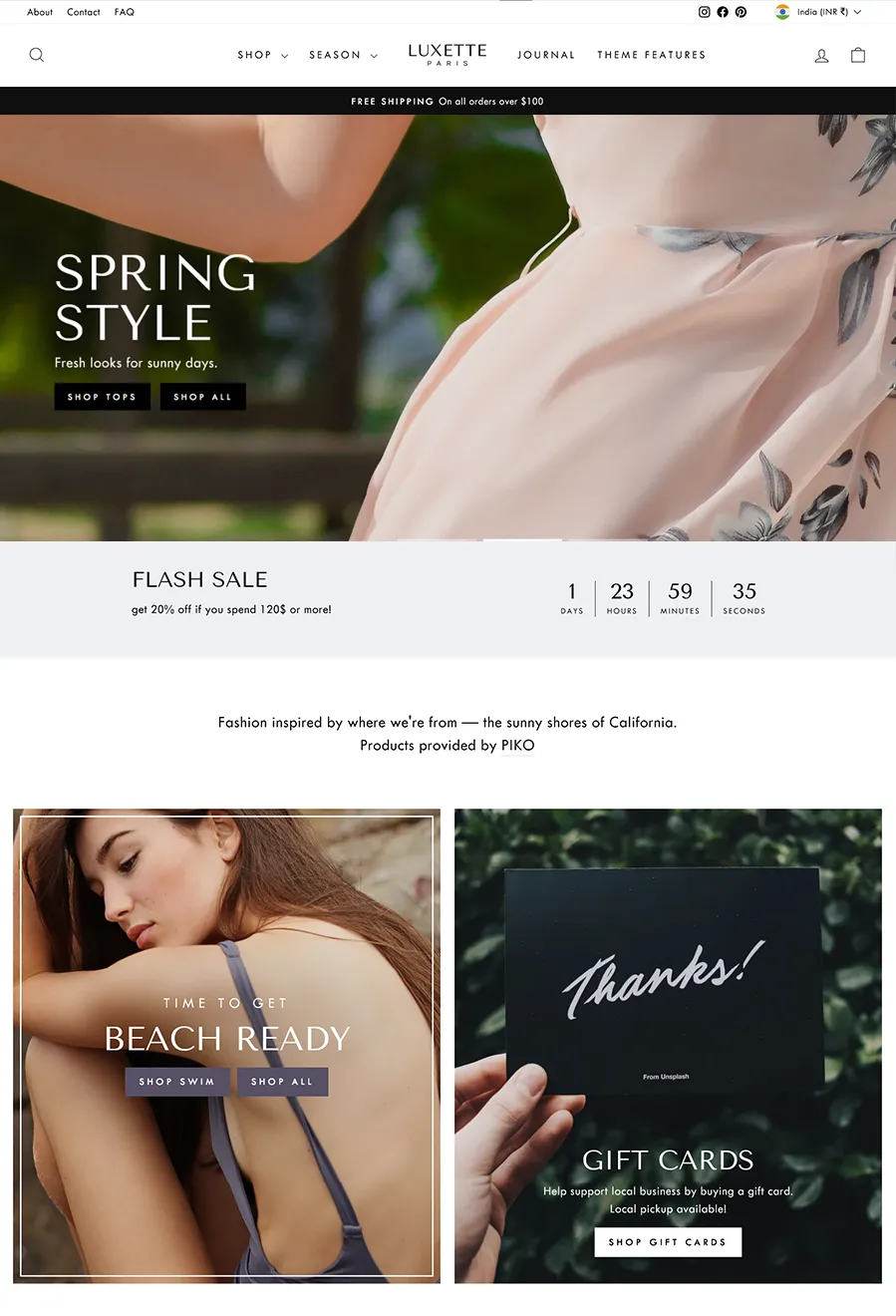
4. Impulse – Contemporary Aesthetics


luxettte shopify fashion theme

Price: $380 (free trial available)

Reviews: 959 Reviews (95% positive)

Key Features:

  • Impulse captivates audiences with a full-width video header, setting the stage for a dynamic and engaging shopping journey.
  • The theme allows seamless tailoring of the store’s visual identity with customizable image blocks, enabling the clothing line to be showcased in alignment with the brand’s unique aesthetic.
  • Impulse allows effortless switching between three main theme styles—Modern, Bold, and Clean—to create varied atmospheres for the online store, adapting to different brand vibes.
  • Impulse ensures a consistent and visually appealing experience on smartphones and tablets with its high mobile responsiveness.
  • The theme improves the shopping experience with easy-to-use product filtering options, allowing customers to find products based on size and colour preferences.

Pros:

  • Fully Responsive and Super Easy to Use: Impulse prioritizes user experience with full responsiveness and user-friendly design, ensuring a seamless journey for both merchants and customers.
  • Highly Customizable Layout: Enjoy a high level of customization, allowing you to adjust the layout of pages to suit your brand’s specific needs and aesthetics.
  • Regularly Updated and Unlimited Free Trial: Stay ahead with regular updates and take advantage of an unlimited free trial, providing ample time to explore Impulse’s features before committing.
  • Fast Loading Speed: The fast loading speed contributes to an efficient and enjoyable shopping experience, reducing bounce rates and improving user satisfaction.
  • Compatible with Shopify 2.0: Keep your online store equipped with the latest features by choosing a theme that is fully compatible with Shopify 2.0.

Cons:

  • Only Email Support Available, No Chat Option: The customer support for Impulse is limited to email communication, lacking the real-time interaction that a chat option provides. Merchants should consider their support preferences when choosing a theme.
  • Relatively Expensive: While Impulse offers robust features, the price tag of $350 might be considered relatively high. Merchants should evaluate their budget and the theme’s features to ensure alignment with their business needs.

Start your Shopify Fashion Store with This Theme.

5. Streamline – Modern Elegance


streamline shopify fashion theme

Price: $360 (free trial available)

Reviews: 288 Reviews (95% positive)

Key Features:

  • Streamline presents a sleek and modern look tailored for Shopify merchants, ensuring your products are showcased cleanly and professionally.
  • Elevate your brand with a captivating homepage slideshow that engages visitors from the moment they land on your site.
  • Enhance navigation with a user-friendly multi-level dropdown menu, providing a seamless browsing experience for customers.
  • Simplify product discovery with an efficient product filtering system, enabling customers to find what they need quickly.
  • Streamline is crafted with SEO in mind, optimizing your online presence for better visibility and search engine rankings

Pros:

  • Highly Responsive Design and Customization Options: Enjoy a modern and responsive design that adapts seamlessly across various devices. The theme provides extensive customization options for tailoring your online store to your brand’s unique identity.
  • Special Built-In Features: Benefit from unique features such as social media integrations and a flash sales option, adding dynamic elements to your store and enhancing customer engagement.
  • Regular Updates and Unlimited Free Trial: Stay current with the latest features and improvements through regular updates. The theme also offers an unlimited free trial period, allowing you to explore its capabilities at your own pace.
  • Compatible with Shopify 2.0: Ensure your store is equipped with the latest tools and functionalities by using a theme that is fully compatible with Shopify 2.0.

Cons:

  • Limited Support Channel: Streamline provides support through email, which may be a drawback for users who prefer real-time assistance through chat or other channels.
  • Not Suitable for Large Inventories: The theme may not be the ideal choice for stores with a large inventory, as its design is optimized for a more curated selection of products. Consider this limitation if your store has an extensive product catalogue.

Start your Shopify Fashion Store with This Theme.

6. Symmetry – Clean and Minimalistic Shopify Theme


symmetry shopify fashion theme

Price: $340 (free trial available)

Reviews: 319 Reviews (93% positive)

Symmetry stands out as an ideal Shopify clothing template, catering to those who appreciate clean and minimalistic layouts. Tailored for top Shopify clothing stores worldwide, Symmetry boasts a user-friendly drag-and-drop interface, pre-designed pages, and robust support for multiple languages.

Key Features:

  • Symmetry offers a variety of customization options, allowing you to create different homepages and collection page layouts. Tailor your online store to match your brand’s unique style effortlessly.
  • A mega menu facilitates seamless navigation, enhancing the overall user experience. Customers can explore your offerings with ease, contributing to a positive shopping journey.
  • Customize promotion tiles to highlight special offers or featured products. Symmetry provides a visually appealing way to draw attention to promotions and boost customer engagement.
  • Assist customers in finding specific products effortlessly with advanced filtering and search options. Symmetry ensures that customers quickly locate the items they desire.
  • Symmetry offers four distinct theme styles—Beatnik, Chantilly, Duke, and Salt Yard. Each style features different page layouts, product quick view, and product zoom functionality, providing versatility to suit various brand aesthetics.

Pros:

  • Highly Responsive Design and Customization Options: Experience a clean and minimalist design that adapts seamlessly across various devices. Symmetry offers extensive customization options, allowing you to tailor your online store to match your brand’s aesthetic.
  • Minimalist Yet Appealing Design: Strike a perfect balance between minimalism and visual appeal. Symmetry’s design is clean and sophisticated, contributing to an overall enhanced shopping experience for your customers.
  • Regular Updates and Unlimited Free Trial: Stay abreast of the latest features and improvements with Symmetry’s commitment to regular updates. Benefit from an unlimited free trial period, providing ample time to explore the theme’s features at your own pace.
  • Built-In Blog Feature: Leverage the built-in blog feature to share the latest updates, fashion trends, and engaging content. Enhance your overall brand presence and foster customer engagement through informative and visually appealing blog posts.
  • Compatible with Shopify 2.0: Ensure your online store remains at the forefront of e-commerce technology. Symmetry is fully compatible with Shopify 2.0, providing access to advanced tools and features for an optimized shopping experience.

Cons:

  • Not Suitable for Stores with Large Inventory: Consider the potential limitation of a cluttered product page design for stores with a large inventory. Evaluate this aspect, especially if your online store features an extensive range of products.

Start your Shopify Fashion Store with This Theme.

7. Be Yours: A Canvas for Versatility

Price: $250 (free trial available)

Reviews: 401 Reviews (99% positive)

The Be Yours Shopify theme stands as a versatile canvas, providing a customizable template suitable for a range of clothing businesses. Particularly fitting for those with physical stores or engaged in the dropshipping niche, Be Yours combines a clean, modern design with a strong emphasis on showcasing clothing items.

Key Features:

  • Tailored for various clothing businesses, Be Yours boasts a clean, modern design with a focus on impactful product imagery.
  • Enjoy multiple homepage and collection page layouts, customizable headers and footers, and a range of features, minimizing the need for external Shopify apps.
  • Seamlessly integrate with social media platforms and marketing tools, expanding your store’s reach across the vast landscape of the internet.
  • While loaded with features, customization might require some technical knowledge to align the theme with your specific needs and preferences.

Pros:

  • Modern and Mobile-First Design: Benefit from a design that is not only modern but also prioritizes a mobile-first approach, ensuring accessibility across various devices.
  • Versatility in Customization: Multiple customization and layout options empower you to tailor your online store according to your unique brand identity.
  • Feature-Rich for App Minimization: Loaded with features, Be Yours reduces reliance on external Shopify apps, streamlining your store management.
  • Regular Updates and Unlimited Free Trial: Stay current with regular updates and take your time exploring the theme with an unlimited free trial.
  • Shopify 2.0 Compatibility: Ensure your store stays ahead with compatibility with Shopify 2.0, leveraging the latest e-commerce technologies.

Cons:

Start your Shopify Fashion Store with This Theme.

8. Mavon: Distinctive Style


mavon shopify fashion theme

Price: $280 (free trial available)

Reviews: 6 Reviews (100% positive)

Key Features:

  • Users can tailor their online stores effortlessly with Mavon’s highly customizable design, ensuring their brand identity takes center stage.
  • The theme provides over 20 customizable sections, offering flexibility in presenting products and content to suit individual business needs.
  • Mavon enhances the shopping experience with advanced filtering, color swatches, and quick view options, contributing to a first-class user experience.
  • The mega menu options facilitate seamless navigation, ensuring customers can explore offerings with ease.
  • Mavon is designed to offer a comprehensive set of features, eliminating the need for multiple expensive apps and streamlining store management.
  • Users have access to detailed documentation providing comprehensive information to guide them through the theme’s features and customization options.

Pros:

  • Unlimited Free Trials: Users can explore the full potential of Mavon with unlimited free trials, allowing them to take their time and make informed decisions.
  • Free Theme Updates: The theme provides free updates, ensuring businesses stay current with the latest features and improvements.
  • Speed Optimized: Mavon is speed-optimized, contributing to a seamless and efficient shopping experience for customers.
  • Non-Expiring: Theme License: Users enjoy the convenience of a non-expiring theme license, providing long-term access to Mavon’s premium features.
  • Lifetime Support: Ongoing support is available throughout the users’ journey with Mavon, ensuring assistance whenever needed.

Cons:

  • No Free Version Available: Mavon does not offer a free version, and users need to invest in the premium theme to access its full range of features.

Start your Shopify Fashion Store with This Theme.

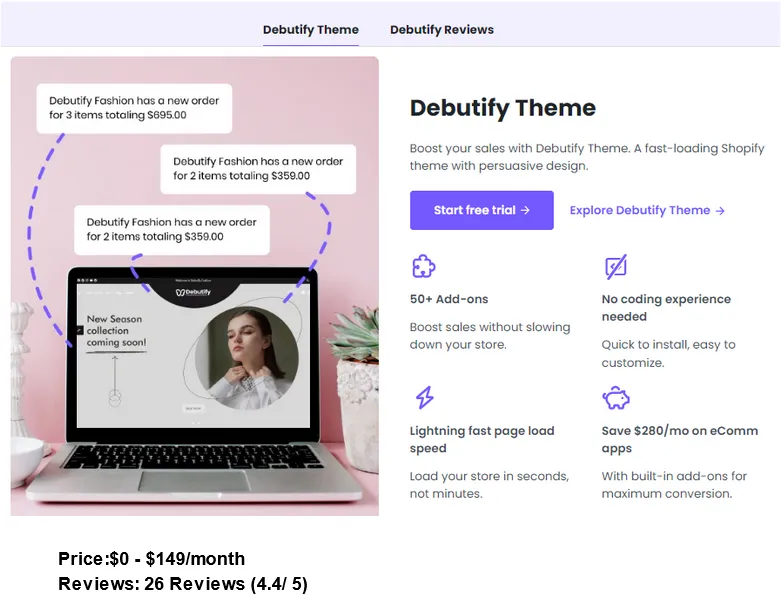
9.Debutify: Online Fashion Haven


debutify shopify theme

Price: $0 – $149/month

Reviews: 26 Reviews (4.4/ 5)

Key Features:

  • Debutify stands out as a premium clothing template known for its excellence within its price range, providing a sophisticated and feature-rich foundation for clothing stores.
  • Renowned for its user-friendly interface, Debutify ensures a seamless setup process, making it a top choice for both general Shopify users and clothing store owners.
  • Tailor the presentation of your clothing products with customizable product page layouts, allowing you to showcase your merchandise in a way that aligns with your brand.
  • Debutify offers the flexibility of multiple product page galleries, enhancing the visual appeal and diversity of your product displays.

Pros:

  • Highly Responsive Across Devices: Debutify ensures a highly responsive design, delivering an optimal viewing and interaction experience across various devices.
  • Automatic Updates: Users benefit from automatic updates, ensuring the theme remains current with the latest features and improvements.
  • Full Access Free Trial: Debutify offers a full access free trial, allowing users to explore its comprehensive features at no cost before committing.
  • Fast Loading Speed: The theme prioritizes fast loading speed, contributing to a smooth and efficient shopping experience for customers.
  • Excellent Customer Support: Debutify provides excellent customer support, ensuring assistance is readily available for any queries or concerns.
  • Good Refund Policy: Users can have peace of mind with a good refund policy in place, offering flexibility in case the theme doesn’t fully meet their expectations.
  • Compatible with Shopify 2.0: Debutify is fully compatible with Shopify 2.0, ensuring users can leverage the latest tools and functionalities offered by the Shopify platform.

Cons:

  • Monthly Subscription Cost (Pro & Enterprise Plans): The Pro and Enterprise plans come with a monthly subscription cost, which may be considered expensive for some users.

Start your Shopify Fashion Store with This Theme.

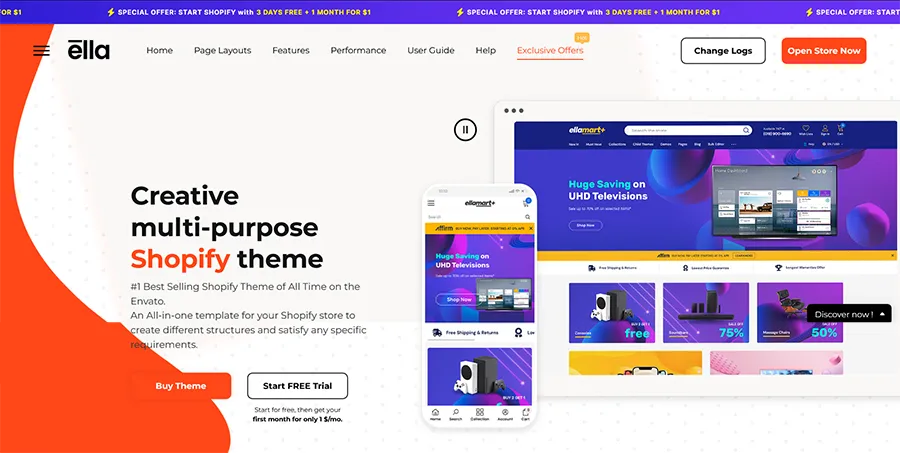
10. Ella: A Vibrant Canvas


ella shopify theme

Price: $53

Reviews: 1083 Reviews (4.79/ 5)

Key Features:

  • Ella boasts a vibrant and contemporary design that strongly emphasizes product imagery, creating an engaging and visually appealing online shopping environment.
  • With over 30,000 sales as of February 2023, Ella stands out as a popular and regularly updated Shopify theme, ensuring that your clothing store remains at the forefront of design trends.
  • Choose from a diverse range of 50+ world-class layouts and skins, allowing you to tailor your store’s appearance to meet specific business requirements.
  • Enjoy the flexibility of full customization with Ella, ensuring that your store aligns perfectly with your brand. The theme is also responsive, delivering an excellent user experience on any mobile device.
  • Ella comes equipped with a range of built-in features, including SEO optimization, quick-shop functionality, and one-click checkout. These features enhance the overall performance of your Shopify clothing store.

Pros:

  • 50+ Layout Options: Ella provides an extensive selection of layout options, offering versatility to cater to various design preferences and business needs.
  • Child Themes Included: Benefit from included child themes, simplifying the process of customizing and updating your store’s design without affecting the main theme.
  • Advanced Built-In Features: Enjoy advanced features such as quick shop, bundle discounts, mobile responsiveness, and smart search, enhancing the functionality and user experience of your online store.
  • Multiple Languages and Currencies: Ella supports multiple languages and currencies, allowing you to reach a broader audience and create a more inclusive shopping experience.
  • Compatible with Shopify 2.0: Stay ahead of the curve with Ella’s compatibility with Shopify 2.0, ensuring your store is equipped with the latest tools and functionalities.

Cons:

  • No Chat Support Available: Ella lacks live chat support, which may be a drawback for users seeking immediate assistance.
  • Email Support Timeframe: Email support response time is relatively long, taking between 24 to 48 hours, which may be a consideration for users with urgent queries.

Start your Shopify Fashion Store with This Theme.

11.Split


split shopify fashion theme

Price: $280 (free trial available)

Reviews: 230 Reviews (100% positive)

Key Features:

  • Captivates customers with a visually appealing split-screen layout, enabling effective brand storytelling through impactful images.
  • Showcases multiple promotions creatively and implements dynamic tools like unique promotion banners and countdown headers for enhanced customer engagement.
  • Enhances product visibility with features like image zoom, colour swatches, and a lookbook, providing a comprehensive and interactive shopping experience.
  • Streamlines navigation with a mega menu and effective product filtering options, ensuring customers can easily find and explore products.
  • Implements features such as a sticky cart, slide-out cart, and dynamic cross-selling to optimize conversion rates and facilitate smooth shopping experiences.

Pros:

  • Visual Storytelling Mastery: The split-screen layout and Cuber preset excel in visually narrating the brand’s story, fostering a deeper connection with customers.
  • Versatility in Design: Three distinct layouts cater to different brand aesthetics, from outdoor clothing to vibrant and fun approaches, providing versatility for diverse product categories.
  • Comprehensive Product Display: The theme’s features, including look-books and image zoom, contribute to a rich and immersive product presentation, elevating the overall shopping experience.
  • Conversion Optimization Tools: Dynamic elements such as promotion banners and countdown headers create a sense of urgency, encouraging customer conversions and boosting sales.

Cons:

  • Higher Price Point: Priced at $300, the theme may be considered relatively expensive, potentially posing a challenge for budget-conscious store owners, especially those starting small.
  • Learning Curve: The extensive features may have a learning curve for users, particularly those new to Shopify, requiring time to fully grasp and leverage the theme’s capabilities effectively.

Start your Shopify Fashion Store with This Theme.

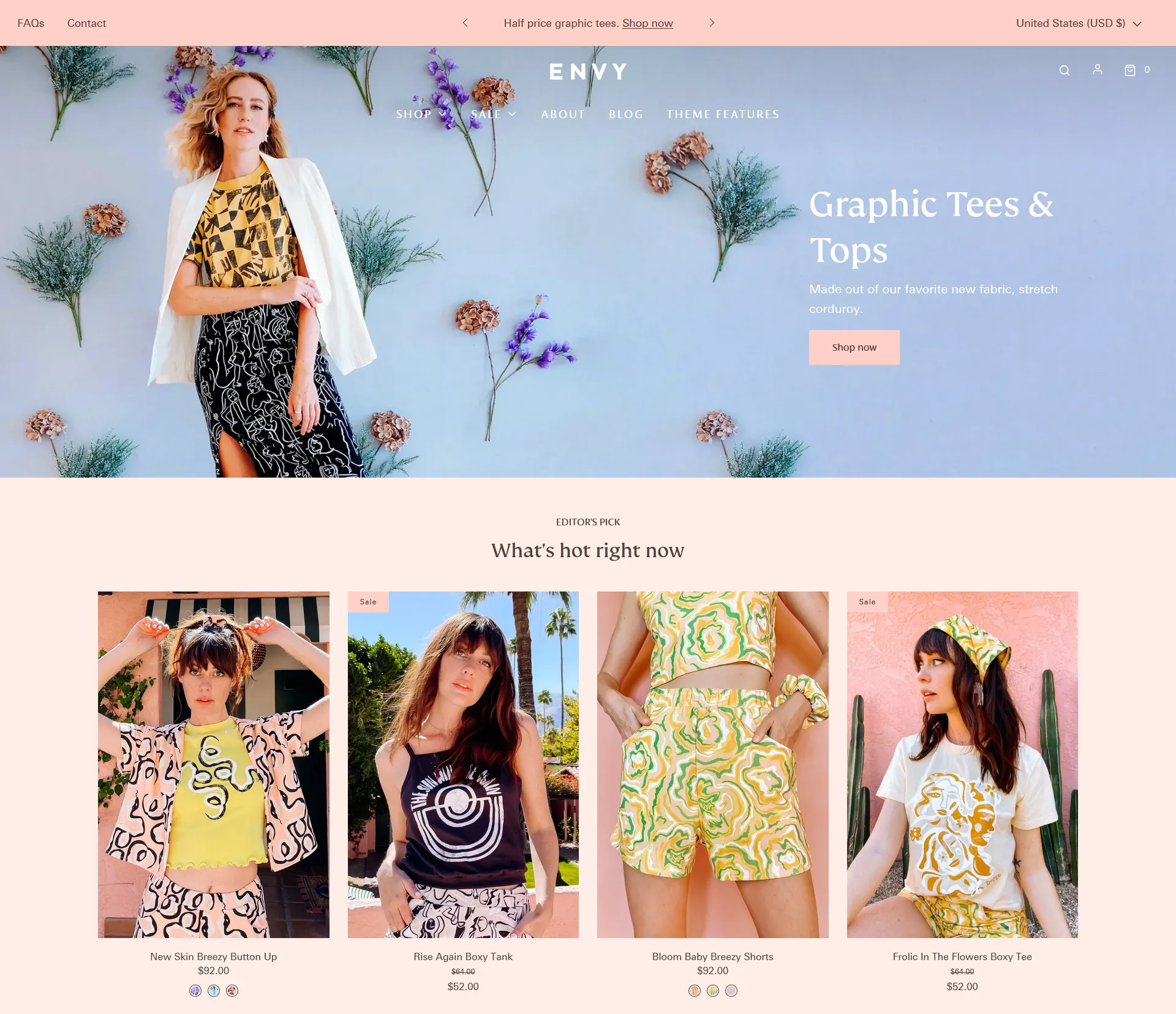
12.Envy


envy shopify fashion theme

Price: $350 (free trial available)

Reviews: 230 Reviews (92% positive)

Key Features:

  • Envy provides four clean and modern styles, offering an extra style compared to most themes in the Shopify theme store. Suitable for businesses ranging from wedding fashion to outdoor gear.
  • Facilitates seamless site navigation, especially beneficial for larger stores. The multi-level menu accommodates more items, enhancing the browsing experience for customers.
  • The promotional banner feature allows easy promotion of sales, with the flexibility to switch out promotions weekly or monthly, providing a dynamic way to engage customers.
  • Standard on all product pages, the product image zoom feature enables customers to closely inspect product details, enhancing the overall shopping experience.
  • The theme’s slideshow supports large images, allowing the upload of multiple images to showcase different views. Ideal for visually presenting products and capturing customer attention.
  • The inclusion of a marketing popup provides a handy tool for displaying marketing material or announcing sales, contributing to effective promotional strategies.

Pros:

  • Style Variety Advantage: With four styles to choose from, Envy stands out by offering an extra style compared to many other themes in the Shopify theme store, providing versatility for diverse businesses.
  • Enhanced Navigation: The multi-level menu optimizes site navigation, particularly beneficial for larger stores, creating a user-friendly browsing experience.
  • Dynamic Promotion Options: The dynamic promotional banner allows for easy and frequent promotion changes, ensuring the website stays fresh and engaging for customers.
  • Visual Appeal: The theme’s slideshow, supporting large images, contributes to an impressive visual presentation, aiding businesses in showcasing their products effectively.

Cons:

  • Higher Price Point: Priced comparatively higher, Envy may pose a budgetary challenge for smaller businesses or those seeking more economical theme options.
  • Limited Information: The brief description doesn’t provide detailed information on certain advanced functionalities or specific customization options, potentially leaving users curious about the theme’s full capabilities.

Start your Shopify Fashion Store with This Theme.

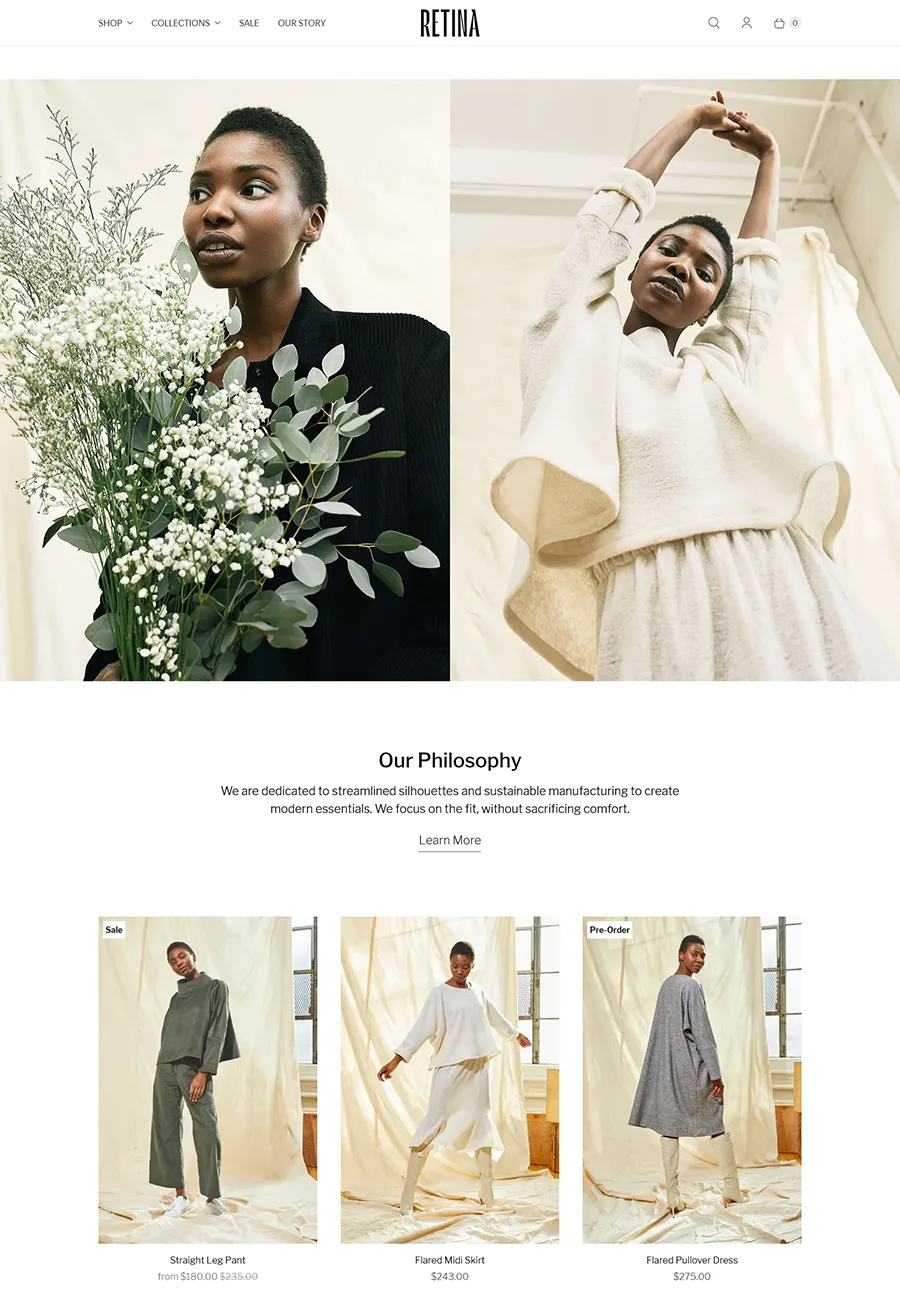
13. Retina


retina shopify fashion theme

Price: $220 (free trial available)

Reviews: 283Reviews (96% positive)

Key Features:

  • Retina offers four stylish options—Austin, Melbourne, Montreal, and Amsterdam—providing versatility for creating unique websites tailored to various markets and client preferences.
  • Regardless of the chosen style, each theme incorporates an Instagram feed, allowing seamless integration of social media content to enhance brand visibility and engagement.
  • A standout feature across all styles, the full-width homepage video provides an immersive opportunity to showcase your brand’s story, capturing visitors’ attention and conveying your company’s essence effectively.
  • The theme introduces interesting functionality with a sidebar menu, enhancing navigation and providing a unique visual element for an engaging user experience.
  • Retina simplifies the shopping process with a Quick Buy button, allowing customers to add items to their cart without leaving the current page, streamlining the purchasing journey.

Pros:

  • Style Diversity: With four distinct styles, Retina caters to various aesthetics, making it an ideal choice for those creating multiple websites or serving clients in different markets.
  • Visual Engagement: The inclusion of Instagram feeds and full-width homepage videos enhances visual engagement, providing dynamic elements to showcase products and brand stories effectively.
  • Storytelling Opportunity: The full-width homepage video, set to play upon landing, offers a valuable storytelling opportunity, allowing businesses to connect with customers and communicate their brand narrative.
  • Efficient Shopping Experience: The Quick Buy button contributes to an efficient shopping experience, enabling customers to add items to their cart seamlessly, without disruptions to their current browsing.

Cons:

  • Potentially Complex Customization: While offering diverse styles, users might face a learning curve or complexity when customizing and adapting the theme to specific brand needs, especially for those new to Shopify.
  • Limited Information on Advanced Features: The description lacks details on potential advanced features, leaving users curious about additional functionalities beyond the mentioned key features.

Start your Shopify Fashion Store with This Theme.

14. Mr Parker


parker shopify fashion theme

Price: $240 (free trial available)

Reviews: 186 Reviews (95% positive)

Key Features:

  • Mr Parker excels in presenting collections without appearing cluttered, offering a unique advantage for showcasing products in a visually appealing manner.
  • The theme provides four styles, catering to various preferences. Some styles feature a neutral design, while others lean towards a more feminine aesthetic, ensuring versatility for different brands.
  • With a strong focus on images, Mr Parker supports large visuals without compromising site speed. The theme allows for product zoom functionality on all product page photographs, enhancing the visual appeal of the products.
  • The marketing popup feature is designed to attract attention to your products by enabling the delivery of targeted messages, making it effective for promoting special promotions and engaging customers.
  • Mr Parker incorporates effective product filtering, accommodating companies of all sizes. Customers can streamline their product selection based on criteria like size and color, enhancing the overall shopping experience.
  • The theme includes a collection page sidebar, providing a dedicated space for showcasing and rearranging product collections and optimizing the organization and presentation of products.

Pros:

  • Clean and Versatile Design: Mr Parker’s clean presentation and versatile design options make it suitable for a wide range of businesses, allowing for effective product display without visual clutter.
  • Image-Centric Approach: The strong emphasis on images, with support for large visuals and product zoom, enhances the visual appeal of products, contributing to a more immersive shopping experience.
  • Targeted Marketing: The marketing popup feature provides an effective tool for drawing attention to products, especially during special promotions, fostering increased customer engagement.
  • User-Friendly Product Filtering: The efficient product filtering system caters to businesses of all sizes, enabling customers to easily narrow down their product choices based on specific criteria, promoting a user-friendly shopping journey.

Cons:

  • Style Limitation: While offering diverse styles, Mr Parker may have a more limited range compared to themes with a larger variety of design options, potentially limiting customization for specific brand aesthetics.
  • Learning Curve: Users, especially those new to Shopify, might face a learning curve in understanding and optimizing the theme’s features to their fullest potential.

Start your Shopify Fashion Store with This Theme.

15. District


district shopify fashion theme

Price: $220 (free trial available)

Reviews: 687 Reviews (100% positive)

Key Features:

  • District excels when you have a substantial collection of products, offering a solution designed to showcase products effectively.
  • Built with modernism in mind, the theme presents a contemporary design suitable for various industries beyond the fashion runway, providing versatility for diverse businesses.
  • Features a promotional banner for highlighting information about upcoming sales or new products, offering a dynamic element to engage customers.
  • The slideshow feature provides a visually appealing layout for inserting brand images or promoting products, enhancing the overall aesthetic of the website.
  • The standout feature is the collection gallery, effortlessly pulling selected products for easy viewing, streamlining the presentation of key products.
  • Similar to the promotional banner but more versatile, the marketing popup is useful for incorporating fullscreen promo messages, providing a compelling way to convey important information.
  • Embracing the fullscreen trend, the theme includes a fullscreen Instagram feed, elevating the visibility of your posts and potentially becoming a primary gallery for your brand.

Pros:

  • Versatile Design for Various Industries: The District’s modern design makes it suitable for a range of industries beyond fashion, offering a versatile theme for businesses with diverse product offerings.
  • Dynamic Promotion Options: The promotional banner, slideshow, and marketing popup contribute to a dynamic promotional strategy, allowing businesses to effectively communicate sales, new products, and important messages.
  • Efficient Product Showcase: The collection gallery efficiently showcases selected products, streamlining the browsing experience for customers and promoting key items effectively.
  • Fullscreen Instagram Integration: Embracing the fullscreen trend, the theme integrates a fullscreen Instagram feed, providing a visually impactful way to highlight social media content and turn it into a primary gallery.

Cons:

  • Possibly Standard Features: While offering expected elements from top Shopify themes, District may lack unique or standout features that set it apart from other themes in the market.
  • Limited Information: The description provides an overview but lacks details on potential advanced features or specific customization options, leaving users curious about the theme’s full capabilities.

Start your Shopify Fashion Store with This Theme.

16.Icon


iconic shopify fashion theme

Price: $280 (free trial available)

Reviews: 336 Reviews (93% positive)

Key Features:

  • Prioritizes visually stunning photography, placing a strong emphasis on showcasing brand images effectively.
  • Ensures a fixed menu position as users scroll down the website, maintaining user orientation and preventing navigation difficulties.
  • Introduces a multi-column menu that includes product or category images, enhancing user interaction and encouraging clicks on menu buttons.
  • Offers a quick view option for products, allowing users to preview items without navigating to the full product page, improving the shopping experience.
  • Optimizes viewing with a full-width Instagram feed that directly links to the brand’s Instagram account, facilitating seamless social media integration.

Pros:

  • Visual Emphasis: Design philosophy centers around visually striking imagery, making it an ideal choice for brands with a focus on high-quality photography.
  • User-Friendly Navigation: Sticky navigation and a multi-column menu contribute to a user-friendly experience, ensuring users easily find what they’re looking for.
  • Engaging Slideshow: Supports larger images, serving as an engaging focal point for promotions and new product releases.
  • Interactive Menu with Images: Enhances menu interactivity, attracting attention and guiding users to explore product categories seamlessly.
  • Efficient Product Preview: Quick View feature streamlines the shopping experience, allowing users to preview products before committing to a full product page view.

Cons:

  • Niche Appeal: Icon’s image-focused design may cater more specifically to brands with visually striking photography, potentially limiting its universal appeal across diverse industries.

Start your Shopify Fashion Store with This Theme.

17. Lezada


lezada shopify theme

Price: $79

Reviews: 165 Reviews (4.9/ 5)

Key Features:

  • Lezada boasts a highly responsive design, ensuring optimal viewing and interaction across various devices, and contributing to a seamless user experience.
  • With SEO optimization, Lezada is designed to enhance visibility on search engines, aiding in the discoverability of your online store.
  • The theme prioritizes easy navigation, providing a user-friendly experience for visitors to effortlessly explore your clothing business.
  • Lezada includes a unique popup feature that allows you to highlight sales and promotions effectively, engaging customers and boosting conversion rates.
  • Ideal for international businesses, Lezada supports multiple languages, accommodating a diverse audience and expanding the reach of your online store.
  • Fully compatible with most Shopify plugins and updates, Lezada ensures flexibility and scalability for both new and experienced online merchants.
  • The theme comes with special features such as coming soon pages, a deal of the day counter, and a lookbook display, adding unique elements to your online store.
  • Lezada is compatible with Shopify 2.0, incorporating the latest features and functionalities offered by the Shopify platform.

Pros:

  • High Mobile Responsiveness: Lezada excels in mobile responsiveness, catering to users across various devices and ensuring a consistent and enjoyable browsing experience.
  • Multi-Language Support: The inclusion of multi-language support is advantageous for international businesses, allowing you to reach a broader audience.
  • Special Features: Lezada stands out with special features like coming soon pages, a deal of the day counter, and a lookbook display, providing unique elements for your clothing business.
  • Easy Navigation with Breadcrumb Banners: The easy navigation, coupled with breadcrumb banners, enhances the overall user experience, facilitating seamless exploration of your online store.
  • Multiple Support Methods: Lezada offers multiple support methods, providing assistance and guidance for both newcomers and experienced online merchants.
  • Compatibility with Shopify 2.0: Being compatible with Shopify 2.0 ensures that Lezada stays up-to-date with the latest features and advancements on the Shopify platform.

Cons:

  • Pages Sometimes Laggy: Users may experience occasional lag on certain pages, impacting the overall speed and performance of the online store.
  • Needs Constant Updates for Minor Technical Problems: The theme requires frequent updates to address minor technical problems, necessitating ongoing maintenance efforts.

Start your Shopify Fashion Store with This Theme.

18. Shella


shella shopify fashion theme

Price: $59

Reviews: 242 Reviews (5/ 5)

Key Features:

  • Offers 99+ pre-designed pages and a variety of ready-to-use skins for an affordable and feature-rich Shopify template.
  • Recognized as one of the fastest themes with a speed score of 89 based on Google Lighthouse metrics, ensuring optimal loading times.
  • Provides customizable sections on the homepage, allowing for flexible layout adjustments to match your brand and promotional requirements.
  • Features a mobile-responsive design for consistent and user-friendly browsing across different devices.
  • Emphasizes conversion rate optimization with tools and features designed to increase the likelihood of turning visitors into customers.

Pros:

  • Super Fast Speed: Impressive speed score ensures a fast and efficient user experience.
  • Advanced Features: Includes advanced features such as product swatches, Quickview, and FAQ pages, enhancing functionality and user engagement.
  • SEO Optimized and Mobile Responsiveness: Optimized for search engines and features a mobile-responsive design for improved visibility and accessibility.
  • Dropshipping Ready: Equipped for dropshipping, providing convenience for businesses utilizing this fulfillment method.
  • Compatibility with Shopify 2.0: Ensures compatibility with the latest features and advancements from the Shopify platform.

Cons:

  • No Money-Back Guarantee: Lacks a money-back guarantee, potentially affecting users seeking a risk-free trial.
  • Slow Customer Support: Customer support may be slower due to English not being their first language, leading to potential communication challenges.

Start your Shopify Fashion Store with This Theme.

19. Belle


belle Shopify Fashion Themes

Price: $27.75

Reviews: 146 Reviews (4.95/ 5)

Key Features:

  • Belle features a clean, modern, and highly responsive design, striking a balance between simplicity and flexibility, catering to even the most discerning store owners.
  • The theme offers multiple homepages and collection page layouts, providing versatile options for showcasing products effectively.
  • Belle includes a quick product view feature, enhancing the user experience by allowing customers to preview products without navigating away from the main page.
  • Built-in advanced features, such as social share buttons and a newsletter subscription form, contribute to increased engagement and conversion rates.
  • Recently updated with Shopify 2.0 compatibility, Belle incorporates the latest features and advancements from the Shopify platform.
  • The theme provides a drag-and-drop builder, allowing users to adjust any section according to their needs and preview changes live before saving.
  • 100+ Stunning Features and 22+ One-Click Demos: Belle offers over 100 stunning features and 22 high-quality one-click demos, providing a diverse range of options for customization.

Pros:

  • 1000+ Live Customization Options: Belle boasts over 1000 live customization options, offering extensive flexibility in tailoring the theme to match specific preferences and branding.
  • SEO Optimized and Highly Mobile Responsive: The theme is optimized for search engines and exhibits high mobile responsiveness, ensuring visibility and accessibility across various devices.
  • Special Features: Special features, including a video button and media icons, enhance the visual appeal and functionality of the theme.
  • Built-in Ajax Infinite Load Speed: The built-in Ajax infinite load speed contributes to a seamless and efficient browsing experience, particularly beneficial for larger product catalogs.
  • Compatibility with Shopify 2.0: Belle is compatible with Shopify 2.0, staying up-to-date with the latest features and improvements from the Shopify platform.

Cons:

  • Limited Font Choices: The theme offers limited font choices, potentially limiting customization options for users seeking a specific typography style.
  • No Chat Support (Only Ticket System): Belle lacks chat support, relying solely on a ticket system for customer inquiries and support.
  • Limited Customer Support Duration: Customer support is available for a limited duration of 6 months, potentially requiring additional arrangements for extended support.

Start your Shopify Fashion Store with This Theme.

20. Spotlight


Price: Free

Reviews: 15 Reviews (53% positive)

Key Features:

  • Spotlight boasts a chic and minimalist design, ensuring a visually appealing and clean aesthetic for your clothing store.
  • The theme emphasizes media-forward product pages, allowing your clothing collection to shine with stunning displays that capture the attention of shoppers.
  • Spotlight offers flexibility in design and customization settings, allowing you to tailor the appearance of your store without the need to delve into any code.
  • One of the standout features of Spotlight is that it is completely free, providing an excellent solution for clothing stores looking for a budget-friendly yet visually impactful theme.

Pros:

  • Chic and Minimalist Aesthetic: The chic and minimalist design enhances the overall aesthetic of your clothing store, providing a modern and visually pleasing environment for shoppers.
  • Media-Forward Product Display: The focus on media-forward product pages ensures that your clothing collection takes center stage, captivating customers with engaging displays.
  • Cost-Free Solution: Spotlight is offered for free, making it an ideal choice for budget-conscious clothing stores looking for a high-quality theme without additional costs.
  • User-Friendly Customization: The theme’s flexible design and customization settings enable easy adjustments to tailor the appearance of your store to your preferences, even without coding knowledge.

Cons:

  • Limited Theme Styles: Spotlight comes with a default theme style, potentially limiting the variety of visual styles available compared to premium themes.

Start your Shopify Fashion Store with This Theme.

Conclusion:

Choosing the RIGHT theme is crucial for the success of your fashion or clothing store on Shopify. We’ve explored a diverse range of options in our list of the Top 20 Best Shopify Themes for Fashion/Clothing Stores, each offering unique features and aesthetics to suit various preferences.

To elevate your online presence and ensure a seamless shopping experience for your customers, contact Arete Soft Labs team . Investing in professional support can make a substantial difference in the success of your fashion or clothing store. Don’t just settle for a theme – make your online presence truly stand out with the expertise of Arete Soft Labs team.

Happy selling!

Filed Under: eCommerce Development

Revamp Your eCommerce Site: Explore the Top 5 Design Trends

September 29, 2023 by Mandeep Kumar Leave a Comment


Importance of staying up-to-date with design trends in the eCommerce industry:

As technology, user behavior, and consumer preferences rapidly evolve, adapting to the latest design trends ensures a user-friendly and visually appealing shopping experience. Embracing current trends enhances brand credibility, fosters customer engagement, and boosts conversion rates. It also enables businesses to stay ahead of competitors and align with emerging innovations such as mobile responsiveness, personalized interfaces, and immersive product visualization.

  • Enhanced User Experience: Enhanced user experience refers to optimizing every aspect of a product or service to exceed user expectations. By focusing on usability, accessibility, and aesthetics, businesses can create seamless, intuitive interactions, resulting in higher satisfaction levels, increased engagement, and improved customer loyalty.

human centeted design

  • Brand Differentiation: Brand differentiation is the process of highlighting unique attributes, values, and offerings that set a company apart from competitors. By emphasizing distinctive features and benefits, businesses can carve a distinct identity in the market, attract their target audience, and establish a competitive advantage, leading to long-term success.
  • Increased Trust and Credibility: Embracing the latest design trends in 2025 for your eCommerce site not only enhances its visual appeal but also boosts trust and credibility. Stay ahead with innovative layouts, user-friendly interfaces, and responsive design, showcasing your commitment to a seamless shopping experience, ultimately earning customers’ trust and solidifying your brand’s credibility.
  • Adaptation to Changing User Behaviour: In 2025, evolving user behavior is pivotal for eCommerce success. Revamping your site to align with changing trends like personalized experiences, mobile-first design, and AI-driven recommendations demonstrates your adaptability. By catering to shifting consumer preferences, you ensure your site remains relevant and user-centric, driving growth and engagement.

danamic behaviour

  • Competitive Edge: Revamp your eCommerce site in 2023 to gain a decisive competitive edge. Embrace the latest design trends, from immersive augmented reality features to minimalist, user-centric layouts.

Explore the Top 5 Design Trends for 2025:

Discover the forefront of design in 2025 with the top 5 trends. Embrace immersive augmented reality experiences, minimalist and user-centric layouts, sustainability-focused design, AI-driven personalization, and mobile-first approaches. Stay ahead, captivate your audience, and elevate your brand’s visual appeal with these cutting-edge design trends.

Web Design Trends

Trend 1: Minimalistic and Clean Design

Streamlined layouts, ample white space, and crisp typography take center stage. This trend promotes clarity, ease of navigation, and a focus on essential content, enhancing user experiences by eliminating distractions and delivering a visually pleasing, sophisticated aesthetic.

a. Explanation of the minimalistic design approach:

Minimalistic design is characterised by simplicity, emphasizing essential elements while eliminating excess ornamentation. It prioritises clean lines, generous white space, and a limited colour palette. This approach enhances user focus, readability, and navigation, offering a visually appealing and uncluttered interface that promotes a sense of sophistication and efficiency.

b. Benefits of minimalism in improving user experience and conversion rates

Minimalism enhances user experience by reducing clutter, improving readability, and simplifying navigation. This leads to quicker comprehension and a more enjoyable interaction. With less distraction, users can focus on key information and calls to action, resulting in improved conversion rates as visitors are more likely to engage and make desired actions.

Trend 2: Mobile-First Design

Mobile-first design prioritizes creating websites and applications for mobile devices before desktops. It ensures seamless functionality and optimized user experiences on smaller screens. By starting with mobile design, businesses cater to the increasing mobile user base, enhancing accessibility, speed, and overall usability while improving search engine rankings and user satisfaction.

a. Importance of mobile optimization in eCommerce:

Mobile optimization is crucial in eCommerce due to the growing reliance on smartphones for online shopping. It ensures that websites and apps are responsive, load quickly, and provide a seamless experience on mobile devices

mobile ecommerce

b. Key elements of mobile-first design:

Mobile-first design prioritises elements for mobile devices, ensuring optimal usability and user experience. Key elements include responsive layouts, touch-friendly navigation, fast loading times, simplified content, concise forms, and a focus on essential features. It adapts content and design to smaller screens while maintaining functionality and aesthetics, enhancing mobile user engagement.

c. Case studies showcasing the impact of mobile-first design on user engagement:

  1. Google: After adopting a mobile-first approach, Google saw a 15% increase in mobile searches and a 50% boost in mobile ad revenue, demonstrating how mobile optimization can drive user engagement and revenue growth.

google ad revenue

  1. Amazon: Amazon’s mobile-first strategy led to a 43% increase in mobile sales, emphasizing the transformative impact of prioritizing mobile user experiences.

Amazon e commerce growth

  1. Facebook: The social media giant’s mobile-focused redesign led to a 16% increase in mobile user engagement, illustrating how mobile-first design can revitalize user interactions and retention.

Trend 3: Personalized User Experience

Personalized user experience tailors content, recommendations, and interactions based on individual preferences, behavior, and data. It enhances engagement, satisfaction, and conversions by delivering relevant content, product suggestions, and messages, creating a more engaging and meaningful interaction between the user and a platform or service.

a. Introduction to personalized eCommerce experiences:

Personalized eCommerce experiences revolutionize online shopping by tailoring product recommendations, content, and offers to individual preferences and behaviors. Utilizing data analytics and AI, these experiences enhance user engagement, increase conversion rates, and foster customer loyalty, ultimately creating a more satisfying and convenient shopping journey for each visitor.

b. Utilizing customer data and behavior to offer tailored product recommendations and targeted marketing

Leveraging customer data and behavior, businesses can provide highly personalized product recommendations and targeted marketing. By analyzing past purchases, browsing history, and preferences, they can offer individualized suggestions and promotions. This data-driven approach not only boosts sales but also enhances the overall shopping experience, fostering customer loyalty and satisfaction.

c. Success stories of businesses that have implemented personalized user experiences effectively

  1. Netflix: Netflix’s recommendation system, driven by user data, suggests content tailored to each viewer’s preferences, contributing to its 200+ million subscribers worldwide.
  2. Amazon: Amazon’s product recommendation engine is a prime example, responsible for 35% of its revenue, demonstrating the power of personalized experiences in eCommerce.
  3. Spotify: Spotify’s music recommendations have boosted user engagement, with 44% of discovered music coming from personalized playlists, highlighting the impact of tailored content on user satisfaction.

Trend 4: Interactive and Immersive Elements:

Interactive and immersive elements in web design engage users through dynamic features like animations, videos, quizzes, and 3D experiences. These elements create a captivating and memorable user journey, increasing user engagement, brand retention, and conversions, ultimately enhancing the overall user experience.

a. Integration of interactive features like 360-degree product view:

In 2025, design trends emphasize enhanced user engagement through interactive features like 360-degree product views. This immersive approach allows consumers to explore products from all angles, enhancing their online shopping experience and fostering a deeper connection with brands.

b. Benefits of interactive elements in increasing user engagement and reducing purchase hesitation:

Interactive elements boost user engagement by providing a hands-on experience, enabling customers to explore products or content. This reduces purchase hesitation as it builds confidence and trust, allowing users to make informed decisions. It also enhances retention and fosters a memorable interaction with the brand.

c. Examples of eCommerce sites leveraging interactive and immersive elements effectively:

Nike’s SNKRS app offers augmented reality for sneaker try-ons, while IKEA’s AR tool enables furniture placement in real spaces.

Sephora’s Virtual Artist allows makeup testing, and Houzz offers AR-powered room design. These platforms effectively engage users through interactive and immersive experiences, enhancing the shopping process.

Trend 5: Bold and Vibrant Visuals:

Bold and vibrant visuals are powerful design elements that command attention and convey energy. They infuse vitality into websites, graphics, and marketing materials, leaving a memorable impression. By using striking colors and dynamic imagery, businesses can create a visually compelling brand identity that resonates with their audience.

a. Embracing vibrant colors, bold typography, and eye-catching visuals:

Embracing vibrant colors, bold typography, and eye-catching visuals invigorates design. It captivates attention, conveys confidence, and establishes a distinctive brand identity. This dynamic approach resonates with audiences, leaving a lasting impression and fostering a strong visual connection between the brand and its consumers.

b. How bold visuals create visual interest and help brands stand out:

Bold visuals create visual interest by commanding attention and evoking emotions. They break through clutter, making a memorable impact on viewers. This uniqueness distinguishes brands, leaving a lasting impression and increasing recognition. Ultimately, bold visuals strengthen brand identity and foster a deeper connection with the audience.

c. Showcasing eCommerce websites that have successfully adopted bold and vibrant visual designs:

Fashion retailer ASOS employs bold visuals with striking product imagery and vibrant color schemes, creating an energetic shopping experience. Beauty brand Glossier employs clean layouts and vivid imagery for a fresh, inviting look. These sites effectively use bold design to captivate users and reinforce their brand identities.

Conclusion:

In conclusion, Arete Soft Labs Inc. stands at the forefront of eCommerce innovation by embracing the top design trends of 2025 for their clients. With immersive 360-degree views, interactive elements, and bold visuals, they create engaging online experiences. This strategic approach ensures a competitive edge, captivating audiences and driving business success.

Filed Under: eCommerce Development

How Much Does an eCommerce Website Development Cost?

May 22, 2023 by Mandeep Kumar Leave a Comment

Developing and maintaining an eCommerce website is not so easy as it seems. There are many factors to consider when planning for eCommerce website design and development. The eCommerce website development cost may initiate at as low as $5,000 and may exceed $50,000 or more. The total cost depends on the platform that you choose and your specific design and functionality requirements.

If you plan to develop a custom eCommerce web solution, its pricing could go beyond an initial web development price. Furthermore, the factors such as the cost associated with continued investments in improving the site’s functionality, the user experience enhancements, security, marketing, etc., are also counted while calculating the total amount.

So, how much does it cost for eCommerce Website Development with Arete Soft Labs?

Here is an insight into the total cost of developing an eCommerce website for your better understanding:

Choice of platform and cost of eCommerce website development

There are a variety of different eCommerce platform options available for you to select from. Here is the list of some of the most popular shopping cart/eCommerce platforms:

  1. Shopify
  2. WooCommerce

There are many other platforms out there. But for this post, we will focus on these platforms only. The overall cost of an eCommerce website includes different parts as below:

  1. Platform
  2. Design
  3. Development
  4. Website hosting infrastructure
  5. Content creation
  6. Maintenance

Want a no-obligation estimate for your eCommerce website project?

Free estimate · No obligation to hire · NDA enforced

Request a Quote

Let’s explore the design, platform, development, and other costs for each shopping cart:

Shopify eCommerce website development cost factors

With over 5.6 million Shopify stores in over 175 countries running on this fantastic platform, it’s the number one choice. So many brick-and-mortar stores have set up online stores with the recent pandemic, and Shopify was at the forefront of this eCommerce boom.

  1. Platform

Shopify is a hosted shopping cart platform that offers all the features you will need to sell online for a fixed monthly fee. With Shopify, you can select from different plans based on your business needs and goals, starting from $39 per month and going up to $399 per month.

Shopify Pricing Plans

shopify website plans price

Shopify pricing plans with a complete feature list. Source-
https://www.shopify.com/pricing

Most stores start with a Basic Shopify plan and go up to Shopify or Advanced Shopify as the business needs grow.

All Shopify plans offer options to sell unlimited products but limit based on the number of Staff Accounts, Locations, and other advanced features. However, the main driving force for the eCommerce store owner to upgrade is saving money on fees charged for each order as the sales pick up and the number of orders grows. The per-order fee with the Basic Shopify plan is 2.9%+ 30c USD, and it reduces to 2.4% +30c USD with an Advanced Shopify plan. Moreover, if you don’t use Shopify Payments, you will incur an additional 2% fee in the Basic plan, and it reduces to 0.5% when you upgrade to the Advanced Shopify plan.

Pro Tip – Work with a Shopify partner , like Arete Soft Labs, and save on Shopify plan fees while your store is under development.

  1. Design

This platform offers you some readymade templates to use as a starting point for your eCommerce website. You may also explore excellent built-in tools to customize the layout, colors, and various other settings.

Currently, Shopify has 12 free and 151 paid themes for you to choose from. These are very small in number when compared to the themes present on other platforms. But this doesn’t mean that they are inferior to their competitors. An average paid theme on Shopify may cost you USD 180. You may explore cheaper options on the third-party theme marketplaces where independent designers offer Shopify themes starting from USD 59.

Again, you may hire a Shopify website designer or developer to customize your Shopify theme. The overall cost of the custom Shopify website design ranges between $2,500 to $30,000 or more, depending on the feature and custom design options you require.

  1. Development

Do you need custom features or customization for the checkout process or any other customization in your online store? You can utilize custom development for your Shopify store.

With 100’s of apps available in the marketplace , you can pick up the right apps to extend the functionality of your Shopify store without burning a hole in your pocket. Some free apps are available too, but most of the apps are paid, and you need to sign up for a suitable plan with the selected app(s) based on the features you need. The paid app plans range from $3.99 and go up to $6,666 per month. However, most apps range between $3.99 to $50.00 per month.

However, suppose you have unique needs for your Shopify store that none of the readymade apps can fulfill. In that case, you may hire Shopify Developers for Shopify app customization or custom app development. The cost of such a development/customization project will depend on the features and customization you may require.

  1. Website hosting infrastructure

To run your online store, you will need a domain, hosting plan, and an SSL certificate to start with. Shopify being a hosted eCommerce platform, you don’t need to worry about your hosting. Shopify also provides a free SSL certificate to offer a secure shopping environment for your customers. You can use your existing domain or purchase your domain with Shopify. Overall, you don’t incur any additional charges for your hosting infrastructure for your online store.

  1. Content creation

I am sure you heard the phrase- Content is king, and it’s super apt when it comes to content for your eCommerce store. A lot goes into designing and building your eCommerce store, but your store is incomplete without an attractive and engaging copy. An excellent copy will be loved by both your customers and search engine bots alike.

Exceptional copy requires strategy and effort. Do not just copy the product description from your supplier’s website and paste it into your website. Hire a professional content writer to write engaging copy for the products that will not only appreciated by your customers but also boost your SEO rankings. So, work on the custom copy so your prospective customers can find your products quickly.

Most content writers charge based on a per word basis; others also work on a fixed project cost basis. You can hire a professional content writer from freelance marketplaces such as Fiverr , Upwork, Guru , etc. The cost of copywriting can vary from $0.10 to $1.00 per word or more depending on the content writer’s location, skills, and research involved.

  1. Content creation

It is crucial to keep your eCommerce website updated and relevant and make sure it is free from any technical issues and errors that can impact the customer experience.

Fortunately, with Shopify as your shopping cart platform, you don’t need to worry about a lot of technical maintenance for your online store software upgrades. But you surely need to keep your website content updated and relevant, make sure all links on the website are working correctly, and above all, the pricing information is current.

However, it is crucial to have a website maintenance plan in place for your online store. Most Shopify developers offer Shopify maintenance plans too and charge hourly, ranging from $30-$150 or more.

Want a no-obligation estimate for your eCommerce website project?

Free estimate · No obligation to hire · NDA enforced

Request a Quote

WooCommerce eCommerce website development cost factors

  1. Platform

With more than 28% of online stores on the web powered by WooCommerce, it is the most popular eCommerce platform globally and is preferred by businesses of all sizes. WooCommerce, an open-source project, is 100% free software that you can download and use to create your eCommerce store. However, to set up your online store with this fantastic platform, you will need a hosting account, domain name, and an SSL certificate. We will cover more on the hosting, domain name, and SSL costs later under “website hosting infrastructure.”

  1. Design

The WooCommerce platform is developed and managed by AutoMattic . The platform builders offer three free WooCommerce themes that you can start with. However, many other websites provide free WooCommerce themes that you can use and personalize to your branding. Here are some other websites where you can find some more free WooCommerce themes.

  1. Design.net
  2. Athemes.com

However, if you are looking to create an impressive online store, you can invest in a paid theme. Fortunately, WordPress/WooCommerce has a huge active community of independent companies developing themes. You can explore a wide range of theme selections based on your industry, design preferences, and other functional requirements. The paid theme options start from USD 20 and go up to USD 150 or more. Below is a couple of industry-leading websites that have a collection of 100’s WooCommerce themes to choose from:

Can’t find a theme that matches your design preferences/need customization or needs a custom theme, you can hire a WooCommerce web designer to customize or create a custom theme to meet your design preferences. The cost of such a project will depend on the extent of customizations or features required. A theme customization project may range from USD 1000- USD 5000, whereas a custom theme development may be significantly higher. However, given the sheer number of themes available, you can easily find a WooCommerce theme that matches your preferences and can be further customized to meet your business goals while keeping project costs under check.

  1. Themeforest.net
  2. Templatemonster.com
  1. Development

Does your business demand custom features for your eCommerce store? You are in luck. Being an Open Source software, you can customize the WooCommerce shopping cart software to amend the flow and functionality as required.

With an extensive ecosystem for WordPress and WooCommerce, there is a vast community of third-party developers and companies that offer free and paid plugins that you can use to extend the functionality of your WooCommerce store. You can explore the official WooCommerce store to find suitable plugins that meet your functionality requirements. Additionally, you can search the official plugin store on WordPress.org or check out third-party plugins marketplaces for affordable WooCommerce plugins or research on Google. The price for the paid plugins can vary widely and ranges from USD 20 – USD 500. However, unlike Shopify, most plugins for WooCommerce are available for one-time payment with free updates for the first year. Some plugins offer lifetime updates too.

None of the plugins meet your business requirements? Fret not. You may hire a WooCommerce developer to customize a ready plugin or develop a custom plugin from the ground up, fulfilling your functionality needs. Most developers will offer you a fixed cost based on the customization or functional requirements for such a project. The cost of the WooCommerce plugin customization project may range from USD 200 – USD 2000 or more.

  1. Website hosting infrastructure

With WooCommerce, you are responsible for managing the hosting infrastructure to run your online store. The hosting infrastructure will include buying a suitable hosting plan, a domain name, and an SSL certificate. On average, the cost of a domain is $20 per year, an SSL certificate costs $84.99 per year, and website hosting plans with decent power costs $17.99 per month.

There are numerous web hosting companies offering a variety of hosting plans. First, you can purchase a shared hosting plan and upgrade to a more powerful hosting plan (VPS server) or lease a dedicated server eventually when the traffic and order volume grows substantially.


A word of caution
– never chooses a hosting plan solely based on the price. We recommend getting a hosting plan that offers ample processing power and resources for fast loading speed for the best user experience. After all, nobody likes slow-loading websites.

Want a no-obligation estimate for your eCommerce website project?

Free estimate · No obligation to hire · NDA enforced

Request a Quote

  1. Content creation

I am sure you heard the phrase- Content is king, and it’s super apt when it comes to content for your eCommerce store. A lot goes into designing and building your eCommerce store, but your store is incomplete without an attractive and engaging copy for the products. An excellent copy will be loved by both your customers and search engine bots alike.

Creating great content requires strategy and effort. Do not just copy the product description from your supplier’s website and paste it into your website. Hire a professional content writer to write engaging copy for the products that will not only appreciated by your customers but also boost your SEO rankings. So, work on the custom copy so your prospective customers can find your products quickly.

Most content writers charge based on a per word basis; others also work on a fixed project cost basis. You can hire a professional content writer from freelance marketplaces such as Fiverr , Upwork, Guru , etc. The cost of copywriting can vary from $0.10 to $1.00 per word or more depending on the content writer’s location, skills, and research involved.

  1. Maintenance

WooCommerce is the most popular eCommerce platform. With one-quarter of online stores running on this fantastic shopping cart, it has an excellent support ecosystem available that you can use when required.

With an intuitive administration panel, extensive documentation, tutorials, guides, and numerous help guides and videos from independent developers and companies, you can find answers to your questions.

It is easy and affordable to find a developer to manage and fix your WooCommerce store. It is crucial to work out a website maintenance plan with a WordPress developer who keeps your WooCommerce store’s software and plugin updated and fix any issues as they arise. Most companies will work on an hourly basis or provide annual maintenance plans. The cost of maintenance plans’ hourly rate ranges from $30- $150 per month or more, depending on the size and frequency of changes required for your online store.


Also read:
WooCommerce Vs. Shopify: Which Shopping cart is the Right Choice for Your Business?

Final eCommerce Web development cost breakdown:

Summing up the eCommerce development time and cost of every stage described, you’ll get an approximate eCommerce development price.

eCommerce website development cost breakdown

Costs Shopify WooCommerce
Platform $39 to $399 per month Free
Design $2,500 – $30,000 or more $2,000 – $10,000 or more
Development Shopify Apps cost – Free to $50 or more

Installation & Customization – $500 to $5000 or more

Plugin cost – $20 to $200 or more

Installation & Customization – $500 to $5000 or more

Website hosting infrastructure Hosting & SSL certificate included with the plan

Domain – $30–$50 per year (or more for newer domain extensions)

Hosting plans – $5–$50 per month or more

SSL certificate – $84.99 per year

Domain – $30–$50 per year (or more for newer domain extensions)

Content creation Per word – $0.10 to $1.00 or more Per word – $0.10 to $1.00 or more
Maintenance $30–$150 or more per hour $30–$150 or more per hour

Conclusion

We hope this blog post helped you to find the answers to your questions for your eCommerce website that you are planning and the various costs associated. Now, do you want to get a quote for your eCommerce development project? Then, contact us for a free eCommerce quote for your project.

Filed Under: eCommerce Development

Arete Soft Labs Inc. is awarded Top Magento firm in Toronto

June 17, 2021 by Mandeep Kumar Leave a Comment

E-commerce opens many possibilities for entrepreneurs, from marketing opportunities to enhancing product ranges to producing more sales. Businesses can achieve goals while offering their customers convenient services by having an optimized and well-developed platform.

Here at Arete Soft Labs Inc., we strive to help our struggling clients to stay productive and profitable. Our company is a web development and digital marketing agency that assists our partners with whatever they need, from brand marketing, social media, digital marketing, web design and development, and more.

We are a team that strongly values transparent communication, relationship-building, and professionalism. With our years of experience, we aim to provide our clients with unforgettable digital experiences with our marketing and development services. We always look forward to seeing our partners grow and become successful.

With that, we are stoked to announce that we received another review on Clutch, an independent B2B review, and market research platform that encompasses the business services, marketing, creatives, and IT industry.

The review was about the web development services we provided to Monterey Park Physiotherapy. Our company created their website from the ground up while following the client’s requests. Aside from that, we also worked on their PPC SEO and social media marketing needs.

During the engagement, we followed an organized process that made us deliver everything on time. After we finished the website, our team checks them out from time to time to see if everything is working smoothly. And so far, everything is excellent. We are glad to be part of their success!

details

“Their experience helped us a lot in making the website much better. They were efficient in building the website and did an amazing job. We check how many people visit our website and how many leads and reviews we get. Anyone who reaches out on our website usually gives us a call or sends us an appointment request through the website itself.” – Vikas Garg, Director at Monterey Park Physiotherapy

Being a go-to business news site, The Manifest is committed to giving companies a hand in learning more about the B2B industry through data driven-content. The Manifest has featured Arete Software Inc. in their top Magento development firms in Toronto , Canada. This is a huge deal for us because it opens plenty of opportunities for our company to be recognized and trusted by potential clients out there.

We are deeply thankful for this, and we’re excited to see what the future waits for us!

Are you in need of marketing and development services? Get in touch with us, and let’s discuss how we can work together in achieving your business goals.

Filed Under: eCommerce Development

Recognized by
clutch
good firms
designerush
google
ISO
arete logo

An award-winning B2B web design and digital marketing agency. Designing, building, and growing websites across Canada and the US since 2007.

Services

Web DesignCustom DevelopmentE-commerceSEO & AI SearchPPC & Paid MediaSocial & Reputation

Company

About UsPortfolioBlogContactCities We Serve

Get in touch

Toronto
1 Yonge Street, Suite 1801
Toronto, ON M5E 1W7
Ottawa
502 Langelier Avenue
Ottawa, ON K1W 0E9
hello@aretesoftware.ca647-812-5125
© 2026 Arete Soft Labs Inc. All Rights Reserved.Toronto · Ottawa · Serving Canada & the US